Chapter 7: PC SOFTWARE OFFLINE SETTINGS
10. ACTIVATION SETTING MODE
7-59
The following functions can be set:
Nothing set.None
Stops only base pattern broadcasts.Base Pattern End
Activates the control output set in the [Pattern Settings] window.Control Output
Change the output volume of the broadcasts based on the volume pattern set
in the [Pattern Settings] window.
The volume can be changed in steps of 3, 6, 9, 12, 15, 18 or 21 dB.
Volume Up/Down
Makes broadcasts according to the EV broadcast pattern set in the [Pattern
Settings] window.
EV Broadcast
Makes broadcasts according to the base pattern set in the [Pattern Settings]
window.
Base Pattern Change
Makes broadcasts according to the interrupt broadcast pattern set in the
[Pattern Settings] window.
Interrupt Broadcast
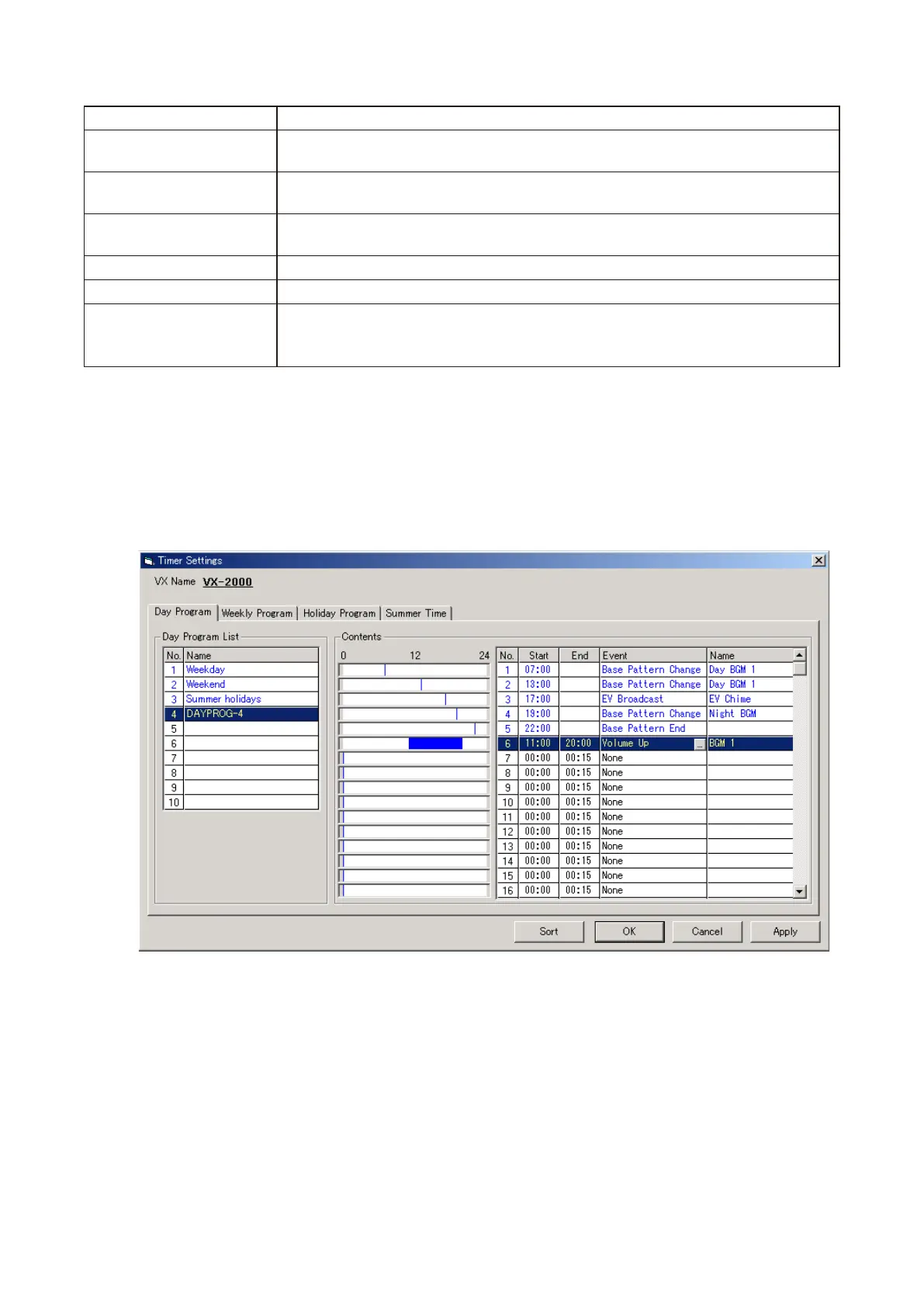
Step 3. After the event setting is completed, click on the [Apply] button to save the settings and click on the
[OK] button to close the [Event Settings] window.
Event and pattern names set in the [Timer Settings] window will be displayed, and program names
displayed in the Day Program List.
The program names can also be changed. Select a line to rename, then click on it again, and the name
can be changed.
Tip: Clicking on the [Sort] button sorts the events set for the Day program in chronological order.



 To Next Page