Chapter 2: PRODUCT DESCRIPTIONS
2. NOMENCLATURE AND FUNCTIONS
2-7
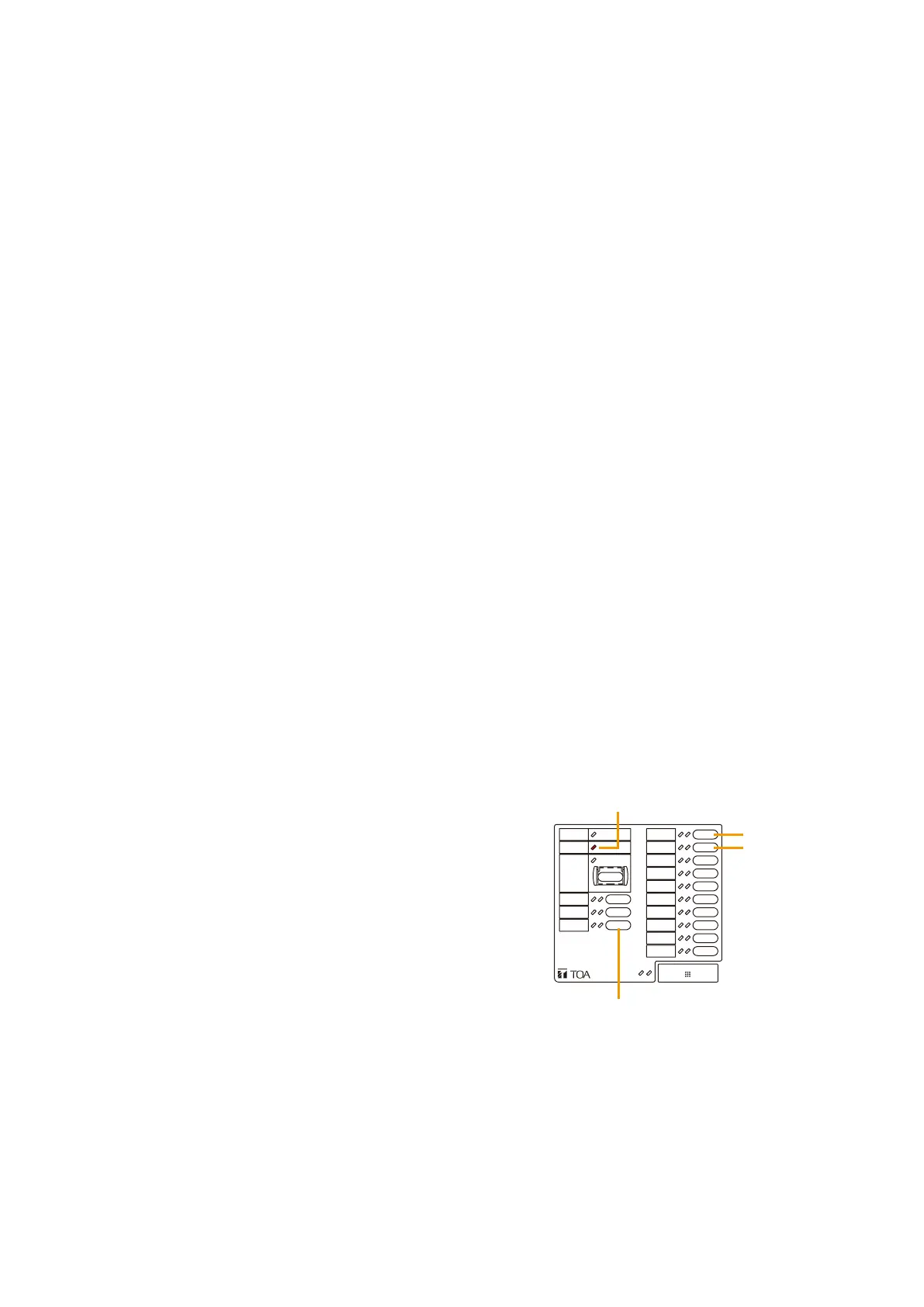
[Resetting the RM-200X]
The RM-200X can be returned to the status it was in at the time of
system power-on through the operation below.
Simultaneously holding down the Function keys 4, 6, and 7 for
about 2 seconds causes the Failure indicator to light red.
After a while, the RM-200X will be in the normal operating status.
REMOTE MICROPHONE
RM-200X
Function key 6
Function key 7
Function key 4
7. Microphone sensitivity adjustment indicator
When the Setting DIP switch (No.9) is set to
"Level meter mode: ON," this LED functions as
a microphone sensitivity adjustment indicator
for the Gooseneck microphone (No.8) or
external microphone (No.16) during microphone
broadcasts. Otherwise, this LED provides normal
indication (depending on the function assigned to
the Function key).
Refer to p. 8-4 for the instructions on microphone
sensitivity adjustment.
8. Gooseneck microphone
This easily positioned unidirectional microphone
offers easy use and clear sound output.
9. Setting DIP switch
Used to set the following functions.
•UnitIDNo.setting(necessarywhen2ormore
Remote Microphones are connected.)
•LevelmetermodeON/OFF
•CompressionON/OFF
Refer to
p. 8-2 for the DIP switch settings.
10. Monitor spe aker
Used to monitor current broadcasts.
11. RM-210 extension connector [EXTENSION]
An RM-210 Extension unit can be attached to this
connector to increase the number of available
Function keys.
12. DC power input jack [DC POWER IN]
When using the RM-200X only for general-
purpose applications, the power can be supplied
from the AC adapter.
13. Link connectors [LINK]
These RJ45 connectors connect to the VX-200XR
Remote Microphone Input Module mounted in the
VX-2000 System Manager. When cascading 2 or
more RM-200X and RM-200XF units, connect
their Link connectors to each other.
14. Monitor speaker output volume control [SP]
Adjusts the volume level of the monitor speaker
(No.10) located at the bottom.
15. Microphone volume control [MIC]
Adjusts the input sensitivity of the Gooseneck
microphone or connected external microphone.
16. External microphone input jack
[EXTERNAL MIC IN]
This 3.5 mm-diameter mini-phone jack connects
to a headset or other external condenser
microphone.
Note
The Gooseneck microphone (No.8) is disabled
while this jack is in use.



 To Next Page