Chapter 8: INSTALLATION AND SETTING PROCEDURES (HARDWARE)
1. RM-200XF AND RM-200X MICROPHONES
8-9
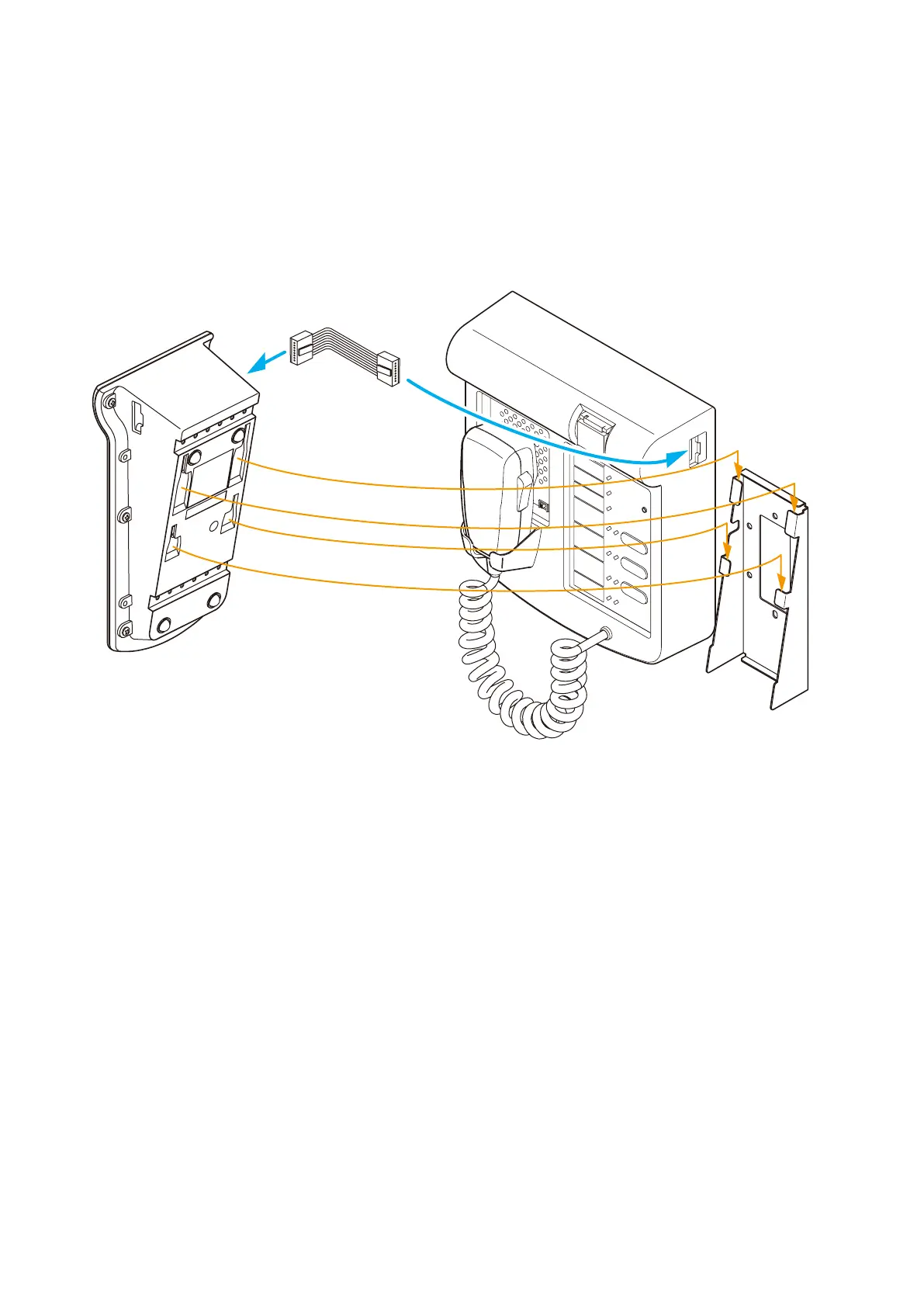
Step 2. Mount the RM-200XF to the wall.
For the installation method, refer to
p. 8-6 "1.2. RM-200XF Wall Mounting."
Step 3. Using the extension cable supplied with the RM-210, connect the RM-200XF's side EXTENSION
connector to the RM-210's side EXTENSION connector.
Step 4. Hook the bottom surface of the RM-210 onto its mounting bracket.
EXTENSION
CPU
OFF
O
Extension cable
(supplied with the RM-210)
Wall mounting bracket
WB-RM200 (optional)
RM-200XF
RM-210
4
3
2



 To Next Page