Chapter 5: OPERATION
3. GENERAL-PURPOSE BROADCAST
5-21
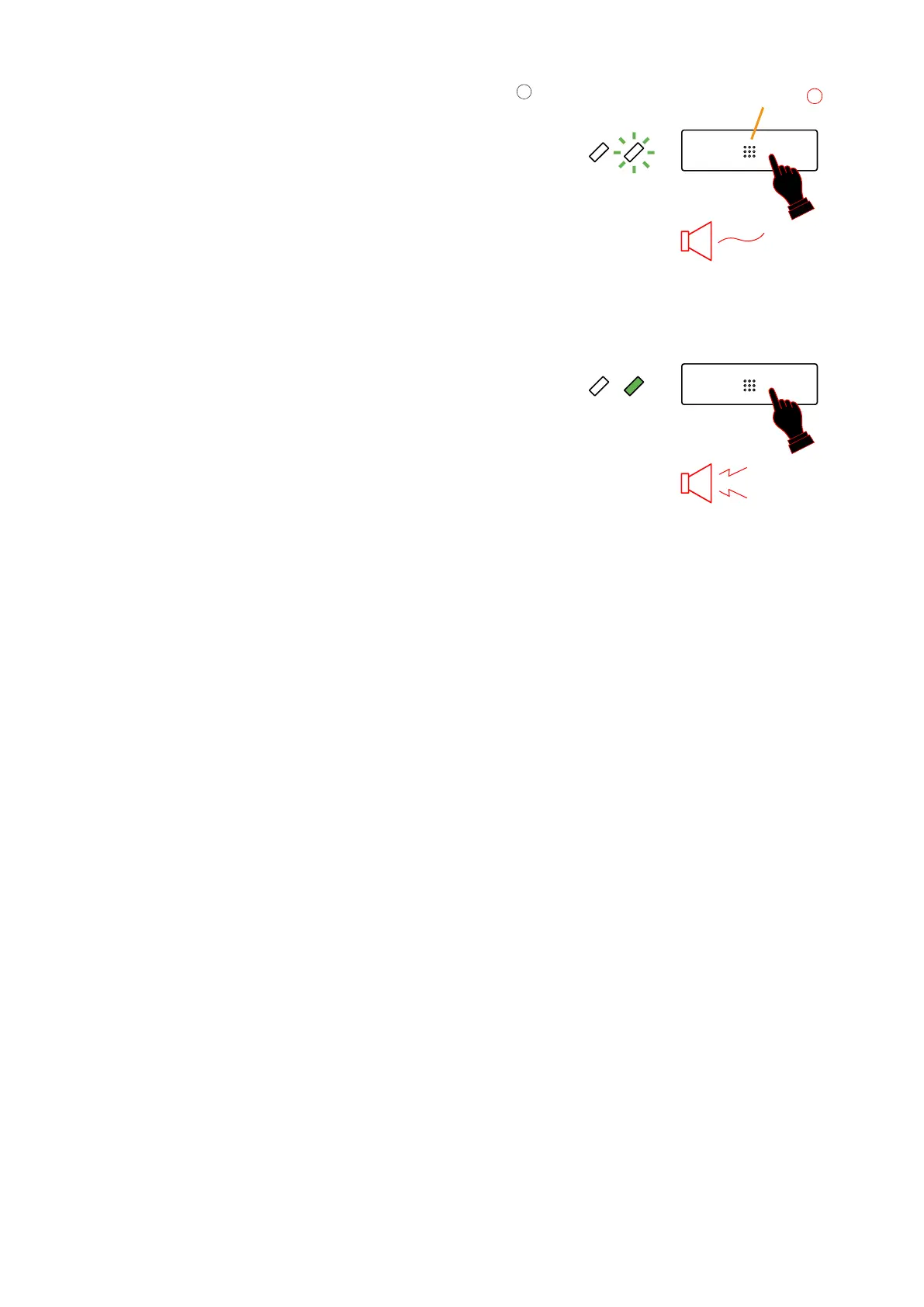
Step 2. Make announcement while holding down the Talk key
.
Since a 2-tone chime function is provided, a chime tone
sounds as soon as the Talk key is pressed.
While sounding, the chime tone is heard from the monitor
speaker, and the right-side LED flashes green.
Make the announcement after the LED has switched from
flashing to steady on. (The Talk key is assumed to have
been set to be a press-to-talk type.)
Tip
Two different modes can be set for the Talk key: PTT and
Lock modes. Settings can be performed using PC software.
•PTT: Microphone broadcasts remain turned on as long
as the key is pressed.
•Lock:Pressing the key turns on microphone
announcements, and pressing it again turns them
off. It is possible to limit the announcement time
with a programmed timer in case the user forgets to
turn off the microphone.
5
Talk key
Chime
Public Zones
Public Zones
Flashes
Lights
Hold down
the Talk key.
Tips
The 2 LEDs located next to the Talk key indicate the following.
•Theleft-sideLEDindicateswhethermicrophoneannouncementscanbemadetothepre-selectedzone.
· OFF: The zone is free and microphone announcement is possible.
· Flashing Green: Microphone announcements are possible because currently broadcasting equipment
priority is lower.
· Flashing Orange: Microphone announcements are impossible because currently broadcasting equipment
priority is higher.
•Theright-sideLEDindicatesmicrophoneusagestatus.
· OFF: The microphone is not in use.
· Green: Microphone announcement is now being made.
· Flashing Green: Chime tone is now sounding.
•When all broadcasting zones from a Remote Microphone are interrupted by a higher priority broadcast,
this causes the Remote Microphone to sound a brief peep and flash the Microphone Enable LED to disable
broadcasting microphone announcements.



 To Next Page