CDM-625 Advanced Satellite Modem Revision 13
Front Panel Operation MN-CDM625
5–3
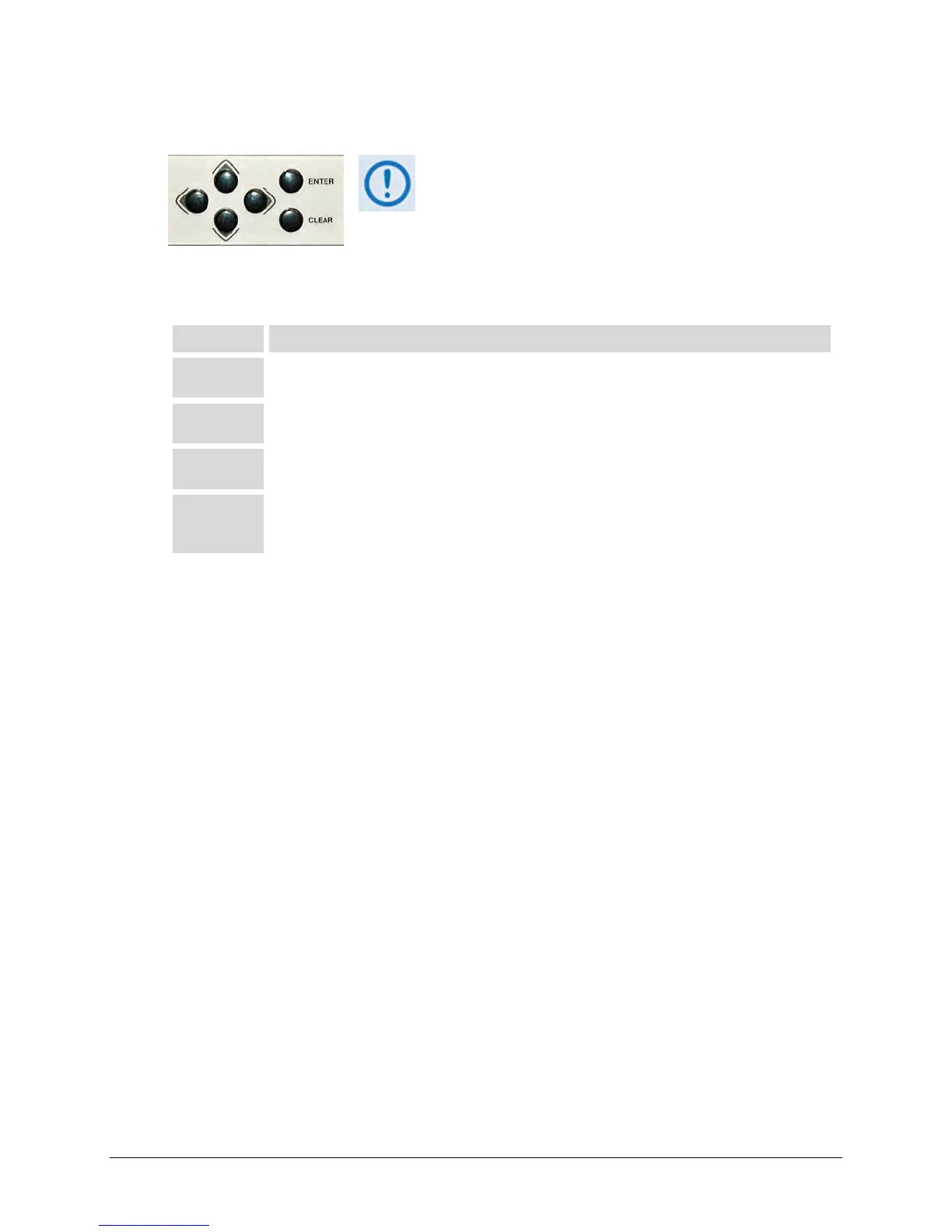
5.1.2 Keypad
The keypad has an auto-repeat feature.
down a key fo
r more than one second, the key action
repeats, automatically, at the rate of 15 keystrokes per
second. This is particularly useful when editing numeric
field with many digits, such as frequency or data rate.
The function of the keypad is as follows:
ENTER
Use t his k ey to di splay t he ne sted m enu f or a s elected function, or t o ex ecute ( save) a
configuration change.
CLEAR
Use t his key to back out of a s election or to cancel a c onfiguration change that has not been
executed using ENTER. Press CLEAR to return to the previous menu screen.
(Left, Right)
Use these keys to navigate between available selections, or to move the cursor position, on any
menu screen.
▲▼
(Up, Down)
Use t hese ke ys primarily to change the alphanumeric selection (i.e., numbers for configuration
data, l etters f or t ext s trings) at t he c urrent c ursor pos ition, o r to s croll t hrough pr e-defined
parameter settings that may be provided at the current cursor position.



 To Next Page