CDM-625 Advanced Satellite Modem Revision 13
Appendix E MN-CDM625
E–22
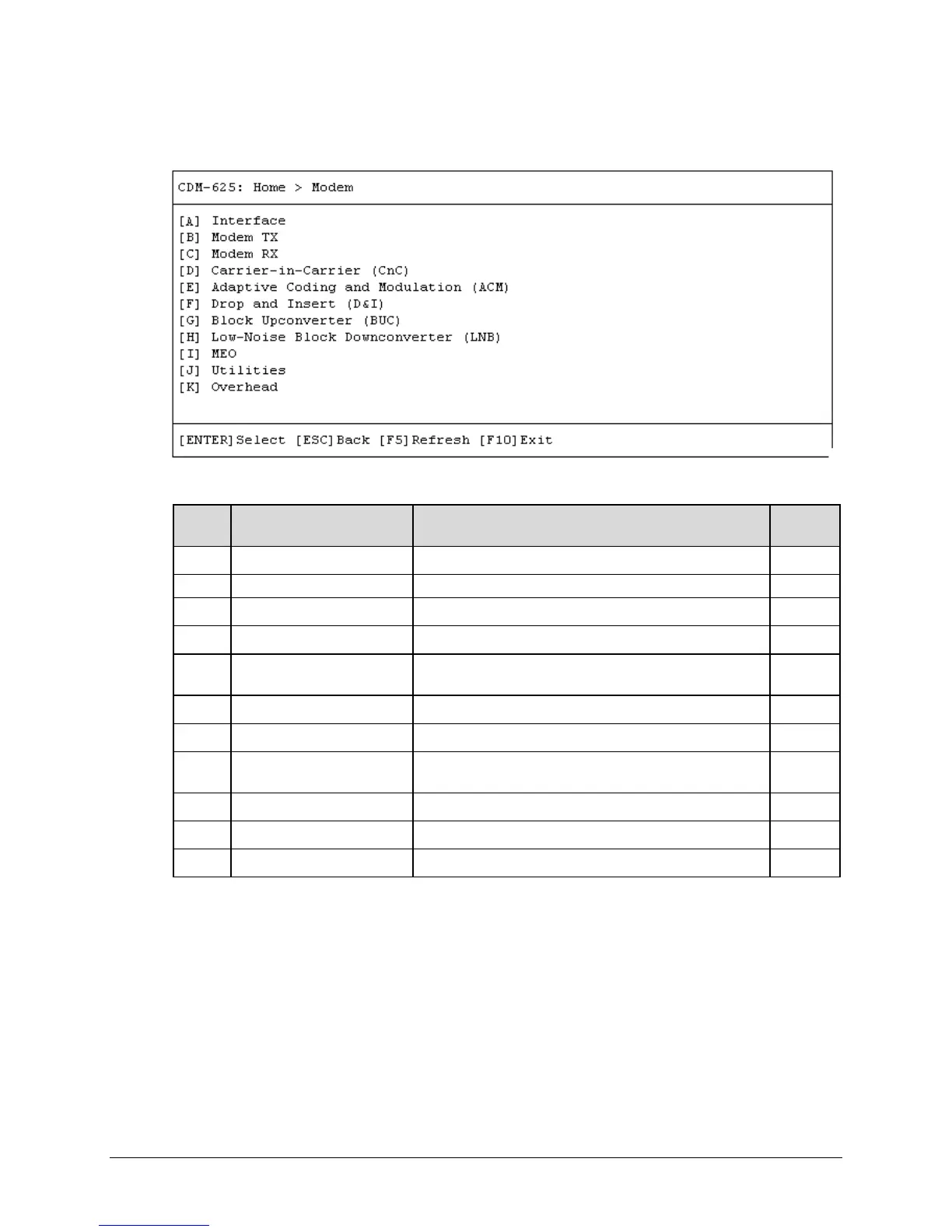
E.3.3 Home > Modem Submenu
Open the Modem submenu from the Home menu. This submenu contains the following options:
Configuration Page Function Sect.
Configure the Tx and Rx Framing Modes
Configure the unit’s Tx parameters
Configure the unit’s Rx parameters
Carrier-in-Carrier (CnC) Configure CnC FAST Option
E
Modulation (ACM)
Configure ACM FAST Option E.3.3.5
F Drop and Insert (D&I) Configure D&I parameters E.3.3.6
G Block Upconverter (BUC) Configure BUC parameters and view operating statistics E.3.3.7
H
Low-Noise Block
Downconverter (LNB)
Configure LNB parameters and view operating statistics E.3.3.8
I MEO (Medium Earth Orbit) Configure MEO and Antenna Handover parameters E.3.3.9
J Utilities Configure and monitor a variety of unit operational settings E.3.3.10
K Overhead Configure ESC, IDR Backward Alarms, AUPC, and EDMAC E.3.3.11
Press a hot key to access a configuration page. See the specified appendix section for further
configuration options. Otherwise, press [ESC] to return to the Home menu.



 To Next Page