CDM-625 Advanced Satellite Modem Revision 13
Ethernet Network Configuration MN-CDM625
16–9
16.4 Ethernet Network Configurations in Router Mode (with IP Packet
Processor)
16.4.1 Point-to-Multipoint (Router Multipoint Hub) Mode
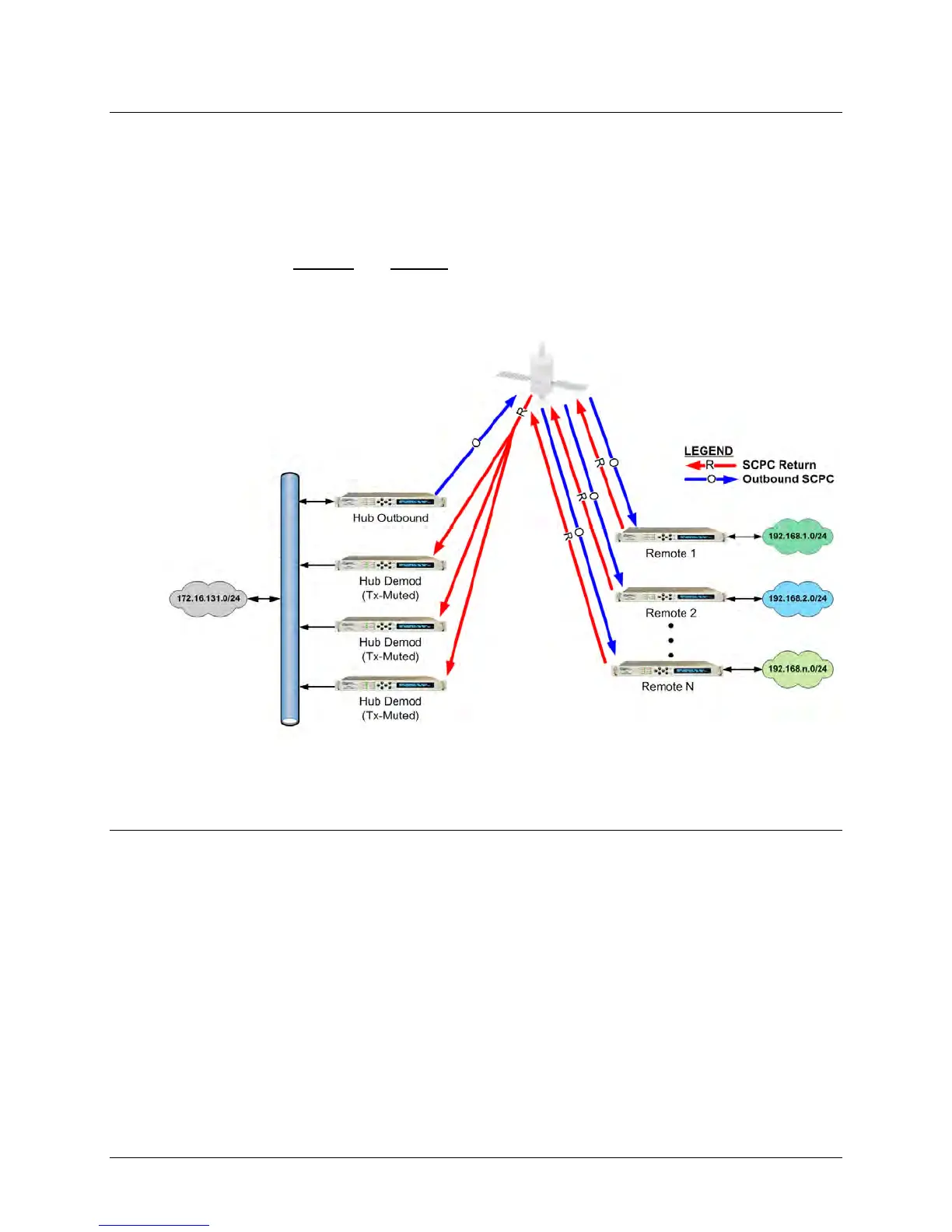
Figure 16-10 depicts a Point-to-Multipoint (Router Multipoint Hub) setup, with the optional IP
Packet Processor installed
and enabled in the CDM-625 and configured for Router Mode. This
configuration features a Hub Outbound CDM-625, with a rack of Hub Demods (Rx-only
CDM-625s are connected on single LAN networks), and Remotes (each) connected to a separate
LAN network).
Figure 16-10. Point-to-Multipoint (Router Multipoint Hub Mode)
16.4.1.1 Router Multipoint Hub Configuration
To configure a Router Multipoint Hub Network:
• For the “Hub Outbound” Modem Configuration:
o Referring to Sect. 6.5.4.3.2.1 Configuration | LAN | IP in Chapter 6. ETHERNET-
BASED PRODUCT MANAGEMENT: From the page’s Network Configuration
section, use the Working Mode drop-down menu to select the mode as Router
Multipoint Hub, and then click [Submit] to accept this configuration change.
o Referring to Sect. 6.5.4.3.3.1 Configuration | Routing | Routes in Chapter 6.
ETHERNET-BASED PRODUCT MANAGEMENT: From the page’s Add New Route



 To Next Page