CDM-625 Advanced Satellite Modem Revision 13
Appendix F MN-CDM625
F–3
F.3 ODU Operations via the CDM-625 Front Panel
1.
The ODU menu branch is accessible from the CDM-625 front panel menu only
when the CDM-625 detects the presence of an installed ODU.
2. This appendix deals strictly with ODU operations. C
OPERATION provides detailed information for any CDM-625 menu operations
or selections not otherwise specified here.
F.3.1 CDM-625 Front Panel Operation Overview
See Chapter 5. FRONT PANEL OPERATION for an in-depth explanation o f th e
function and operation of the CDM-625 front panel.
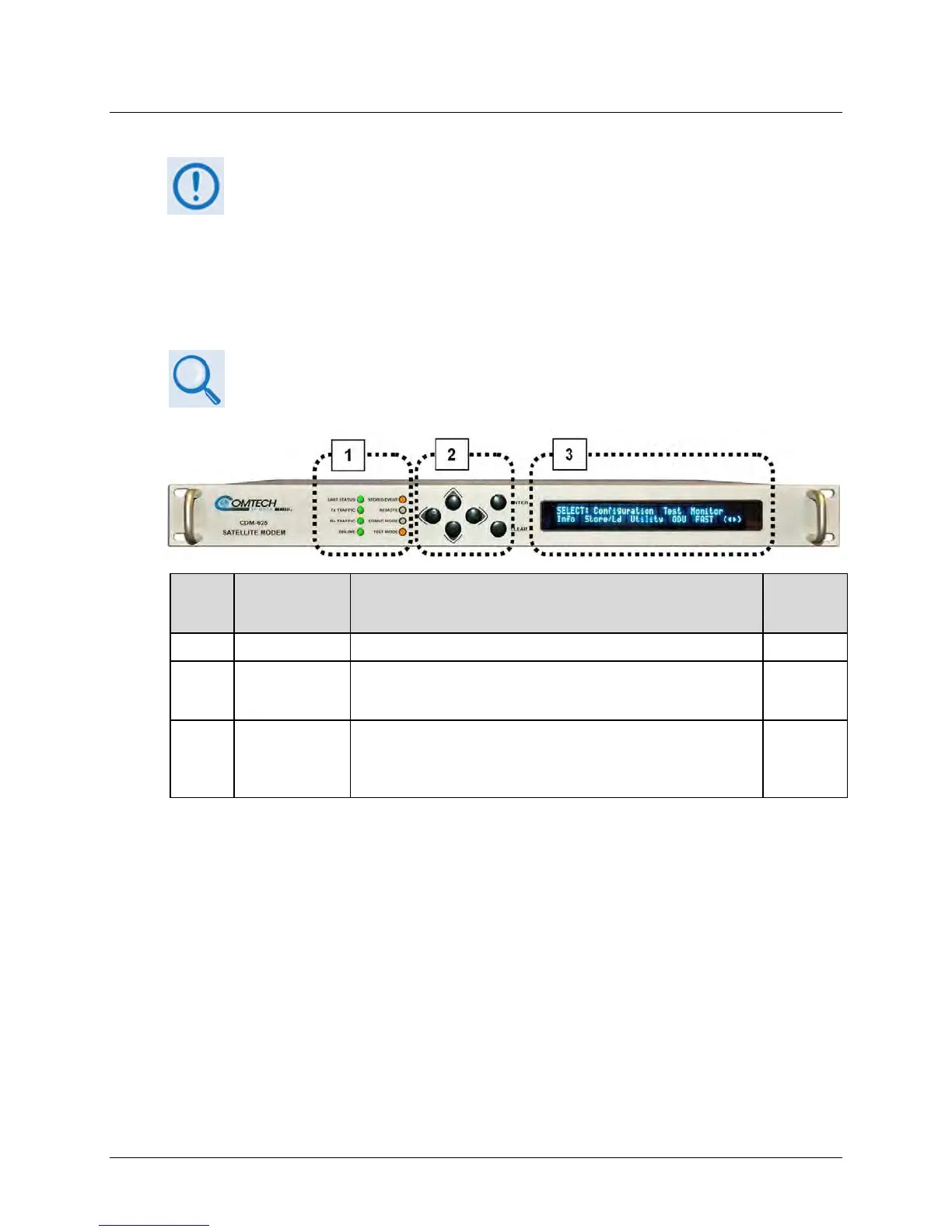
Feature Description Function
Chapter
Section...
1 LED Indicators The LEDs indicate, in a summary fashion, the status of the modem. 5.1.1
2 Keypad
The k eypad c omprises s ix i ndividual k eyswitches. T he k eys ha ve a
positive ‘click’ action that provides tactile feedback. Enter data via the
keypad. Data, prompts, and messages are displayed on the VFD.
5.1.2
3
Vacuum
Fluorescent
Display (VFD)
The V FD is an ac tive di splay s howing t wo l ines of 40 c haracters
each. I t pr oduces a bl ue l ight with adj ustable br ightness. N ested
menus display al l av ailable opt ions and pr ompt you to c arry ou t a
5.1.3
Figure F-1. CDM-625 Front Panel Features
Use the CDM-625 front panel keypad and Vacuum Fluorescent Display (Figure F-1) to configure,
monitor, and control ODU operation. Nested menus display all available options and prompt you
to carry out any required action(s) (Figure F-2).



 To Next Page