CDM-625 Advanced Satellite Modem Revision 13
Rear Panel Connectors and Pinouts MN-CDM625
3–17
3.3.2.2 AC Operation – Applying Power
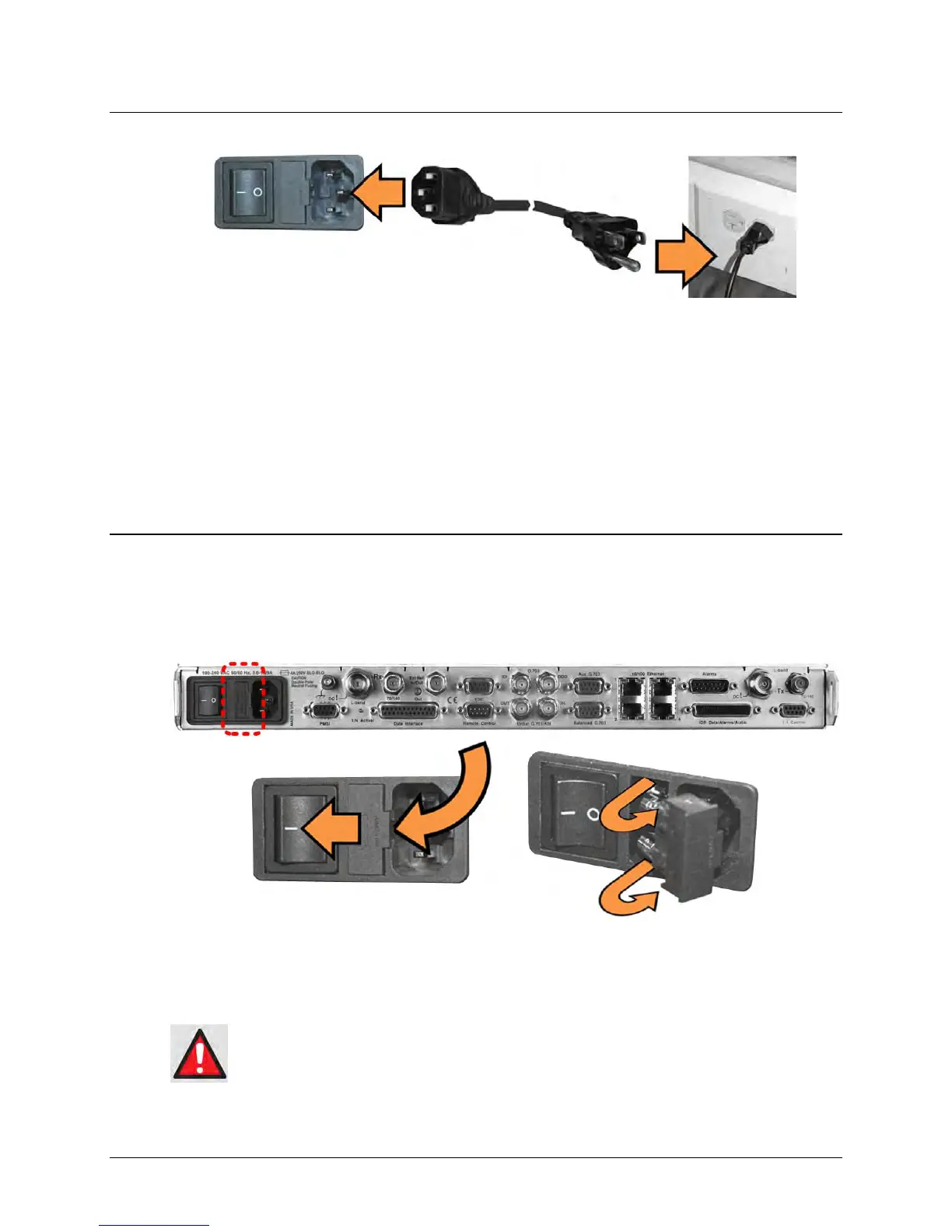
Figure 3-8. Applying AC Power to the CDM-625
To apply AC power to the CDM-625 (Figure 3-8):
• First, plug the provided AC power cord female end into the unit.
• Then, plug the AC power cord male end into the user-supplied power source.
• Finally, switch the unit ON.
3.3.2.3 AC Operation – Replacing Fuses
For AC operation the CDM-625 uses two common 5mm x 20mm Slow-blow fuses – one each for
line and neutral connections. The fuses are contained within a fuse holder that is press-fit into
the body of the IEC power module (located on the rear panel, Figure 3-9).
Figure 3-9. Replacing CDM-625 AC Fuses
To replace the fuse(s):
DISCONNECT THE POWER SUPPLY BEFORE PROCEEDING!
• First, unseat the fuse holder from the IEC power module.



 To Next Page