CDM-625 Advanced Satellite Modem Revision 13
Appendix F MN-CDM625
F–47
F.4.2.4.2.2 ODU | Config (KST-2000A/B)
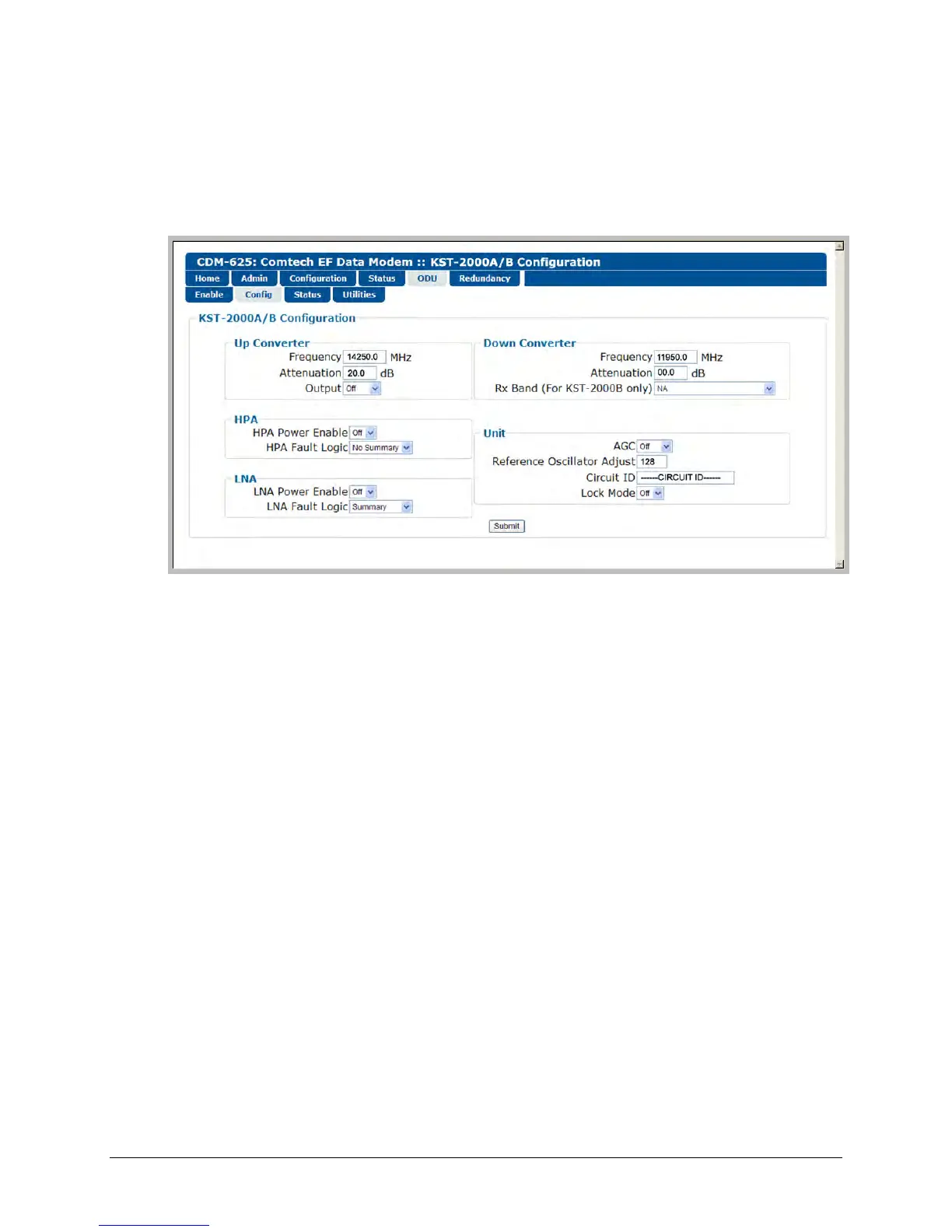
Figure F-10 shows the ‘ODU | Config’ page as it appears when you configure the Comtech EF
Data KST-2000A/B as the ODU. Use this page to configure the primary ODU’s Transmit and
Receive Parameters.
Figure F-10. ODU | Config page (KST-2000A/B)
Up Converter
• Frequency – Enter a value in MHz.
• Attenuation – Enter a value in dB.
• Output – From the drop-down list, select On or Off.
Down Converter
• Frequency – Enter a value in MHz.
• Attenuation – Enter a value in dB.
• Rx Band (For KST-2000B Only) – From the drop-down list, select band A (10950 to 11700
MHz), band B (11700 to 12200 MHz), or band C (12250 to 12750 MHz).
HPA
• HPA Power Enable – From the drop-down list, select On or Off.
• HPA Fault Logic – From the drop-down list, select Summary or No Summary.



 To Next Page