CDM-625 Advanced Satellite Modem Revision 13
Appendix F MN-CDM625
F–49
F.4.2.4.3 ODU | Status
The appearance of the ‘ODU | Status’ page adjusts to the type of ODU that is
configured for operation with the CDM-625.
Use this page to review read-only status windows pertaining to the current operating condition
for either the Comtech EF Data CSAT-5060 or the KST-2000A/B ODU.
F.4.2.4.3.1 ODU | Status (CSAT-5060)
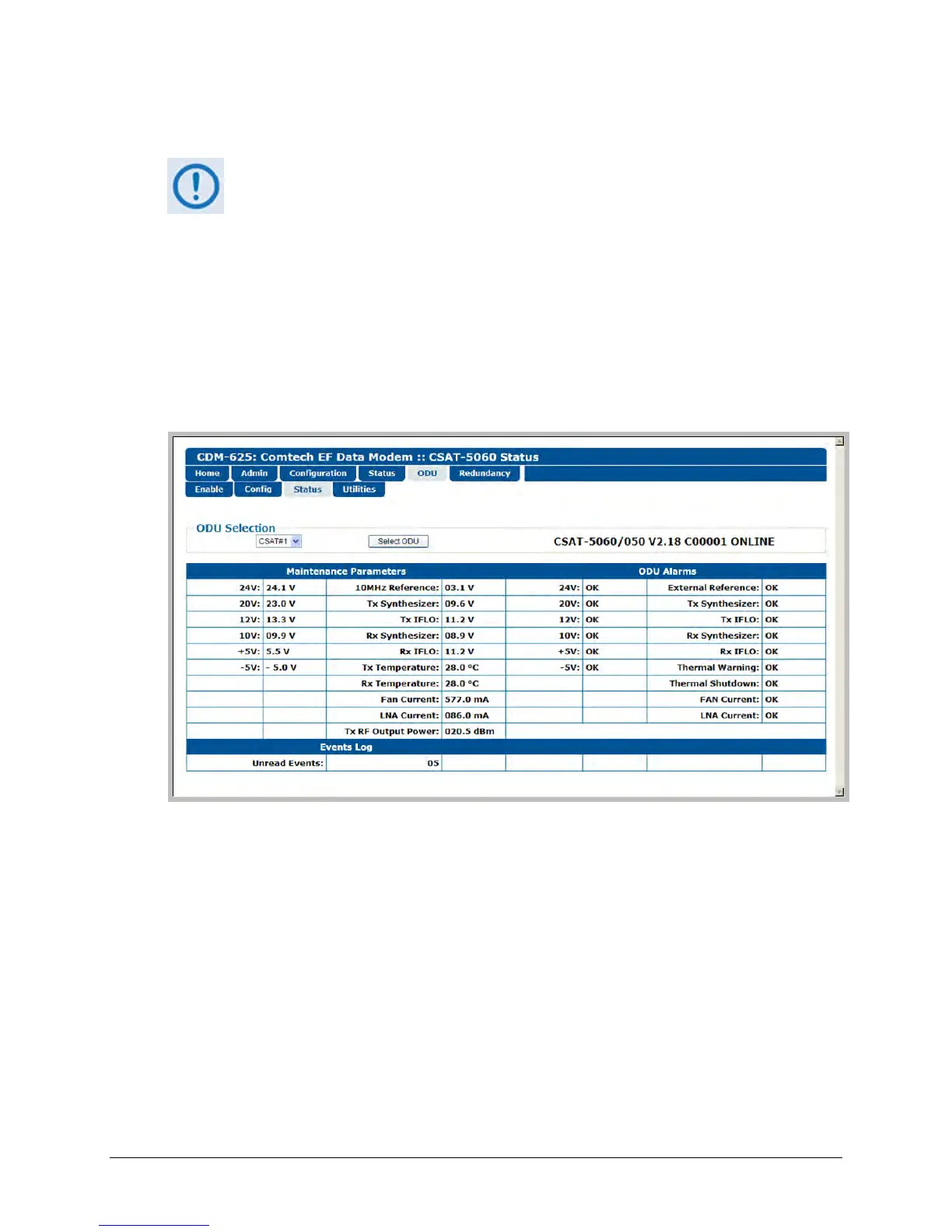
Figure F-11 shows the ‘ODU | Status’ page as it appears when you configure the Comtech EF
Data CSAT-5060 as the ODU. Use this page to review read-only status reports pertaining to the
ODU’s Maintenance Parameters; Alarms; and the number of Unread Events in the Events Log.
Figure F-11. ODU | Status page (CSAT-5060)
ODU Selection
If you use ODUs in redundancy, you may toggle this page between the Online and Offline units.
Use the drop-down list to select CSAT #1 or CSAT #2, and then click [Select ODU]. A message
identifies the currently active unit as ‘ONLINE’ in the right-hand column of this section.



 To Next Page