CDM-625 Advanced Satellite Modem Revision 13
Installation MN-CDM625
2–3
The CDM-
625 CANNOT have rack slides mounted to the sides of the chassis.
Cooling fans and exhaust vents are provided here – air flow must not be
impeded. Comtech EF Data recommends that an alternate method of support is
provided within the rack, such as standard rack shelves or the optional Rear-
Mounting Support Bracket Kit. If there is any doubt, contact Comtech EF Data
Customer Support during normal business hours.
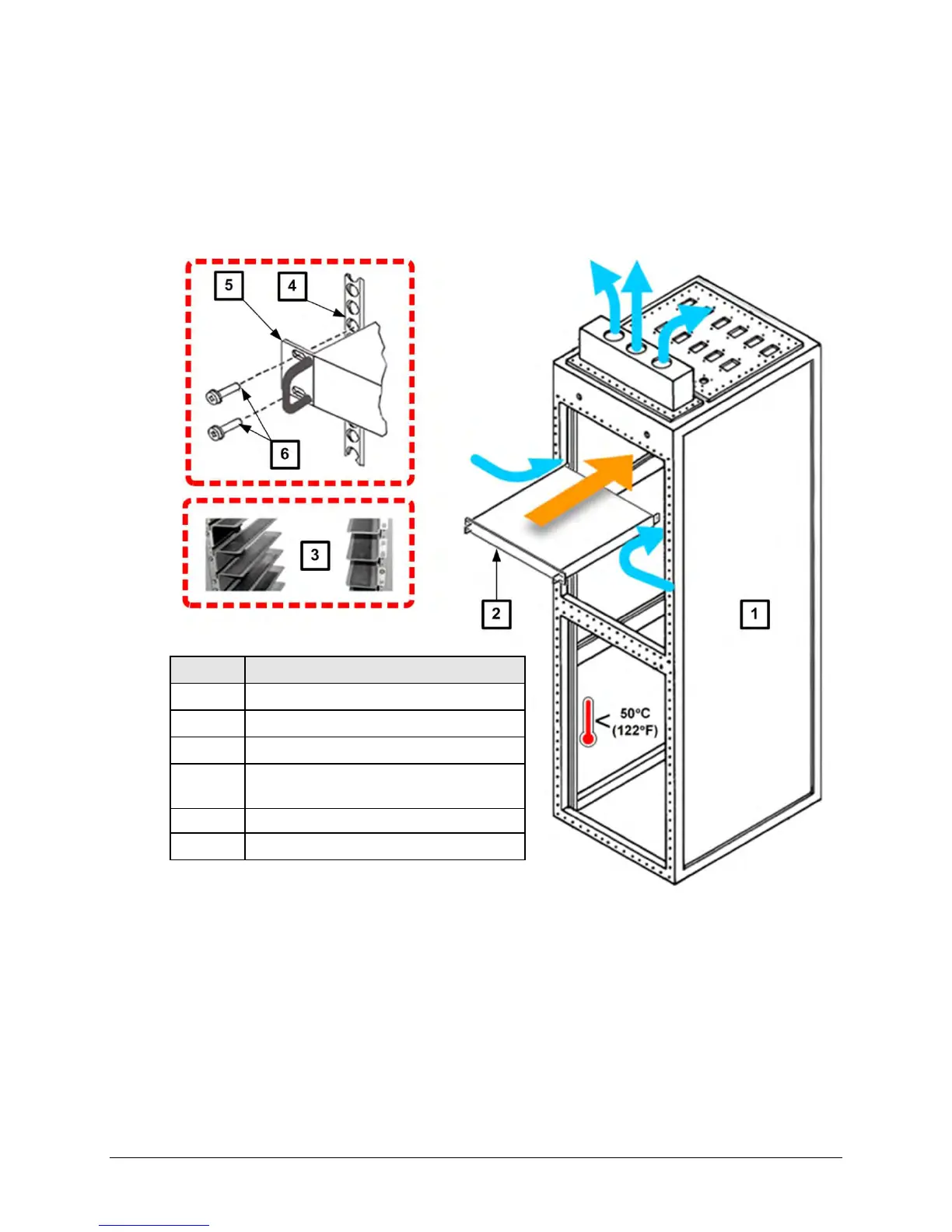
Feature Description
1 Custom Rack Enclosure
2 CDM-625 Advanced Satellite Modem
3 Standard Rack Shelving
4
Rack Enclosure Threaded Front
Mounting Rail (typical)
5 Unit Front Panel
6 User-supplied Screws
Figure 2-2. Installing the CDM-625 Into a Rack Enclosure
Mount the CDM-625 in its assigned position in the rack enclosure. Use, as required:
• A standard rack-mounted shelf;
• User-supplied screws to secure the front panel to the rack enclosure threaded front
mounting rails;
• Comtech EF Data’s optional KT/6228 (4”) or KT/6228 (10”) Rear-Mounting Support
Brackets Kit (Figure 2-3).



 To Next Page