CDM-625 Advanced Satellite Modem Revision 13
Ethernet-based Remote Product Management MN-CDM625
6–23
Demo Time Remaining:
FAST Options Demo-Mode allows access to ALL CDM-625 FAST options* for 2592000 seconds
(30 calendar days). This section displays the remaining time in days, hours, and minutes.
* The AES Feature is available only when the CDM-625 is equipped with the
optional IP Packet Processor with AES software.
Use the drop-down list to set Demo-Mode as Enabled or Disabled, and then click [Submit] to
execute the selection.
Equipment ID
This read-only section displays the operational status for a number of FAST-enabled features.
Installed Options
This scrollable, read-only list box displays the installed and presently operational FAST-enabled
features.
Options – Not Installed
This scrollable, read-only list box displays the uninstalled FAST-enabled features that are
available for purchase and activation from Comtech EF Data.
6.5.4.2.6 Admin | Utilities
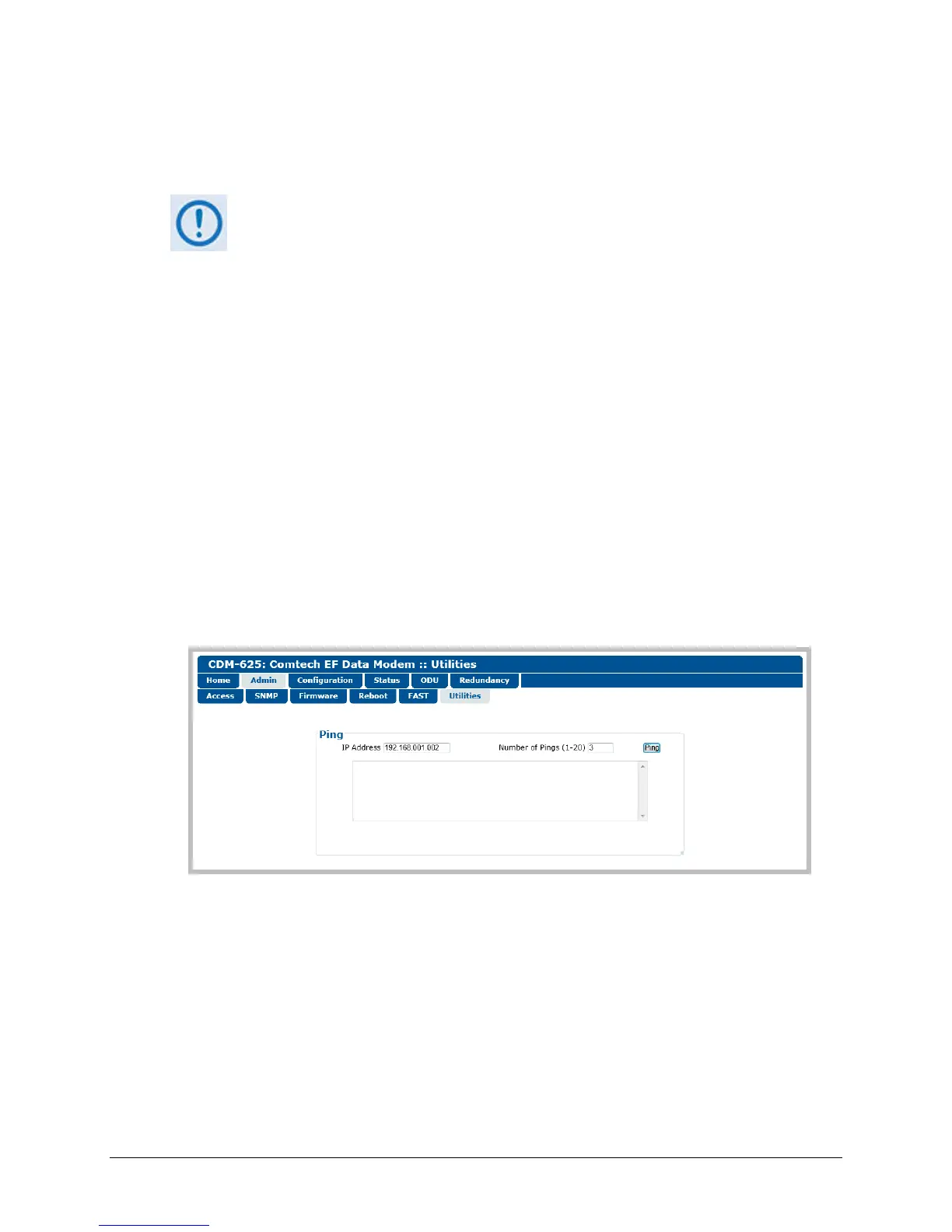
Use this page to “ping” a device on the network for diagnostic purposes.
Figure 6-12. Admin | Utilities page
Ping
• IP Address – Enter the IP Address for the network device in the format XXX.XXX.XXX.XXX.
• Number of Pings (1-20) – Specify the number of ‘ping’ attempts to be executed, from a
minimum of 1 up to a maximum of 20 attempts.
• Click [Ping] to execute the function. The scrollable window displays the result of the
command.



 To Next Page