CDM-625 Advanced Satellite Modem Revision 13
Appendix F MN-CDM625
F–63
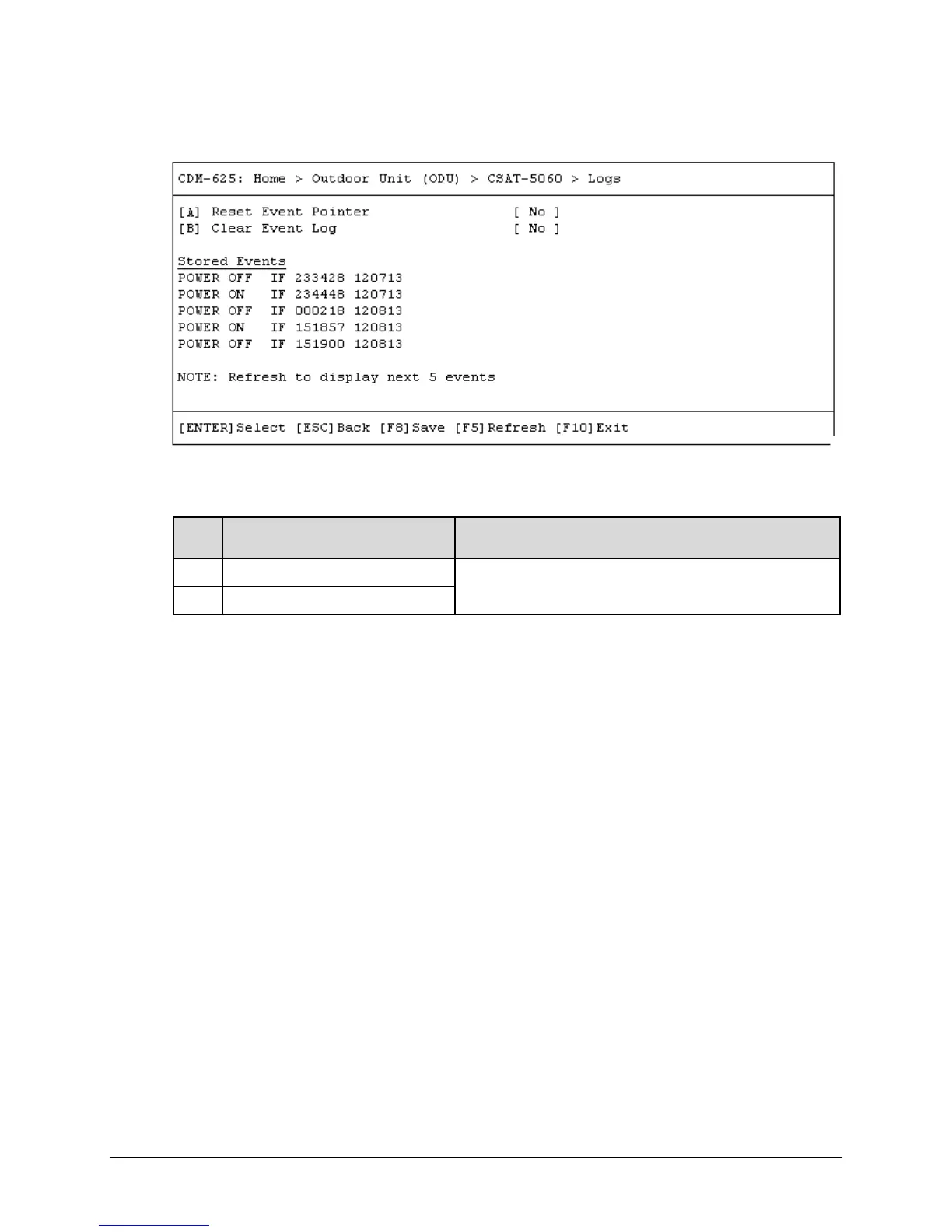
F.5.1.2.1.6 Home > Outdoor Unit (ODU) > CSAT-5060 > Logs
Open the Logs page from the nested CSAT-5060 submenu. This page contains the following
options:
Key
Dialog Window Option Entry
A Reset Event Pointer
Typical for either entry – Use the ↑↓ arrow keys to select No or
Yes
B Clear Event Log
Press a hot key to open a dialog window.
Stored Events: The page additionally provides a listing of the latest five stored events. Each
event consists of a description, its time in HHMMSS format, and the date in DDMMYY format.
Press [F5] to update this page with the next five events. Accessing event items in this manner
causes the Number U nread E vents count on the CSAT-5060 > Status page to decrement
accordingly.
Press [ESC] to return to the nested CSAT-5060 submenu.



 To Next Page