CDM-625 Advanced Satellite Modem Revision 13
Ethernet-based Remote Product Management MN-CDM625
6–16
6.5.4.2 Admin Pages
Use these pages to set up user access, manage the firmware load preferences, and activate FAST
features.
The Admin pages are available only to users who have logged in using the
Administrator Name and Password.
Click the Access, SNMP, Firmware, Reboot, FAST, or Utilities tab to continue.
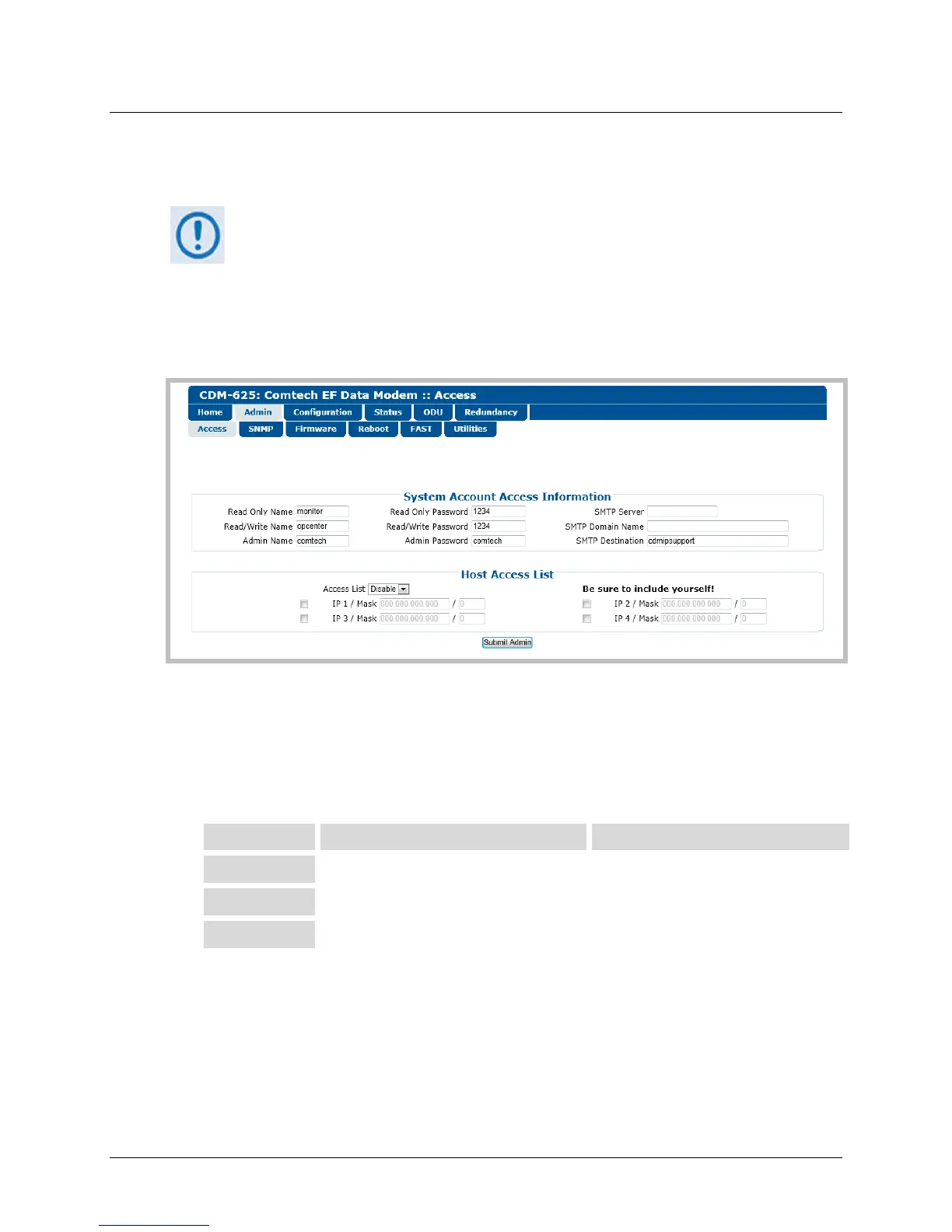
6.5.4.2.1 Admin | Access
Figure 6-6. Admin | Access page
System Account Access Information
• Read Only, Read/Write, Admin Names and Passwords – The factory defaults for these user
names and passwords are as follows:
Description Factory Default User Name / Password Typical Parameters
Read Only monitor / 1234
Name and Password fields can be any
alphanumeric combination with a
maximum length of 10 characters.
Read/Write opcenter / 1234
Admin comtech / comtech
• SMTP Server – Specify the mail server IP Address from where e-mail may be sent.
• SMTP Domain Name / Destination – The Administrator can assign the SMTP Domain Name
and Destination. This is required if the e-mail feature of the ‘Home | Support’ page (Sect.
6.5.4.1.3) is to be used.



 To Next Page