CDM-625 Advanced Satellite Modem Revision 13
Appendix E MN-CDM625
E–86
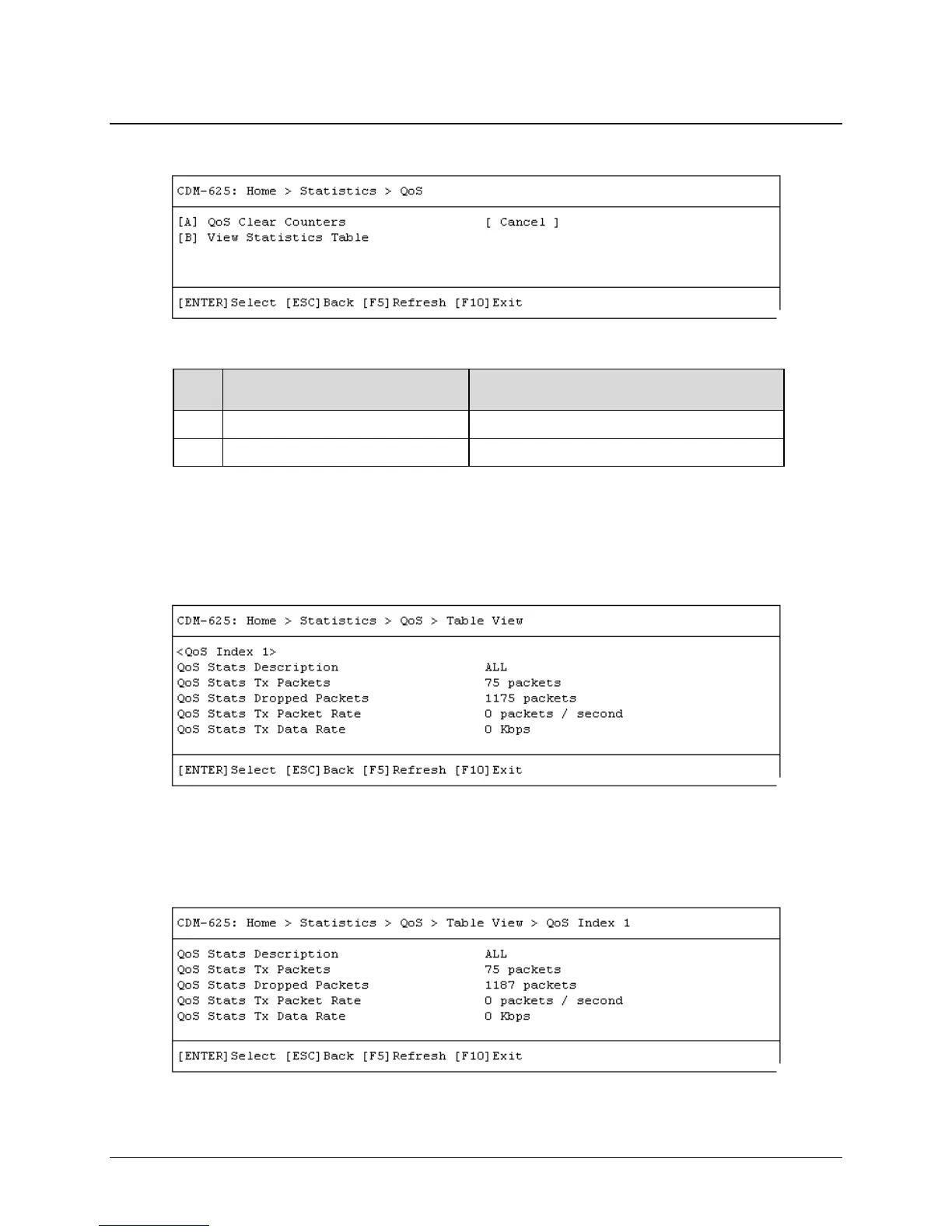
E.3.10.7 Home > Statistics > QoS
Open the QoS statistics page from the Statistics submenu:
Page / Dialog Window Option Entry / Description
A QoS Clear Counters Use the ↑↓ arrow keys to select Cancel or Clear
B View Statistics Table See Sect. E.3.10.7.1
Press a hot key to open the dialog window or view the table. Otherwise, press [ESC] to return to
the Statistics submenu.
E.3.10.7.1 Home > Statistics > QoS > Table View
Open the scrollable QoS statistics table from the nested QoS submenu.
Use the ↑↓ arrow keys to scroll through the available entries. You may also select a header
(e.g., <QoS Index 1>) and press [ENTER] to view, in a standalone window, a specific set of
statistics as shown in th
is example:
Press [ESC] to return to the Compression page.



 To Next Page