CDM-625 Advanced Satellite Modem Revision 13
Ethernet-based Remote Product Management MN-CDM625
6–12
6.5.3.1 Conditional Access to IP Packet Processor Pages
Carefully review the information in this section.
A significant number of pages in the CDM-625 Web Server Interface address operation of the
CDM-625 when equipped with the optional IP Packet Processor card. These pages are accessible
only when the optional IP Packet Processor card is installed
and enabled.
As specified in Sect. 6.5.1, access to these pages is further restricted to “Admin” (administrative)
users only. If a user with “Read/Write” or “Read Only” user access privileges attempts to select
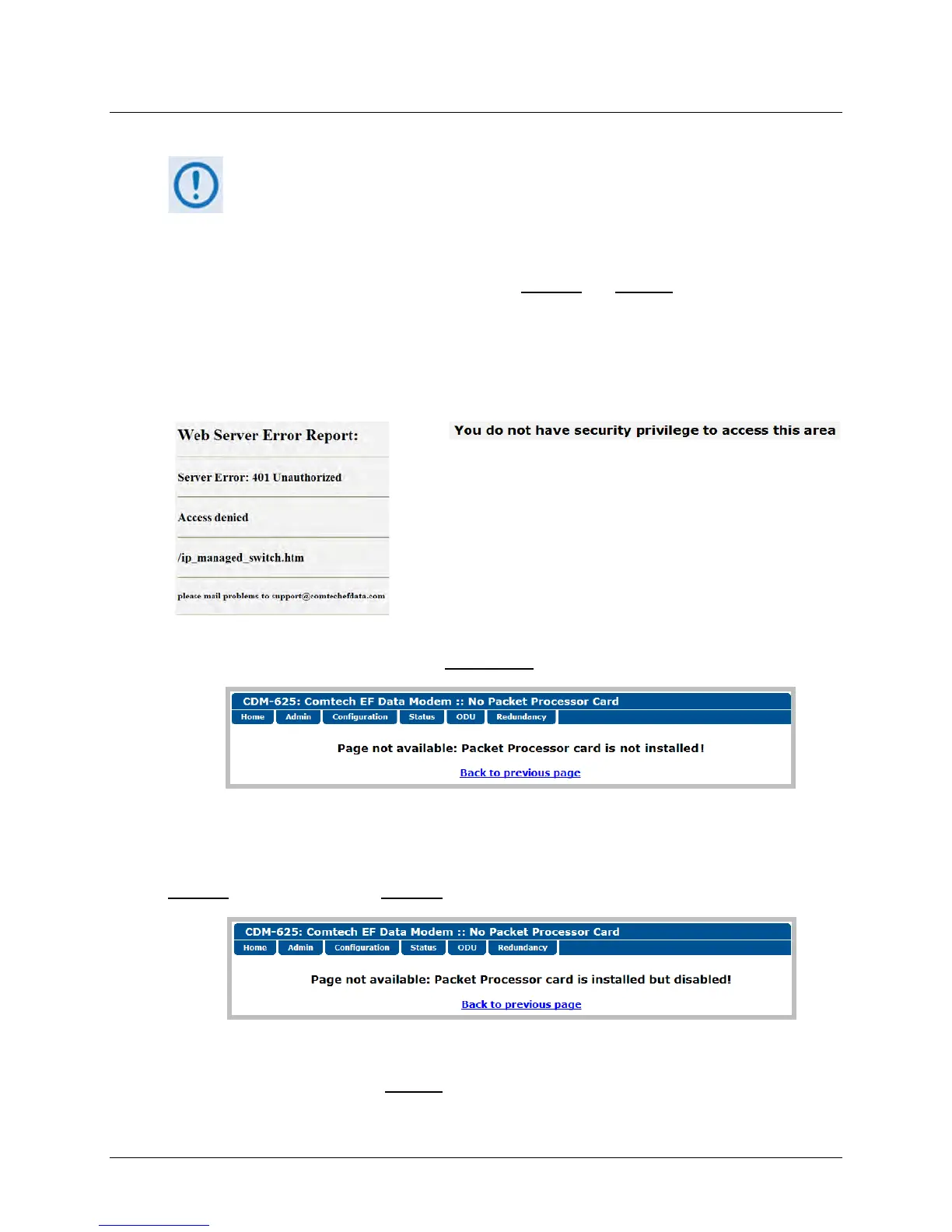
any IP Packet Processor-specific page, access to that page is prohibited and either of the
following error messages may display in the browser window:
-or-
Once logged in, if the Admin user attempts to access any IP Packet Processor-specific page when
the optional IP Packet Processor card is not installed
, the following message displays:
Click [Back to previous page] to resume use of the interface.
If the Admin user attempts to access these pages when the optional IP Packet Processor card is
installed
but card operation is Disabled, the following message displays:
Click [Back to previous page] to continue any other available operations, or go to the Packet
Processor drop-down list (in the Network Configuration section of the ‘Configuration | LAN | IP’
page) to select its operation as Enabled
(the modem will automatically reboot).



 To Next Page