CDM-625 Advanced Satellite Modem Revision 13
Appendix F MN-CDM625
F–38
F.4.2 Web Page Descriptions
F.4.2.1 Configuration | BUC (Block Up Converter) Page
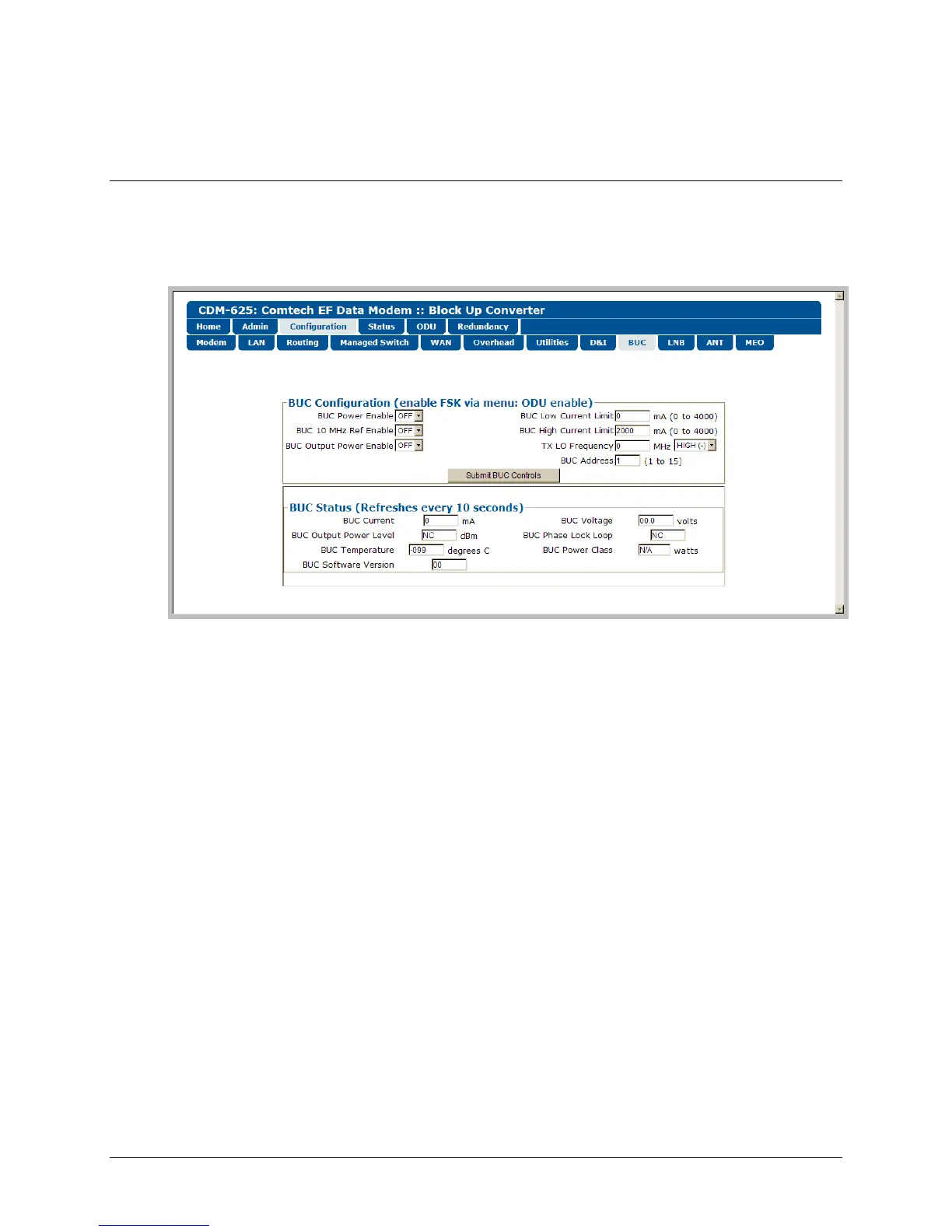
When a Block Up Converter (BUC) is available, use this page to configure its operating settings
and to view the BUC status for L-Band operation.
Figure F-5. Configuration | BUC page
BUC Configuration
• BUC Power Enable, 10 MHz Ref Enable, and Output Power Enable – Use the drop-down
lists to turn these functions ON or OFF.
• BUC Low and High Current Limit – Assign a value (in mA) ranging from 0 to 4000.
• Tx LO (Low Oscillator) Frequency – Assign a value (in MHz) to the Tx LO Frequency, and then
use the drop-down list to designate the value as a HIGH (+) or LOW (-) limit.
• BUC Address – Assign a value for the BUC Address from 1 to 15.
Click [Submit BUC Controls] to save the setting changes made in this section.
BUC Status
This section refreshes automatically every ten seconds. These status settings are read-only and
cannot be changed.



 To Next Page