CDM-625 Advanced Satellite Modem Revision 13
Rear Panel Connectors and Pinouts MN-CDM625
3–20
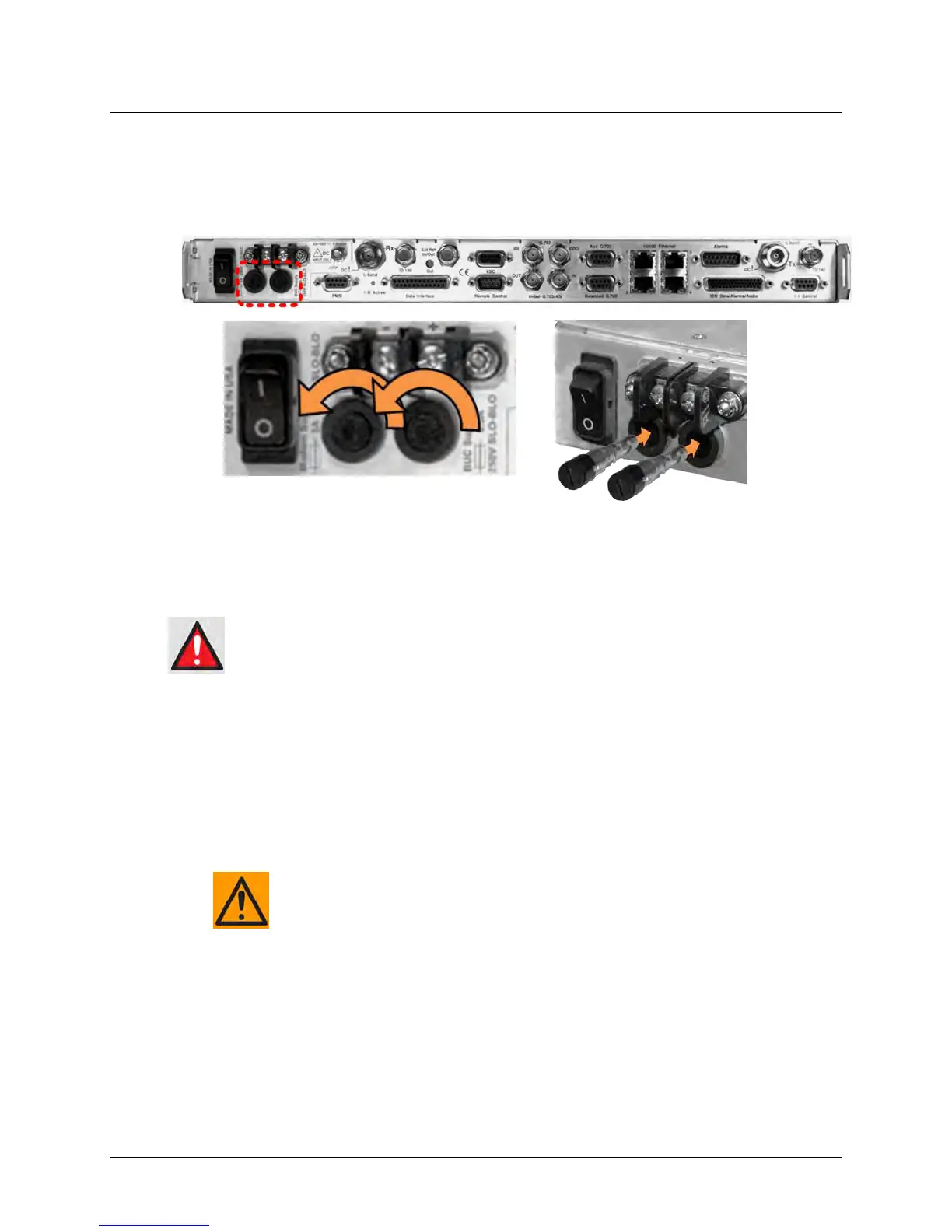
3.3.3.3 Optional DC Operation – Replacing Fuses
For DC operation the CDM-625 requires two different fuses that are contained within the
individual screw-in receptacles below the terminal block (located on the rear panel, Figure
3-12).
Figure 3-12. Replacing CDM-625 Optional DC Chassis Fuses
To replace the fuses:
DISCONNECT THE POWER SUPPLY BEFORE PROCEEDING!
• First, unscrew either fuse holder from its receptacle. Then, remove and replace the modem
and/or the BUC fuse(s):
o Use T3A (3 Amp) 250V fuses for modem operation (left-hand receptacle).
o Use T6.3A (6.3 Amp) 250V fuses when a Block Upconverter (BUC) is installed (right-hand
receptacle).
FOR CONTINUED OPERATOR SAFETY, ALWAYS REPLACE THE FUSES WITH
THE CORRECT TYPE AND RATING.
• Screw either fuse holder back into its receptacle.



 To Next Page