CDM-625 Advanced Satellite Modem Revision 13
Ethernet-based Remote Product Management MN-CDM625
6–22
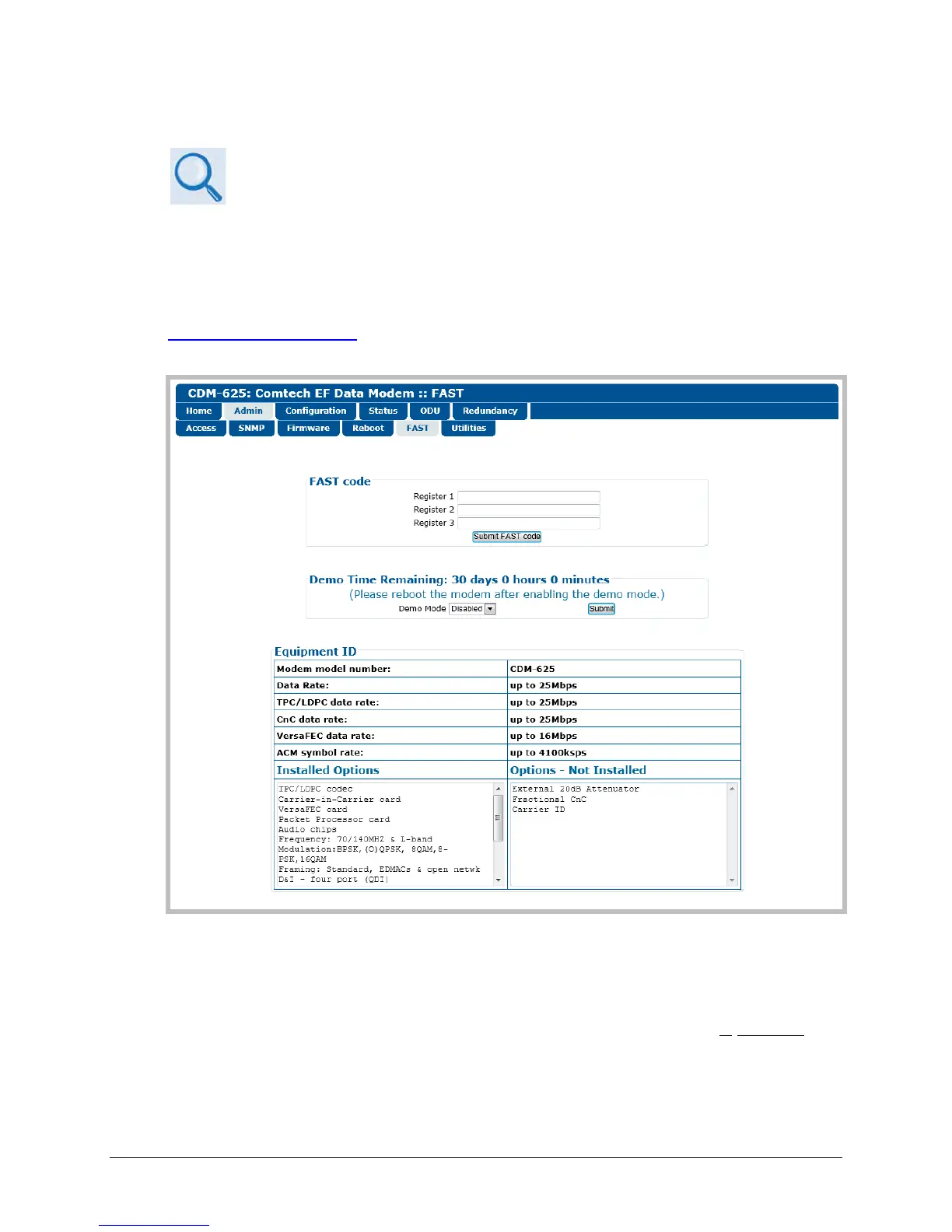
6.5.4.2.5 Admin | FAST
• Sect. 1.3.8 Fully Accessible System Topology (FAST)
• Chapter 5. FRONT PANEL OPERATION
• Appendix C. FAST ACTIVATION PROCEDURE
The CDM-625 has a number of optional features that may be activated after the unit’s purchase.
Fully Accessible System Topology (FAST) Access Codes are register-specific authorization codes
that may be purchased from Comtech EF Data, and then activated in the unit using this page.
Contact a Comtech EF Data sales representative during normal business hours, or via e-mail to
sales@comtechefdata.com, to order the desired options and obtain your unique FAST Access
Codes.
Figure 6-11. Admin | FAST page
FAST code
When you obtain a FAST access code from Comtech EF Data, it will be for a specific option
register. Carefully enter each register-specific 20-character FAST access code in
sequence, and
then click [Submit FAST code] when done. A message will display at the top of this section that
states whether or not the codes are accepted or if the upgrade is successful.



 To Next Page