4–1
Chapter 4. UPDATING FIRMWARE
4.1 Updating Firmware via Internet
TO ENSURE OPTIMAL PERFORMANCE, IT IS IMPORTANT TO OPERATE THE CDM-625
WITH ITS LATEST AVAILABLE FIRMWARE.
The CDM-625 Advanced Satellite Modem is factory-shipped with its latest version of operating
firmware. If a firmware update is needed, once Ethernet connectivity has been established with
the unit, the update can be downloaded from the Comtech EF Data Web site
(
www.comtechefdata.com), or obtained through Comtech EF Data Customer Support via e-mail
or on CD by standard mail delivery.
The CDM-625 Firmware Update process is as follows:
• Perform the update without opening the CDM-625 by connecting the rear panel serial
“Remote Control” port or “10/100 Ethernet” port to a serial or 10/100 BaseT Ethernet port
of the user PC.
• Download the firmware update via the Internet to the user PC.
• Transfer the firmware update, via File Transfer Protocol (FTP), from the user PC to the
CDM-625.
4.2 About Firmware Files, Naming, Versions, and Archive Formats
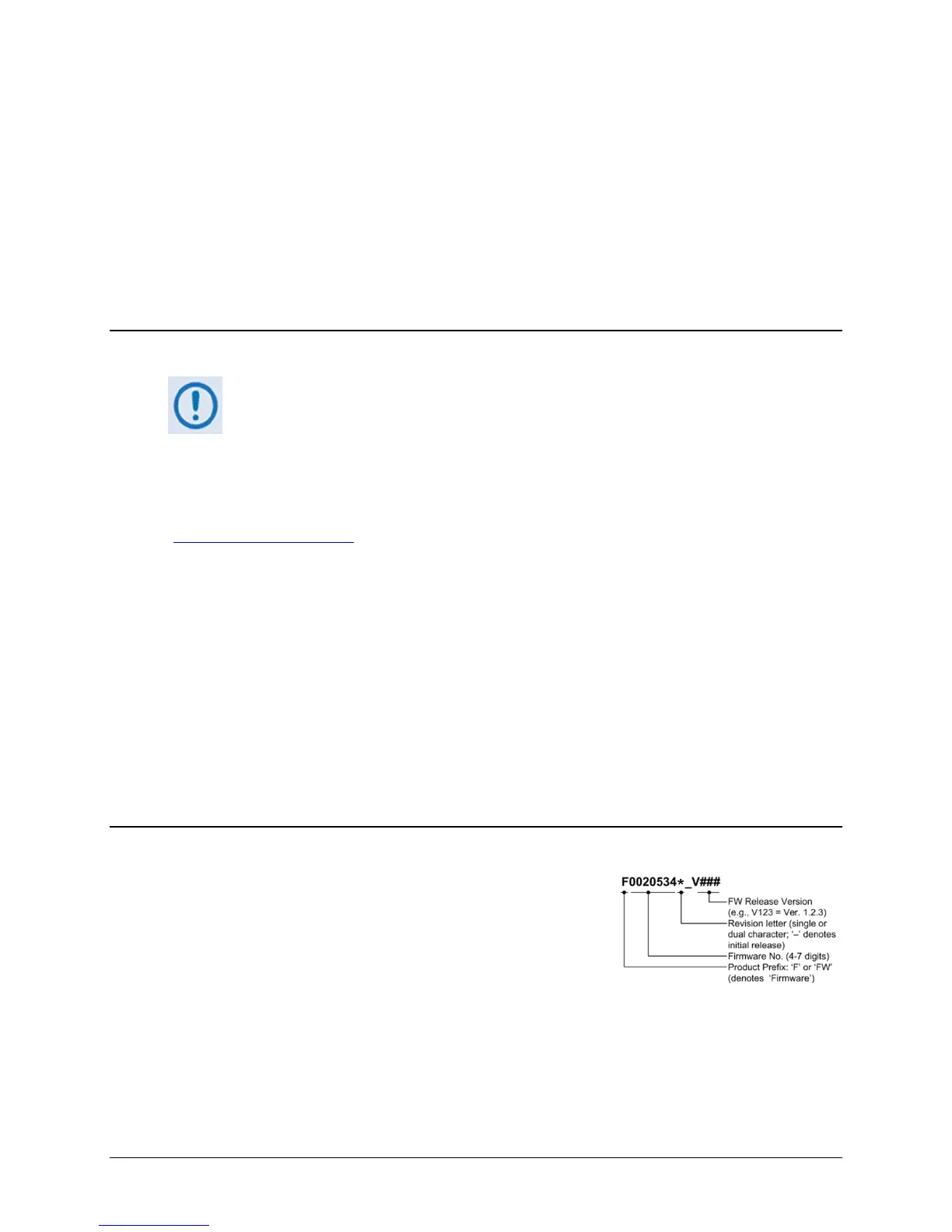
Comtech EF Data’s Web site catalogues its firmware update
files by product type (e.g., modem, converter, etc.) and
specific model/optional configuration. The hyperlinks appear
as per the example to the right. This example depicts the
F0020534*_V### base modem bulk firmware download
hyperlink (where ‘###’ indicates the firmware version
number, and ‘*’ denotes the revision letter of that version).
In addition to this base modem bulk firmware archive file, downloads are available for the
CDM-625’s optional IP Packet Processor Module, available with or without AES Encryption. This
module requires separate firmware update.



 To Next Page