EasyManua.ls Logo

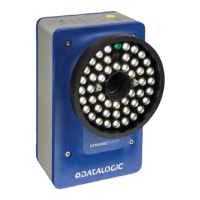
Datalogic AV7000 - User Manual

Datalogic AV7000
488 pages
Print Icon
To Next Page IconTo Next Page
Loading...
AV7000
PRODUCT REFERENCE GUIDE
Linear CAMERA

Table of Contents

Other manuals for Datalogic AV7000

Questions and Answers

  • H
    Heather BeanAug 28, 2025
    What to do if RangeFinder is not online for Datalogic AV7000 Digital Camera?
    • L
      Linda PerryAug 28, 2025
      Verify the RangeFinder has power. Verify the network port of the RangeFinder is connected to the Ethernet Focus port of one of the cameras. Cycle the RangeFinder power. If the error persists, replace the RangeFinder or contact Datalogic Support. If the RangeFinder is not the position sensor being used, select the appropriate position sensor.
  • E
    edwin03Aug 27, 2025
    What to do if Datalogic Digital Camera has maximum system resets in one day?
    • D
      David ThomasAug 27, 2025
      Cycle the unit’s power. If software was recently loaded, try to reload the new software. If the error persists, replace the camera or contact Datalogic Support.
  • E
    Emily WhitakerAug 27, 2025
    What to do if Datalogic AV7000 has maximum application restarts?
    • L
      Lindsay SharpAug 27, 2025
      Cycle the unit’s power. If software was recently loaded, try to reload the new software. If the error persists, contact Datalogic Support.
  • A
    andreasellersSep 4, 2025
    What to do if Datalogic AV7000 Digital Camera bad scanline data detected?
    • N
      ncarlsonSep 5, 2025
      Contact Datalogic Support.
  • T
    terrialiSep 7, 2025
    What to do if Datalogic Digital Camera failed to load focus table?
    • R
      Rachel DeleonSep 7, 2025
      Contact Datalogic Support.
  • J
    Justin LeonardSep 10, 2025
    What to do if my Datalogic Digital Camera application failed to start?
    • D
      Dawn CarrSep 10, 2025
      If the application on your Datalogic Digital Camera fails to start, it may be because the application was unable to initialize its interfaces properly. It can also happen if an error occurred during a recent software load. Try cycling the unit’s power. If software was recently loaded, try to reload the new software. If the error persists, contact Datalogic Support.
  • F
    Frank PopeSep 13, 2025
    What does 'Far Working Distance Out of Range' mean on Datalogic Digital Camera?
    • C
      Christopher BrownSep 13, 2025
      If the Datalogic Digital Camera displays 'Far Working Distance Out of Range', it indicates that the far working distance is set incorrectly, or the camera being used is incorrect for the application. Verify the camera model is correct for the application and re-run the calibration wizard on this camera.
  • C
    Caitlyn MartinSep 23, 2025
    What to do if Datalogic AV7000 Digital Camera LogManager can't write to the log file?
    • N
      Nicole MyersSep 23, 2025
      Verify logging options.
  • J
    Jesus WallaceAug 25, 2025
    What to do if Datalogic AV7000 Digital Camera image transfer is falling behind?
    • A
      Anthony FordAug 26, 2025
      Check the network connection speed.
  • O
    oneilldeborahAug 25, 2025
    What to do if Datalogic AV7000 Digital Camera failed to login to FTP server?
    • T
      Tammy HallAug 26, 2025
      Verify the login credentials are correct. Verify the external FTP server is up and running. Verify the camera image port is correctly connected to the appropriate network.

Datalogic AV7000 Specifications

General IconGeneral
BrandDatalogic
ModelAV7000
CategoryDigital Camera
LanguageEnglish

Related product manuals