The Z-Drive Assembly
7-30 DSX™ System Service Manual
7.4.8 Replacing the Z Axis Transition Board
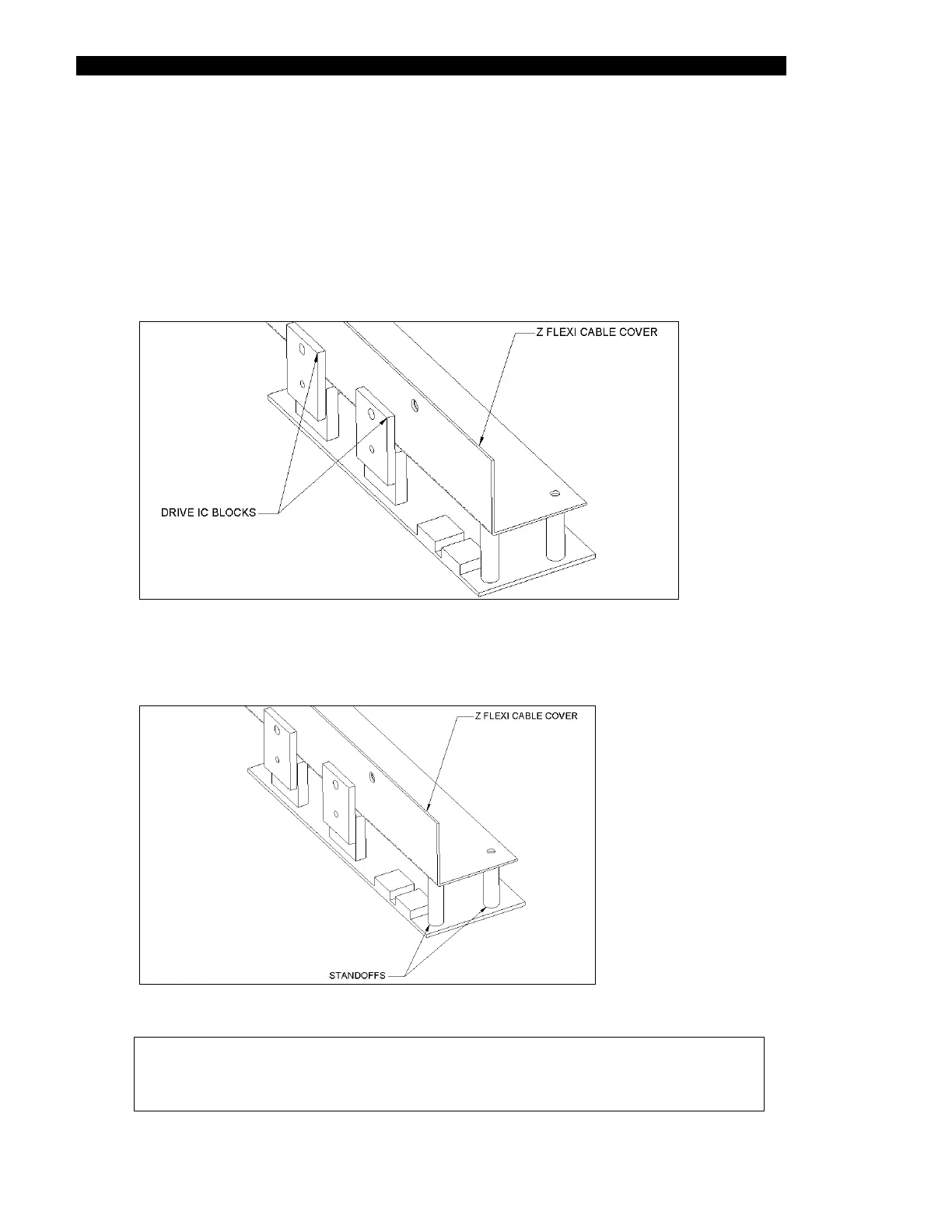
The Z Axis Transition Board is attached to the Z Flexi Cable Cover.
To Remove the Board:
1 Remove the two M3 x 8 Button Head screws and Nylon shoulder washers
(Figure 7-33).
Figure 7-33 Z Transition Board
2 Remove the two M3 x 6 buttonhead screws that hold the board to the standoffs
(Figure 7-34).
Figure 7-34 Location of Standoffs/Z Transition Board
Note: When replacing the board, make certain that the insulation pads
(Part No. 344001201) are placed between the Drive IC blocks and the
flexi cable cover.



 To Next Page