The X Axis Drive Assembly
DSX™ System Service Manual 7-47
7.6.5 Replacing the X Idler Pulley Assembly
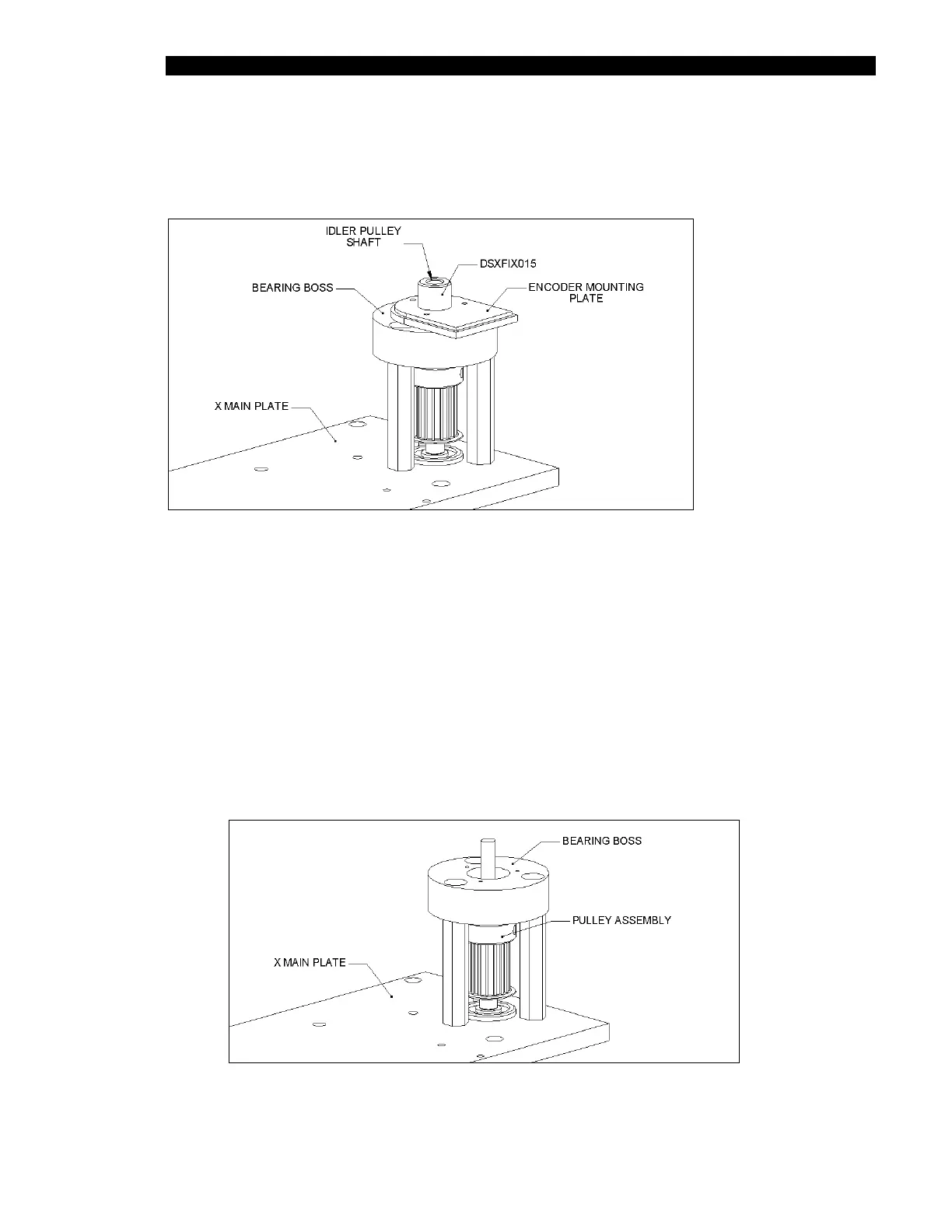
The X-Drive Idler Pulley Assembly is mounted on the X Main plate as shown in Figure 7-57.
Figure 7-57 Idler Pulley
To Remove the Idler Pulley Assembly:
1 Remove the X-axis encoder as described (see Replacing the Encoder on
page 7-44).
2 Remove the Encoder Mounting Plate (Part No. 409010000) by removing the three
M1.6 x 6 posi pan screws.
3 Remove the Bearing Boss (Part No. 2040003100) by removing the 3 M4 x 16 skt
cap screws (Figure 7-58).
4 Remove the pulley assembly from the main plate.
Figure 7-58 Bearing Boss X-Pulley



 To Next Page