Repairing/Replacing Internal Components
11-38 DSX™ System Service Manual
11.4.19 Removal/Replacement of the Plate In and Out Sensors
Removing the In and Out Sensors:
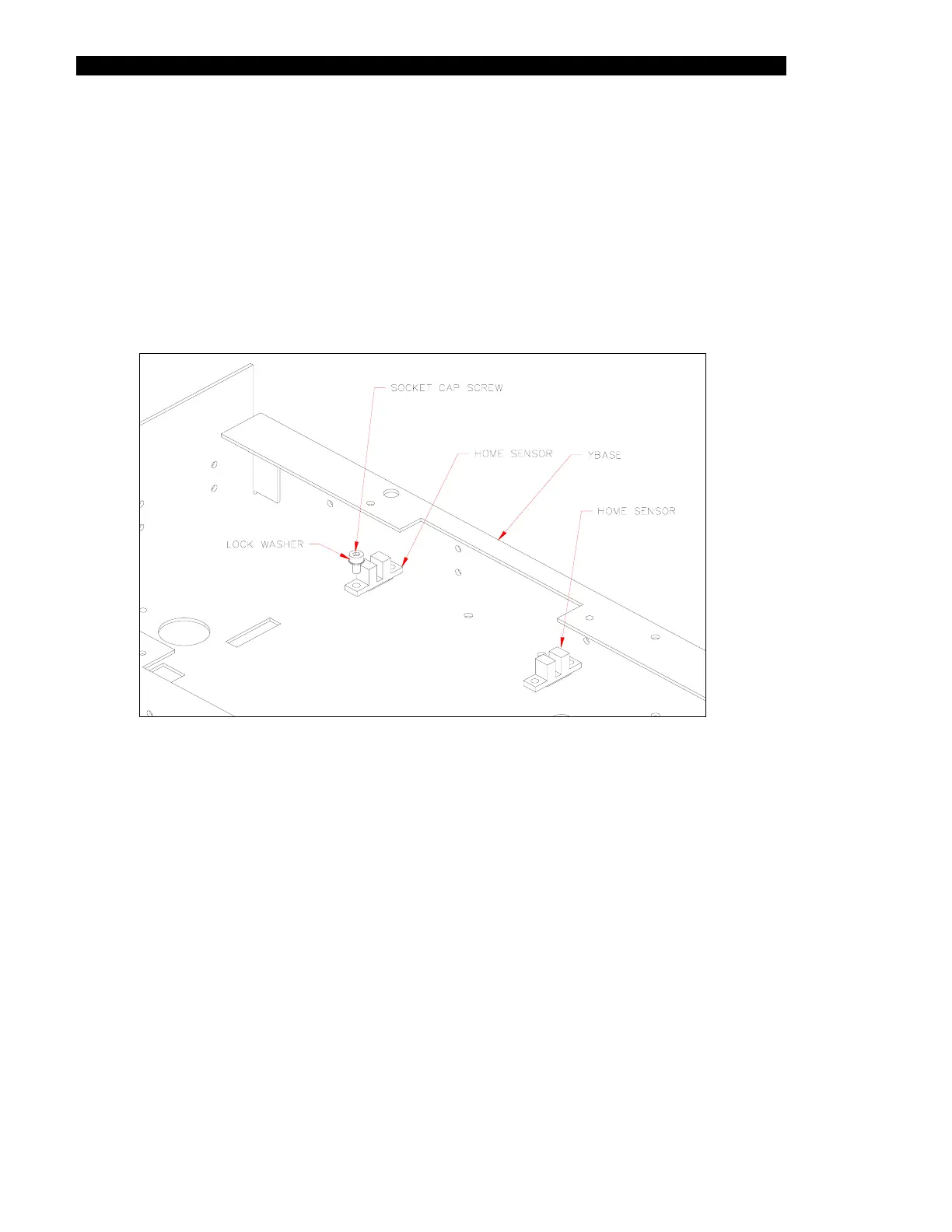
1 The Plate Home Sensor (Figure 11-33) is removed by unscrewing the two M3 x
6mm socket cap screws and two M3 lock washers.
2 Removal of the Plate front sensor requires removing the lower slide block and
then removing the two M3 x 6mm socket cap screws and two M3 lock washers.
Figure 11-33 Plate Home Sensors
Replacing Plate Home Sensors:
1 Place home sensors into the XY Base.
2 Fasten the home sensor with 2 M3 x 6mm socket cap screws and 2 M3 lock
washers.
3 Fasten the Plate front sensor with 2 M3 x 6mm socket cap screws and 2 M3 lock
washers and reinstall lower slide block.



 To Next Page