Replacing Components - Wash X/Z Subassembly
13-24 DSX™ System Service Manual
13.5.2 Removing the Wash X-Drive Motor
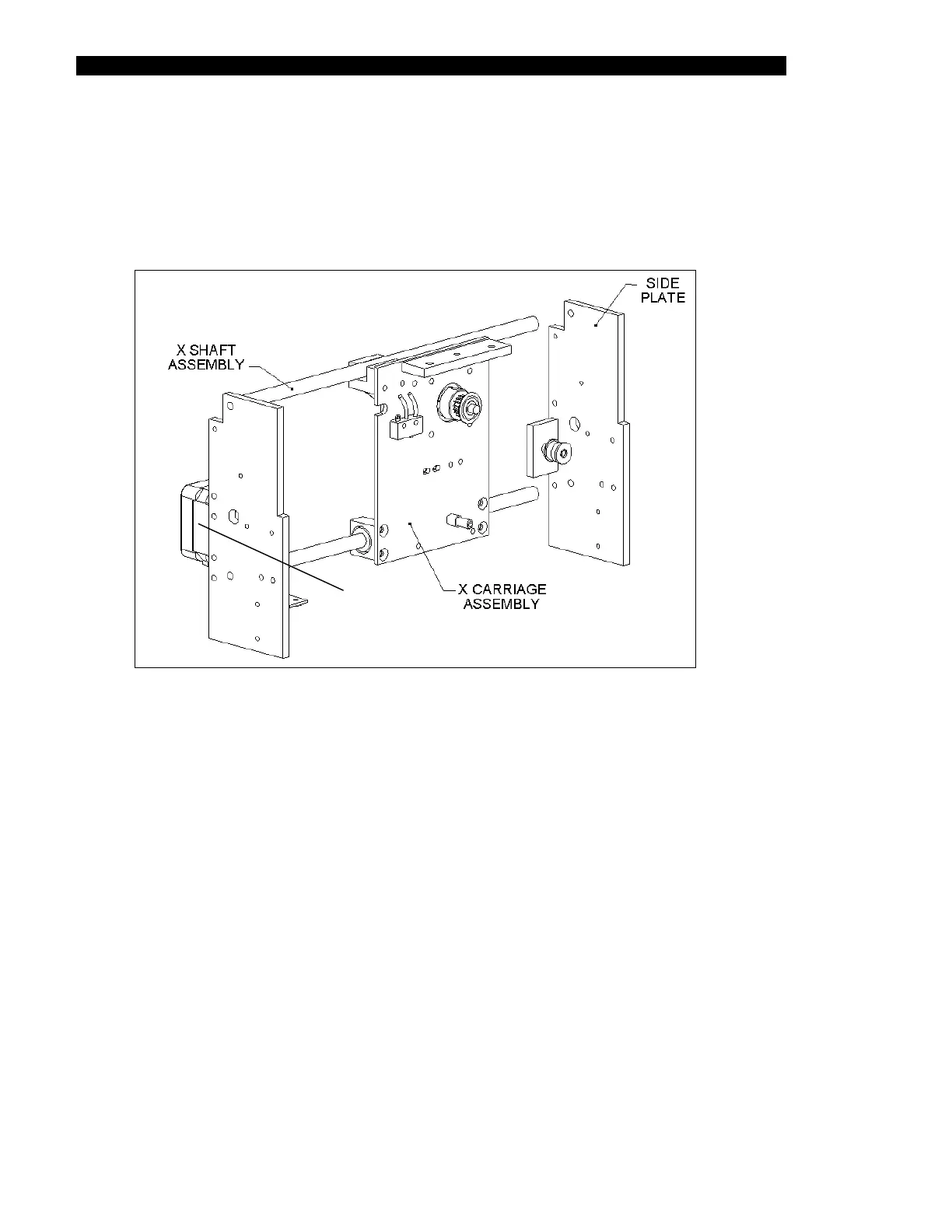
1 Remove the two M3 X 10mm Caphead screws that mount the motor to the left
side of the X-Drive and Z-Drive assembly (Figure 13-16) and remove the motor
from the belt that drives the wash head in the X direction.
MOTOR
Figure 13-16 Wash X-Drive Motor Assembly
2 Disconnect the motor cable from J6 on the main printed circuit board.



 To Next Page