Sample ID Module
15-14 DSX™ System Service Manual
15.5 Sample ID Module
15.5.1 Overview
The sample ID module is used to read the label on each sample tube or sample plate and
transmit the information to Revelation software. This information is used with Revelation
software to identify samples, and is incorporated with reports as appropriate.
15.5.2 Manual Testing of the Scan Module
Various operations of the Scan Module can be checked in the same manner as other
components of the DSX system via the manual control feature as described in Chapter 5.
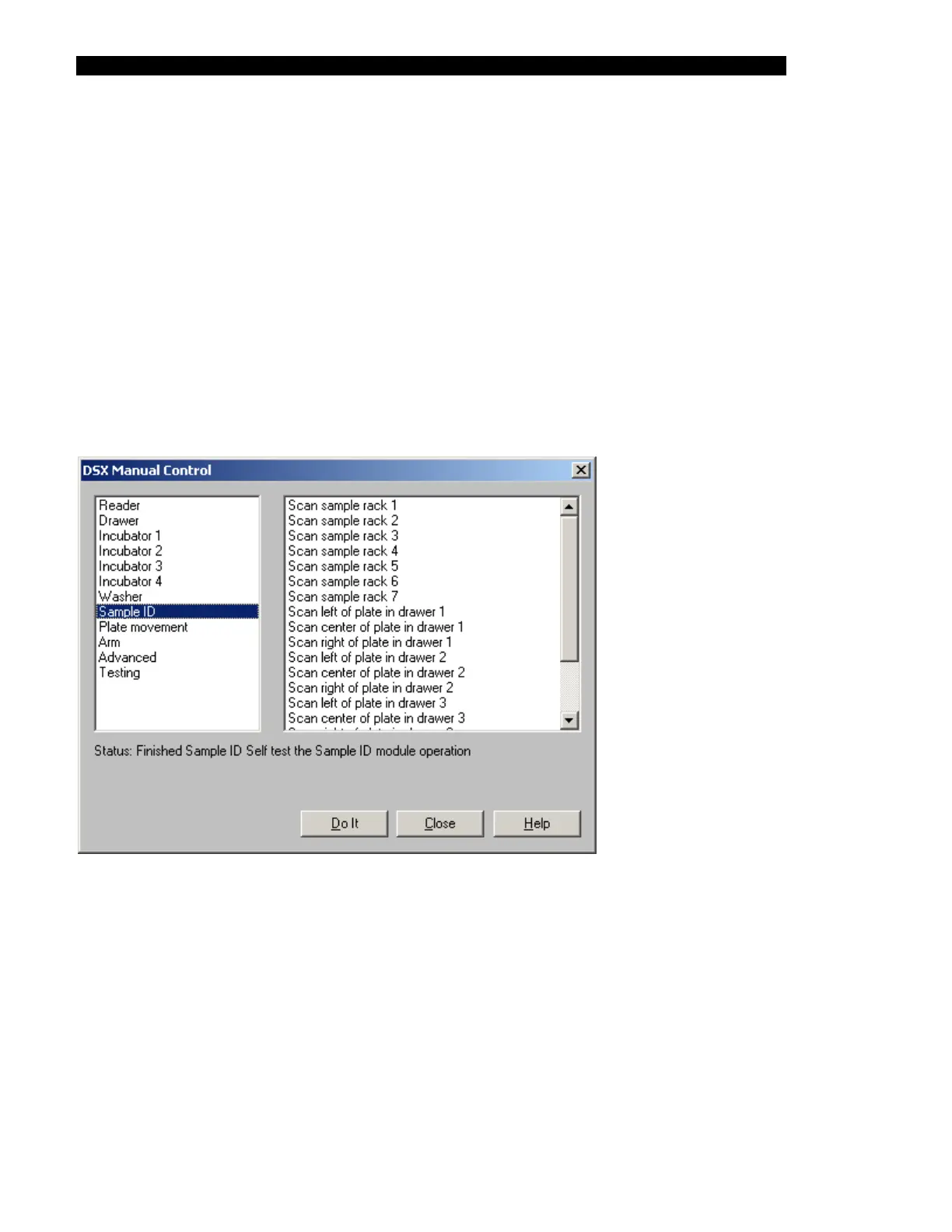
To check the Scanner Module, access the DSX Manual Control dialog box and select Sample
ID to obtain a listing of the test activities for the bar code reader (Figure 15-13).
Figure 15-13 DSX Manual Control Dialog Box-Sample ID Tests
Each of the sample racks can be scanned and the left side, center and the right side of the plate
in each drawer plate can be scanned. In addition, the module can be tested via the Self test the
Sample ID module entry.
In each instance, the service engineer should highlight the desired test and click Do It. The
status line will indicate that the test is being performed and will present information about the
test after it is complete. If the status line indicates an error, it may be necessary to adjust the
Sample Rack Scan Position or the Plate Rack Position (see Figure 15-14) or replace the Scan
Module.



 To Next Page