The Y-Drive Assembly
DSX™ System Service Manual 7-35
7.5.4 Removing the Y-Axis Drive Belt
To Remove the Y-Axis Drive Belt:
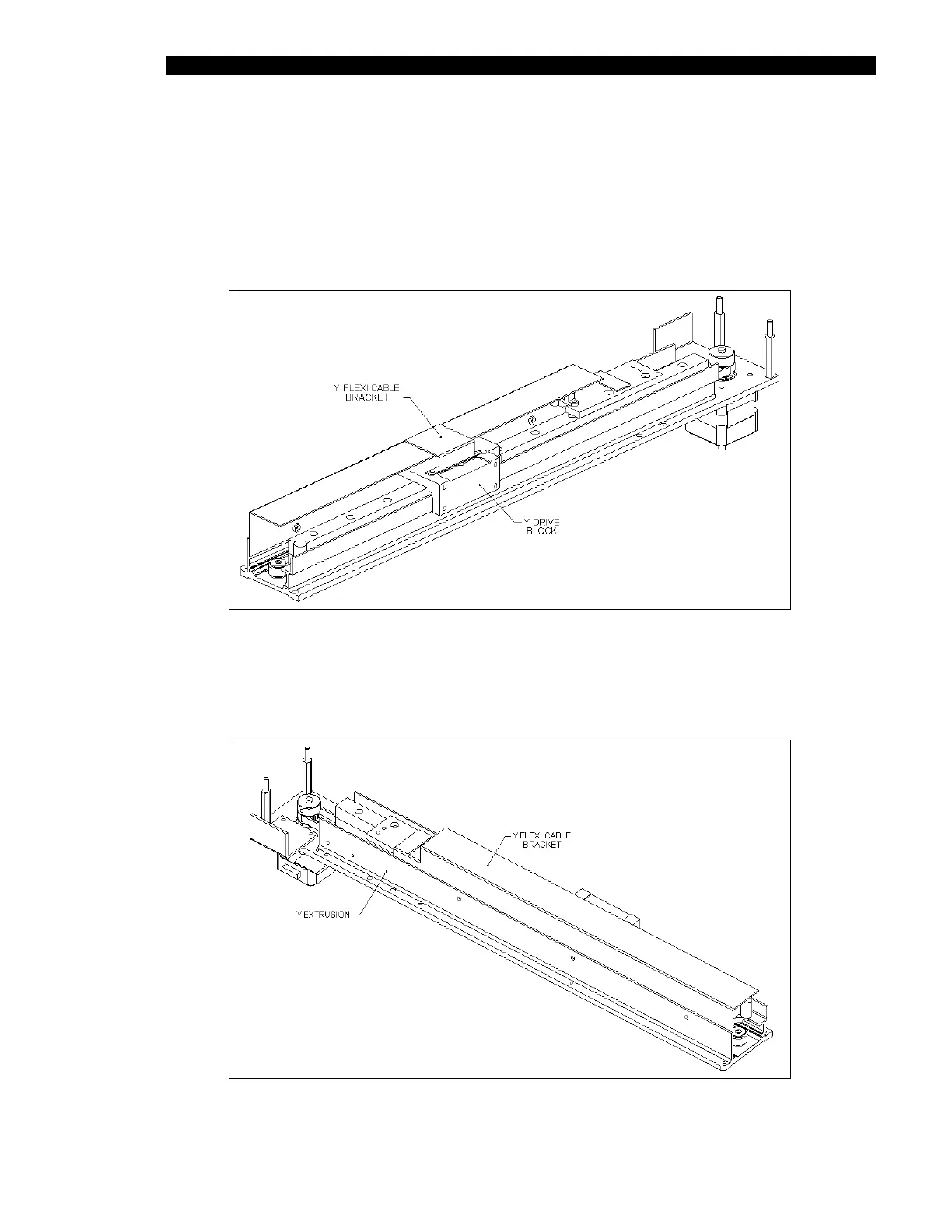
1 Remove the Y flexicable Platform bracket (Part No. 204003700) from the
Y-Drive Block by removing the 2 M3 x 6 cap head screws (Figure 7-40).
Figure 7-40 Y-Flexicable Bracket
2 Remove the Y-flexicable Run bracket (Part No. 204003800) from the Y-Drive Axis
(Figure 7-41) by removing the 3 M3 x 6 caphead screws (when this is replaced,
secure the screws with Loctite 222).
Figure 7-41 Flexicable Run Bracket



 To Next Page