The Z-Drive Assembly
7-20 DSX™ System Service Manual
7.4.3 Removing and Replacing the Z-Drive Encoder
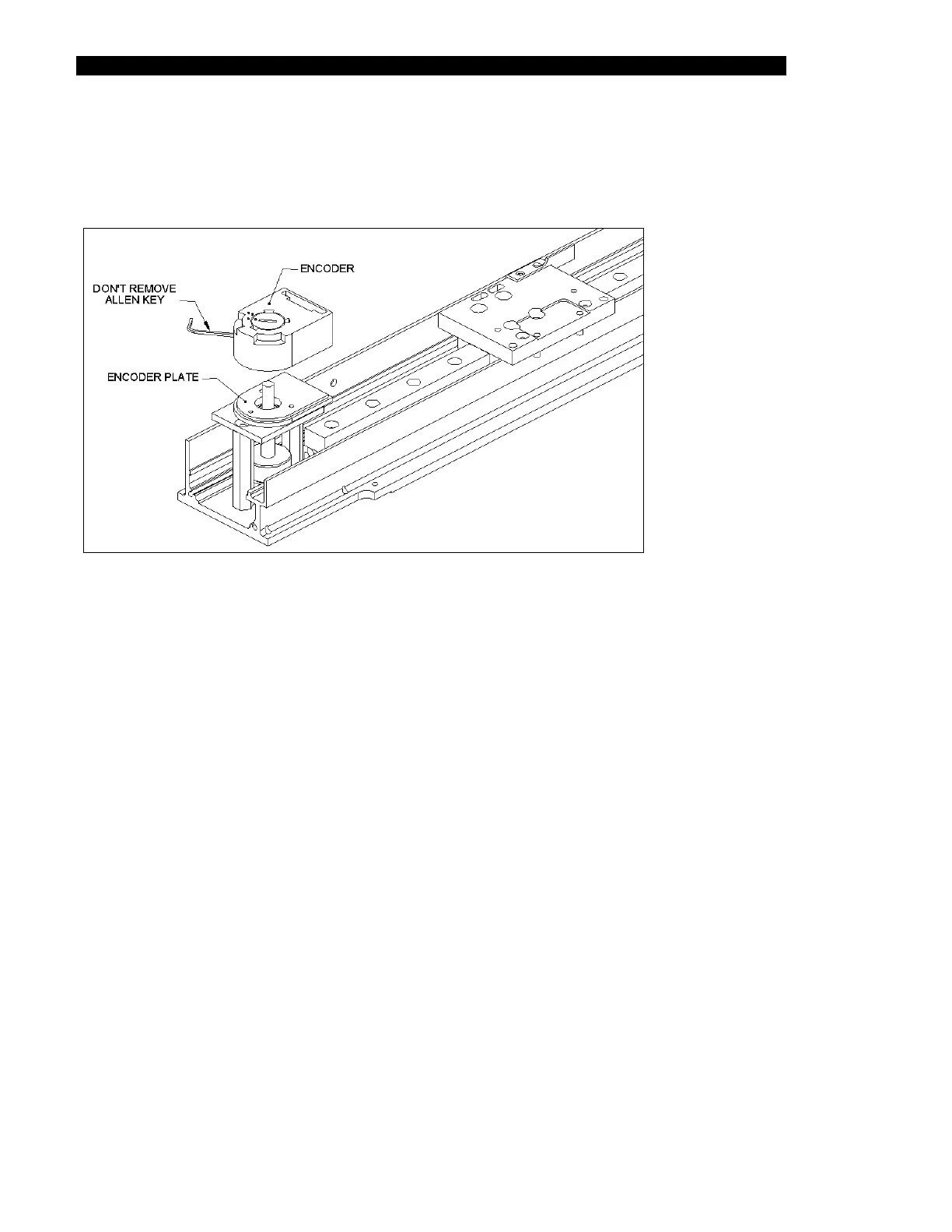
The Encoder is mounted on the Encoder Mounting plate as shown in Figure 7-18.
Figure 7-18 Z- Encoder
To remove the encoder, use an Allen key to loosen the encoder from the shaft. When the
encoder is loose, it can be readily removed.
To replace the encoder, use the Allen key to tighten it to the shaft. After you have tightened
the encoder, rotate the cover from the open position to the closed position by inserting a small
screwdriver into the notch and rotating.
In Figure 7-18, the cover is shown in the open position, and the cover should be rotated
approximately 15 degrees counter clockwise (the position is indicated by the correspondence
of the dot on the notch and the dot on the housing).



 To Next Page