Manual Control Operations
DSX™ System Service Manual 5-3
•
•
5.2.2 Performing the Operation
Once you have selected the desired operation, press the Do It button.
In many instances, the indicated action will be performed automatically. As an
example, if ejection of the Reader is selected (Figure 5-1), the Status line in the dialog
box will indicate:
Doing a move to front home operation
At the completion of the test operation, the Status line will indicate:
Finished a move to front home operation
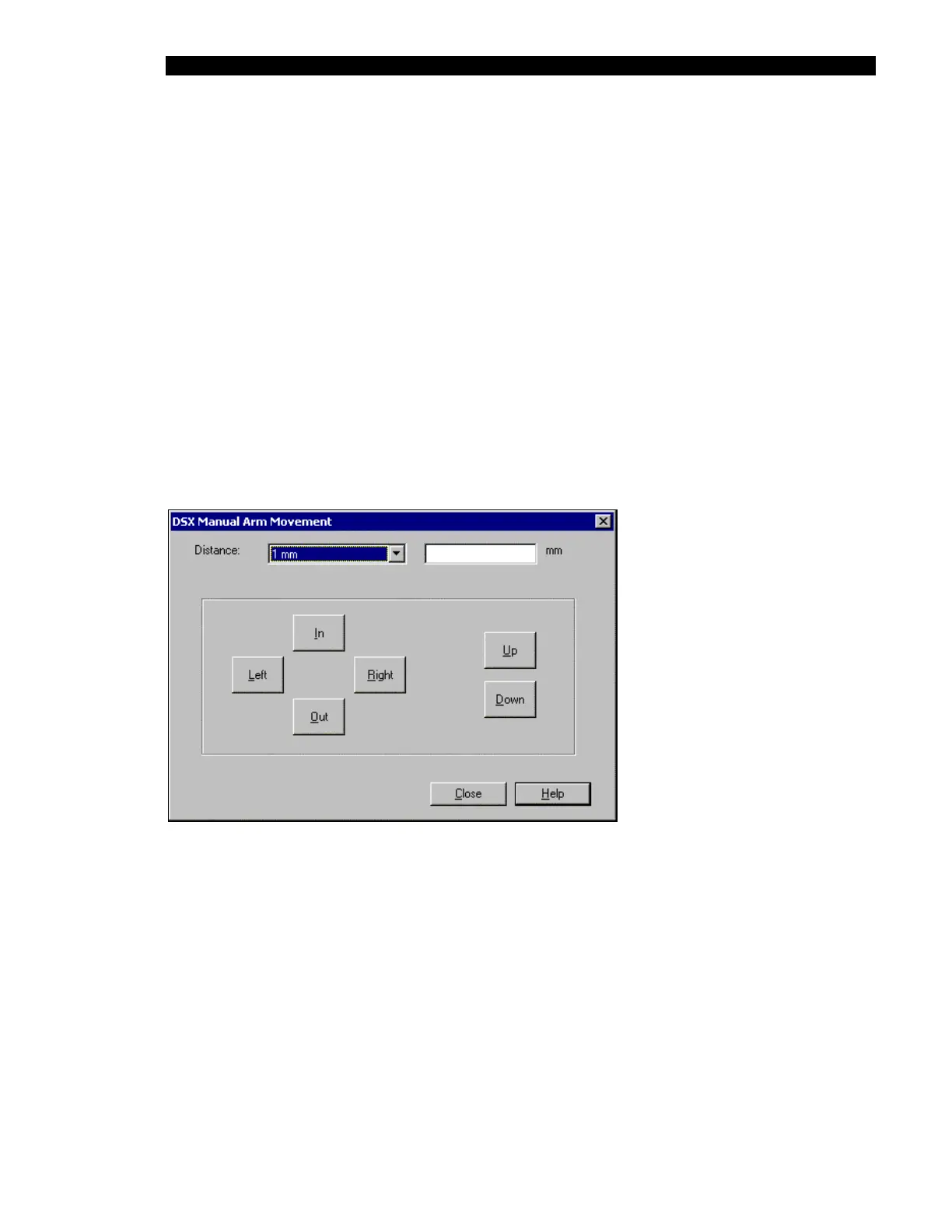
In some instances, a dialog box will be presented for additional information. As an
example, if Arm is selected in the left column and Move Arm is selected in the right
column (see the section entitled, Arm on page 5-9); the Manual Arm Movement dialog
box is presented. This dialog box is used to indicate the direction of movement and the
distance that the arm is to be moved (Figure 5-2).
Figure 5-2 DSX Manual Arm Movement Dialog Box
5.2.3 Testing the Reader
The Reader test selections are listed in the right column of Figure 5-1. The self-test operation
incorporates all of the individual operations.
When you click on the Do It button, the status line in the dialog box will indicate that the
system is performing the operation (for example, Doing a move to front home operation). At
the completion of the test operation, the message will indicate that the operation has been
performed (for example, Finished a move to front home operation.



 To Next Page