Replacing Components - Wash X/Z Subassembly
13-30 DSX™ System Service Manual
13.5.6 The Wash Z-Drive Belt
Replacing the Z-Drive Belt:
1 Remove the lower front panel that covers the front of the X/Z assembly (see
Section 13.5.1).
2 Remove the 6 screws that attach the Z carriage plate to the carriage assembly
(shown in Figure 13-20).
3 Remove the second bearing on the idler shaft (the screw is in the center of the
idler axle.
4 Slide off the z carriage plate with the belt loop.
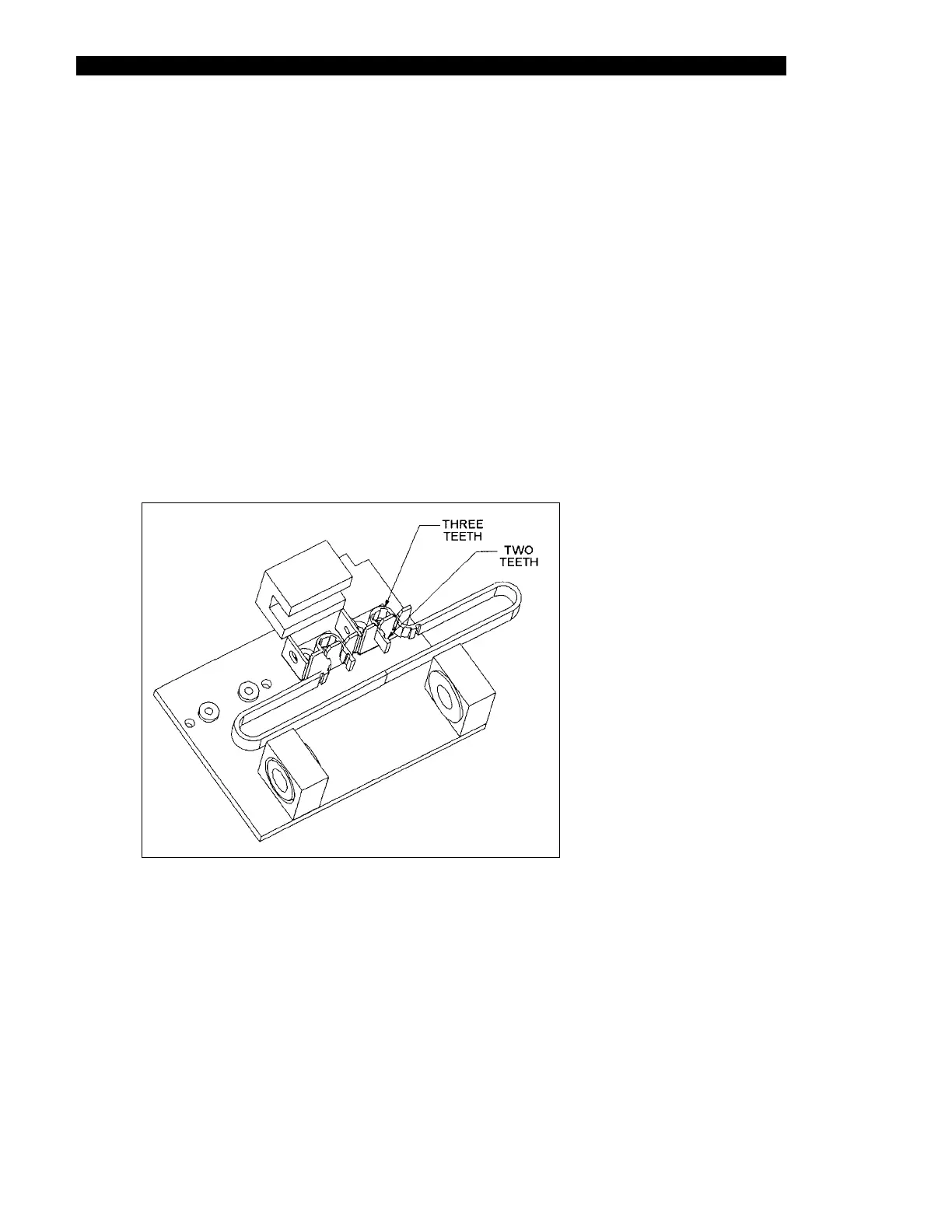
5 Insert a new timing belt (Part No. 32000600). The belt should have three teeth in
each loop and two teeth protruding from the end as shown in Figure 13-23.
Figure 13-23 Mounting the Z-Drive Belt



 To Next Page