Repairing/Replacing Internal Components
DSX™ System Service Manual 11-21
11.4.3 Removal/Replacement of the Drive Belt
The drive belt draws the plate into the module, positions each row for measurement and holds
the plate in position. It is powered by the plate carrier motor.
To Remove or Replace the Drive Belt:
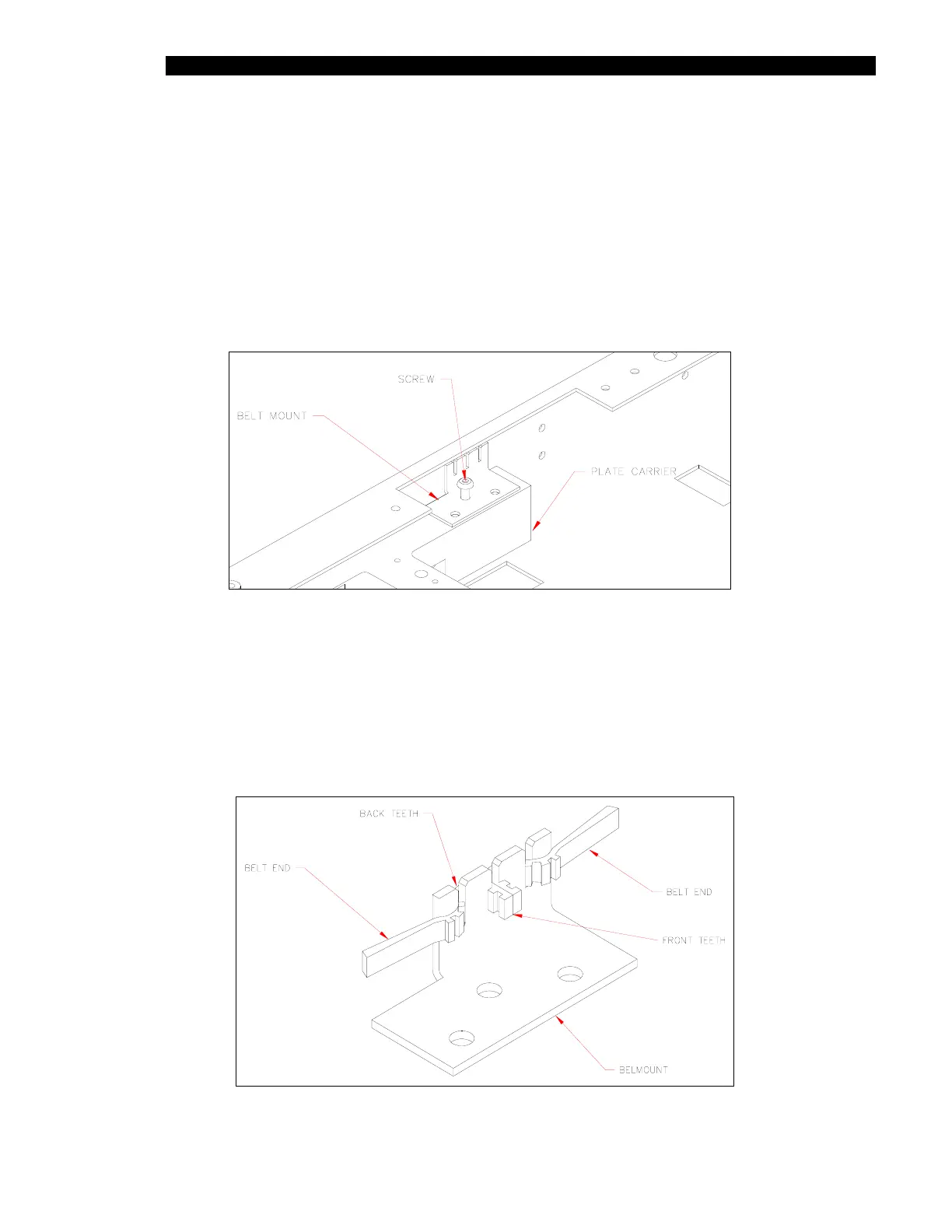
1 Remove the Belt Mount from the Plate Carrier Assembly by removing the three
M3 x 6mm button head screws (Figure 11-14).
Figure 11-14 Motor Belt Mount
2 Loosen the Motor Assembly by loosening the 4 M3 x 6mm socket head screws
and unwrap the belt from the motor, middle, back and front idlers.
3 Slide the belt out of the mount (Figure 11-15) and discard the old belt.
4 Cut a 24.7” length of belt material. Install this belt into the belt mount so that there
are two front teeth exposed and four back teeth as shown in Figure 11-15.
Figure 11-15 Belt Mounting



 To Next Page