The Z-Drive Assembly
7-16 DSX™ System Service Manual
7.4 The Z-Drive Assembly
7.4.1 Removing the Z-Drive Assembly
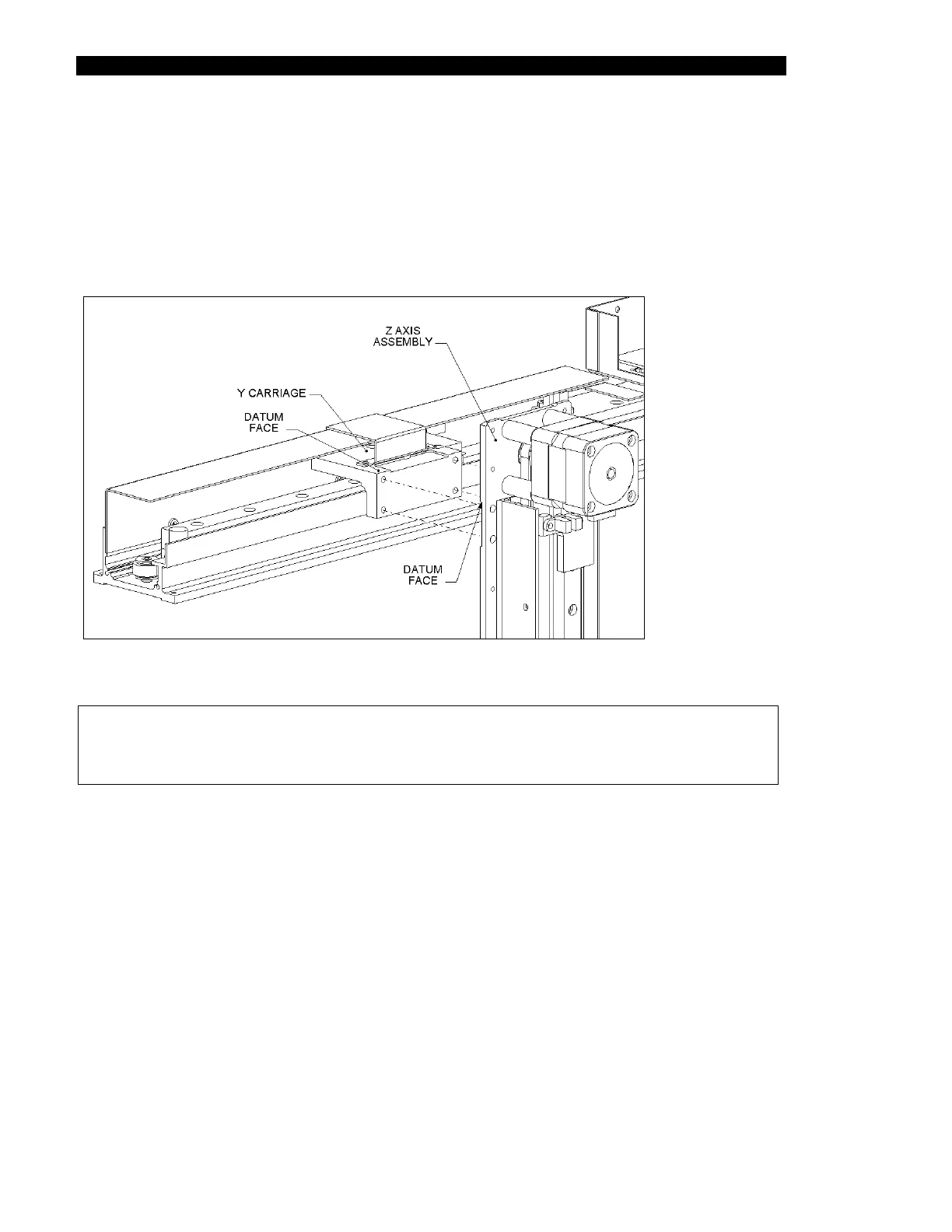
The Z-Drive Assembly is attached to the Y-Drive Assembly (Figure 7-13) with four M4 x 10
cap head screws and M4 flat washers.
Figure 7-13 Mounting the Z-Drive Assembly
Note: When the Z-Drive Assembly is reattached to the Y-Drive Assembly, make
certain that the Z-Drive Assembly is held tightly against the datum edge
(Figure 7-13). After the screws are tightened, secure them with Loctite 222.



 To Next Page