Repairing/Replacing Internal Components
11-42 DSX™ System Service Manual
11.4.23 Removing/Replacing the Lower Optic Block
To Remove the Lower Optic Block:
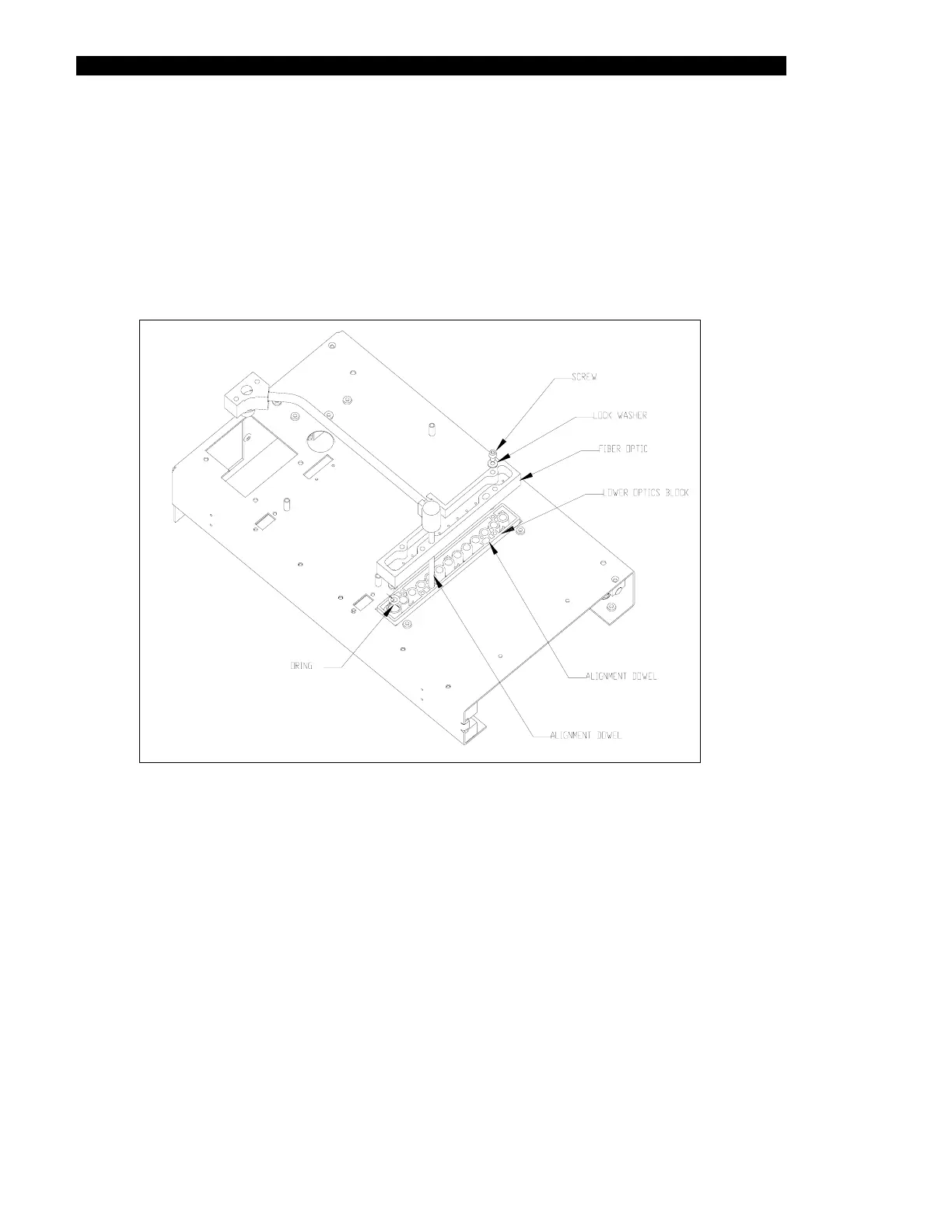
1 Turn the unit over and remove the 4-M3 x 20mm socket head caps screws and
M3 lock washers that secure the fiber optic bundle to the lower block. Set aside
the reference diode O-ring for reassembly (Figure 11-38).
Figure 11-38 Lower Optic Block



 To Next Page