Routine Maintenance/Service Procedures
11-2 DSX™ System Service Manual
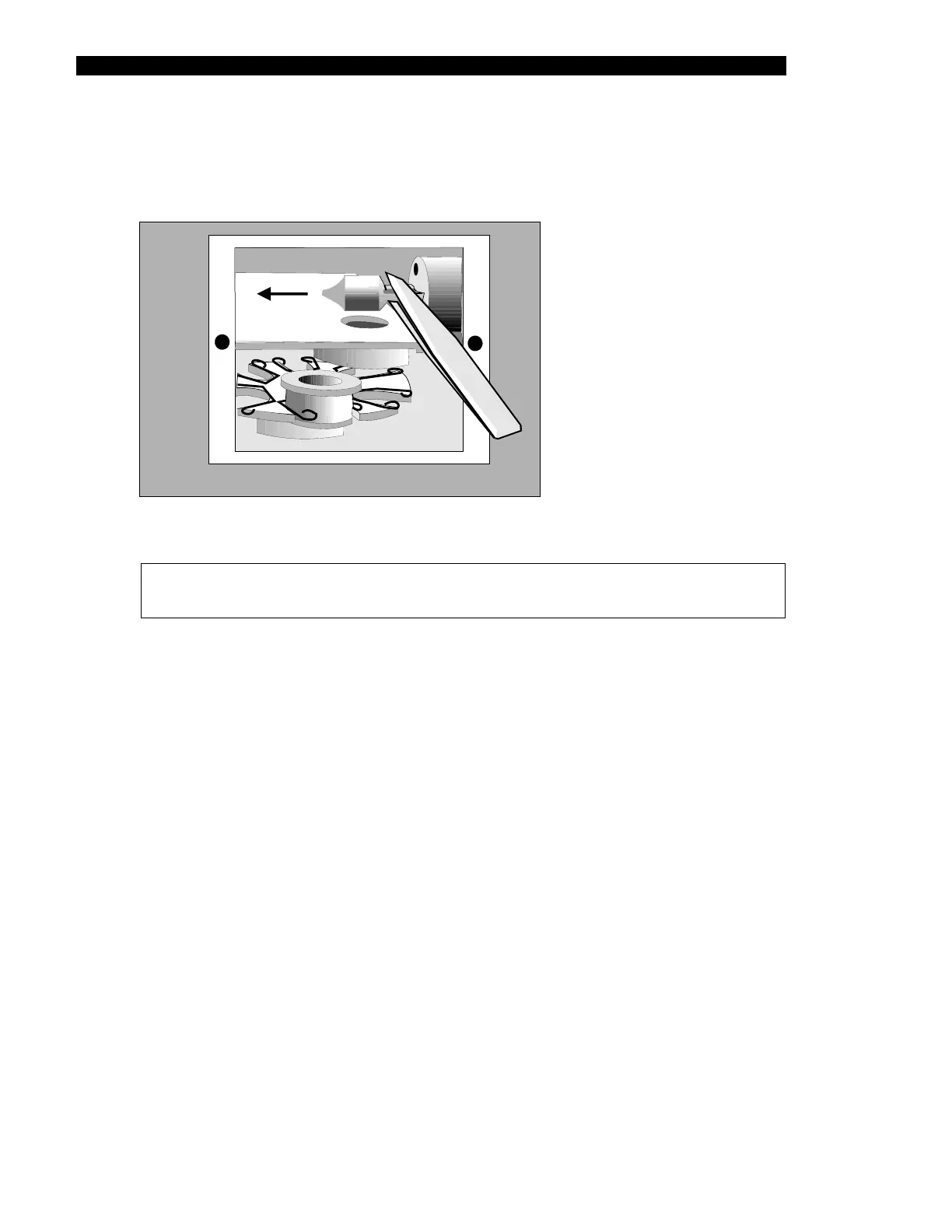
4 Grasp the lamp tines of the new lamp with a pair of needle nose pliers and align
the tines with the corresponding holes in the lamp socket as shown in Figure 11-1
and firmly insert the lamp into the socket
Figure 11-1 Removing the Lamp
Note: If you see any fingerprints or foreign material on the lamp, remove
them using a lint-free cloth saturated with methanol.
5 Replace the Filter Access Panel and reinstall the Reader Module in the system.
11.1.2 Removing and/or Installing a Filter
A filter should be replaced if it is cracked or cloudy. If the application for which the system is
used is changed, it may be necessary to replace one or more filters (depending on the
chemistry of the assay).
To Replace a Filter:
1 Remove the Reader Module from the system by rotating the two Allen screws
counter clockwise ¼ turn and pulling the module from the system.
2 Remove the Filter Access Panel on the rear of the Reader Module to expose the
optical assembly. The filters are mounted on the filter wheel as shown in
Figure 11-2.



 To Next Page