Replacing Components - Y-Drive Assembly
13-34 DSX™ System Service Manual
4 Tighten the belt adjustment screw until the belt pushes the plunger flush to face of
the jig. Tighten the screws on adjustable belt bracket.
5 Temporarily remove and then reinstall the adjustment screw using Loctite 222.
Individually remove and then reinstall the adjustable bracket screws using Loctite
222.
13.6.2 Removing the Moving Base Assembly
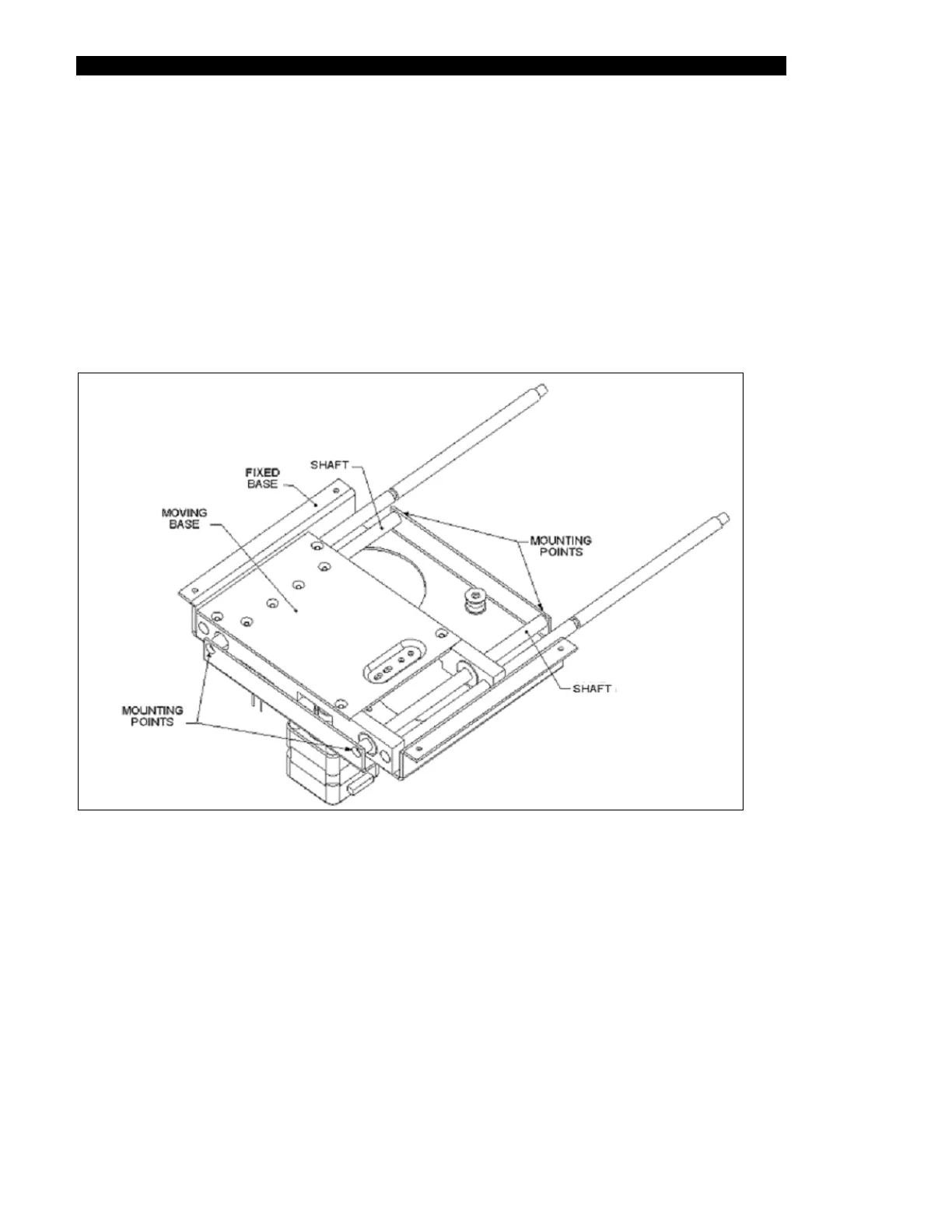
The moving base assembly is attached to the fixed base assembly as shown in Figure 13-27.
Figure 13-27 Mounting Moving Base Assembly Fixed Base Assembly
To remove the moving base assembly, detach the Y shafts using four M3 x 10 Flat head
screws.



 To Next Page