Repairing/Replacing Internal Components
DSX™ System Service Manual 9-25
9.4.10 Removal/Replacement of the Plate Carrier Bearings
To Replace the Plate Carrier Bearings:
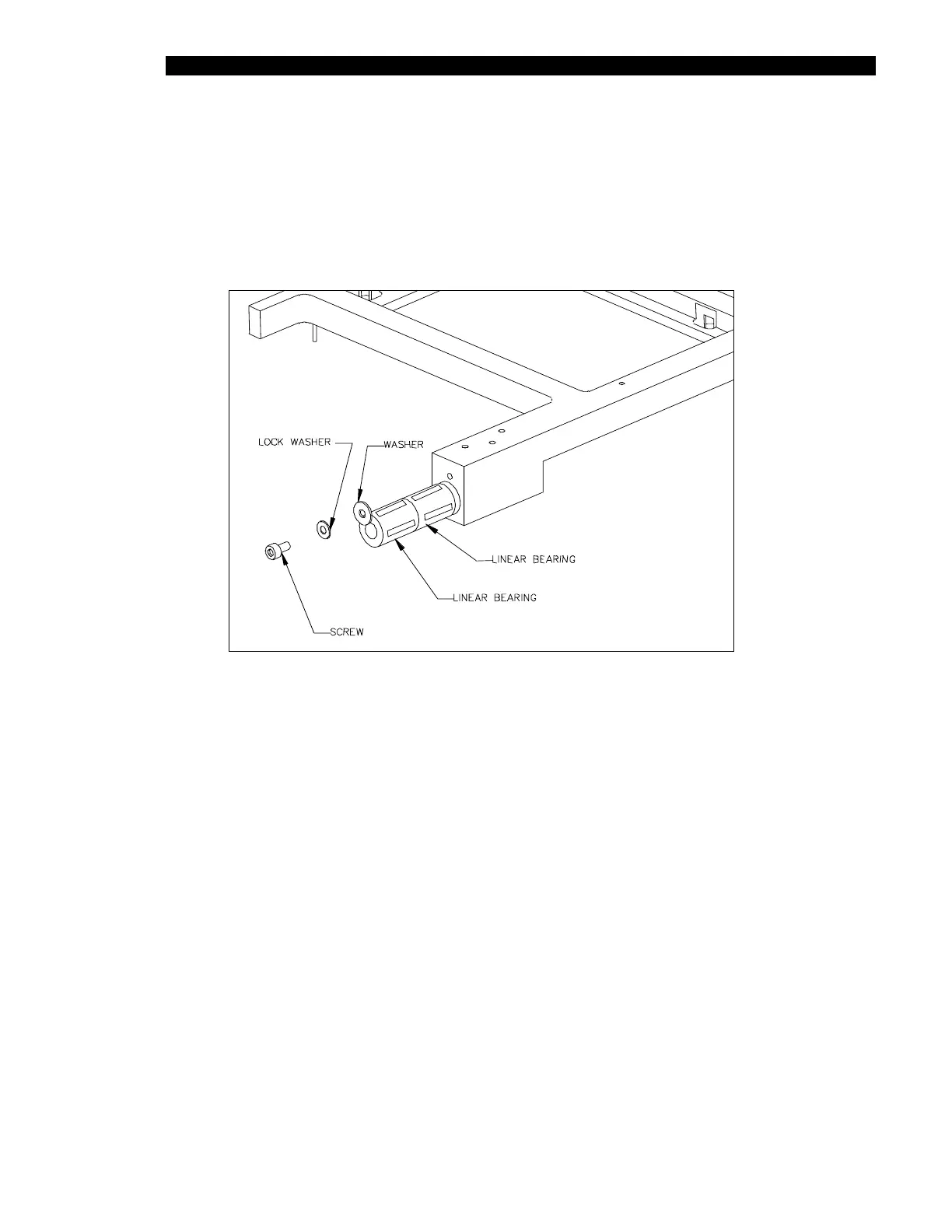
1 Remove the M3 x 6mm socket head cap screw, M3 lock washer, and M3 fender
washer (Figure 9-27).
Figure 9-27 Replacing Plate Carrier Bearings
2 To reinstall the bearing (Part No. 627304002), make sure the 4 silver pad
surfaces of the bearing are facing up and down and left and right (note diagram)
and lock in place using one M3 fender washer, one M3 x 6mm socket head cap
screw and one M3 lock washer.



 To Next Page