Replacing the Interlock Switch
16-8 DSX™ System Service Manual
16.3 Replacing the Interlock Switch
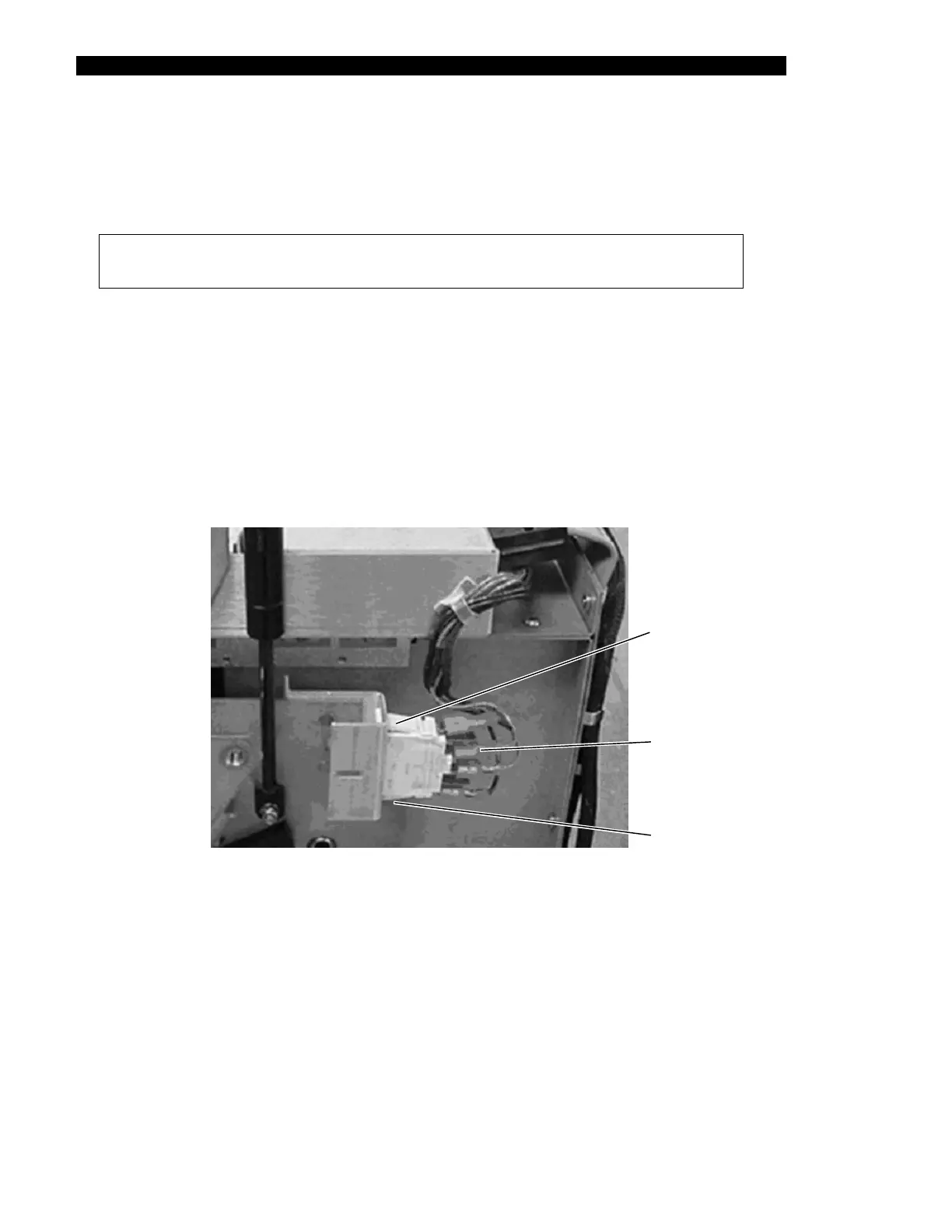
The interlock switch is used to prevent operation of the machine unless the cover is closed or
the override key is inserted. The switch is located adjacent to the right hinge.
Note: The interlock switch can be overridden by inserting the override key
through the slot near the right hinge of the top cover.
To Remove the Interlock Switch:
1 Remove the cover assembly, the rear cover, and the right side panel as outlined
in the previous sections.
2 Remove the harness terminals after noting their location.
3 Depress the mounting tabs on the sides of the switch to remove it from the
bracket (Figure 16-8).
F 6
To Install a New Interlock Switch:
Nut
igure 1 -8 Interlock Switch
1 Snap the switch into the mounting bracket. Either orientation of the switch is
acceptable.
2 Attach the harness terminals.
Mounting
Tab
Mounting
Tab
Harness
Terminals



 To Next Page