Washing A Plate
DSX™ System Service Manual 5-13
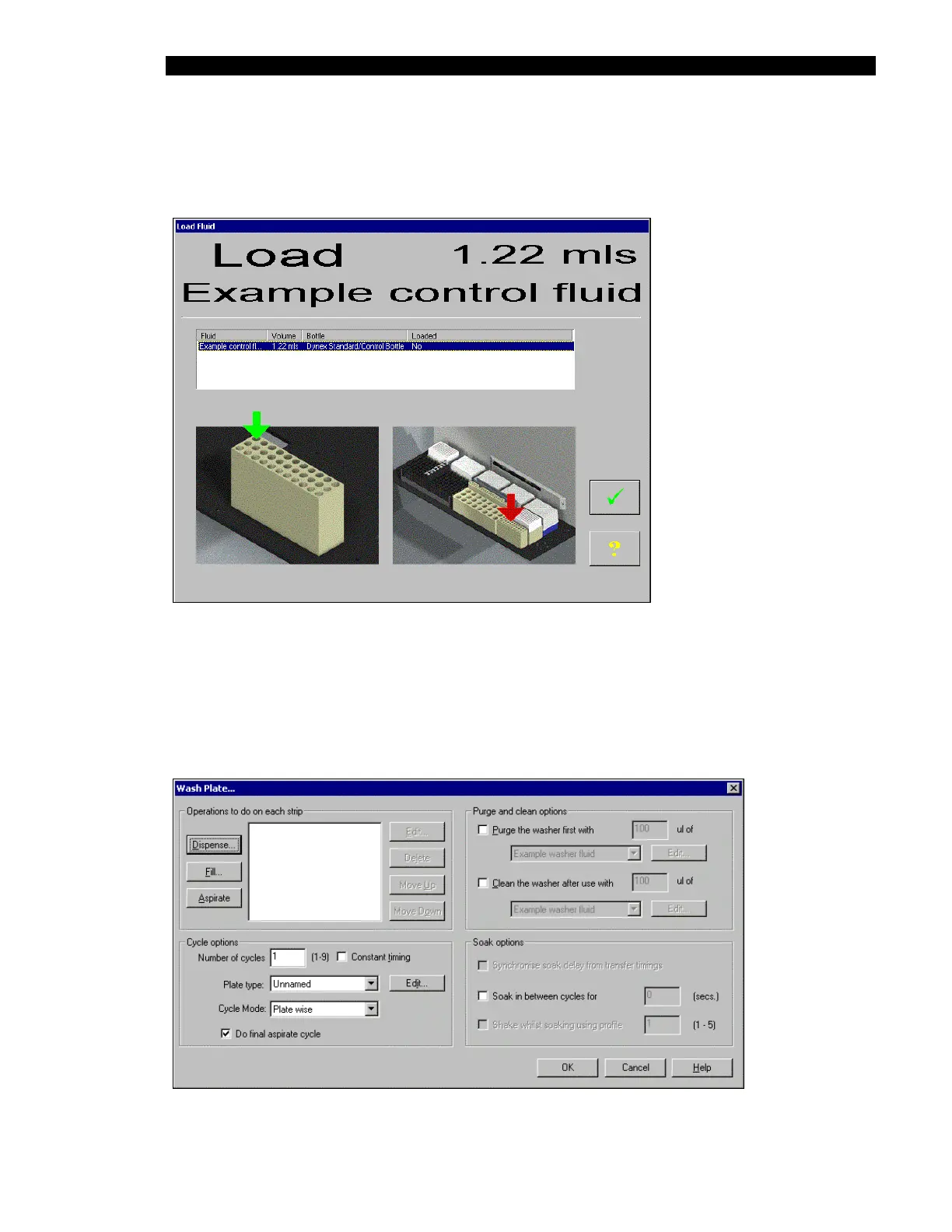
The Load Fluid window (Figure 5-16) will be presented. Place the indicated volume in the
indicated position and press the check mark to initiate the test. This process can be performed
with several vials.
Figure 5-16 Load Fluid Window
5.3 Washing A Plate
When the Wash a Plate selection is made on the Washer activity list (Figure 5-5), the Wash
Plate… dialog box (Figure 5-17) is presented to indicate the conditions for the test.
Figure 5-17 Wash Plate… Dialog Box



 To Next Page