Washing A Plate
5-14 DSX™ System Service Manual
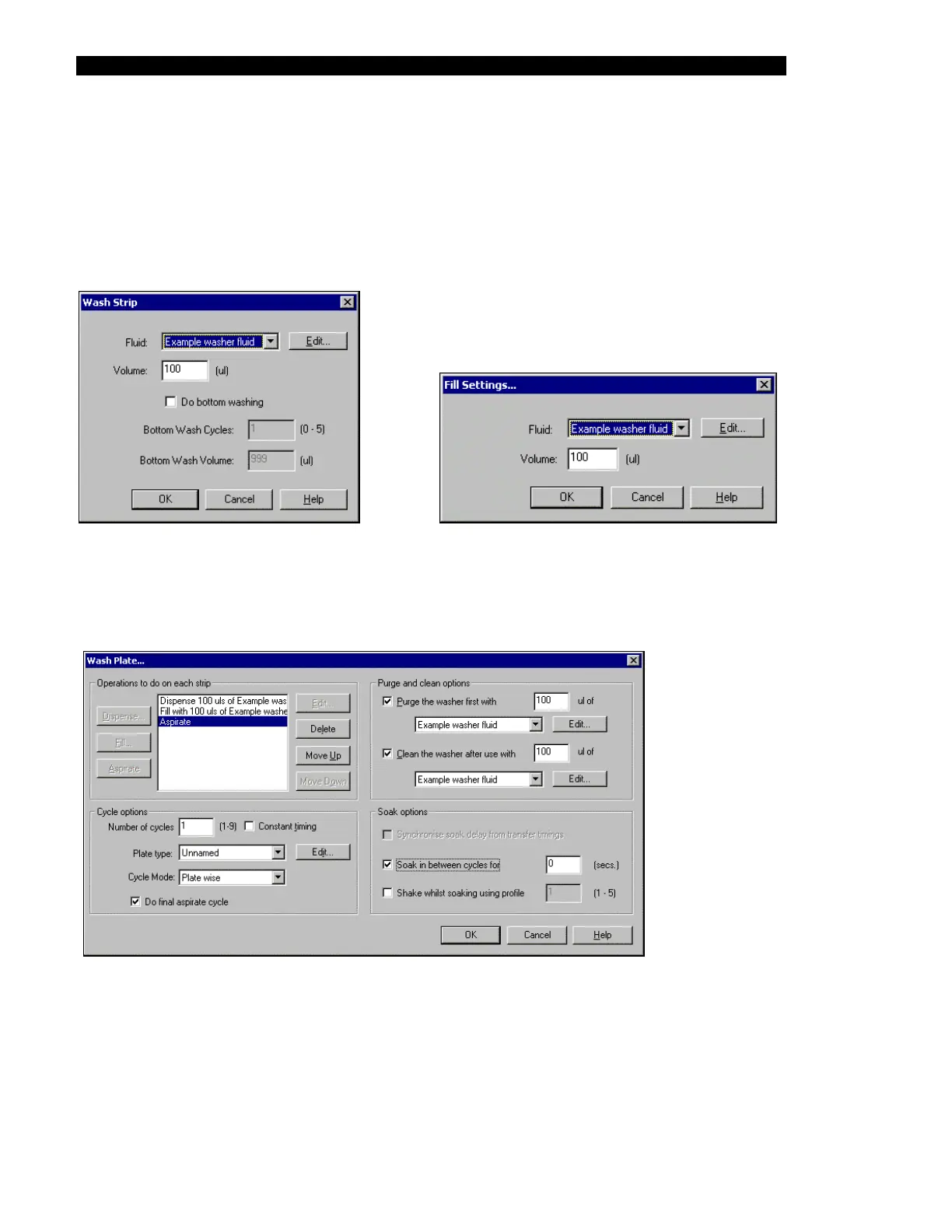
The service engineer should establish the washing protocol that is desired, using Dispense,
Fill and Aspirate steps as appropriate. In addition, the desired Cycle options (for example,
select the appropriate plate type), Purge and clean options and Soak options should be
entered. When a dispense operation is selected, the Wash Strip dialog box (Figure 5-18) is
presented and when a fill operation is selected, the Fill settings dialog box is presented
(Figure 5-19).
Figure 5-18 Wash Strip Dialog Box
Figure 5-19 Fill Settings Dialog Box
A typical wash plate sequence is presented in Figure 5-20.
Figure 5-20 Typical Wash Plate Sequence
After the entries have been established, click OK to execute the operation. The status line will
indicate that operation is proceeding and will indicate when it is finished.



 To Next Page