Routine Maintenance/Service Procedures
DSX™ System Service Manual 11-3
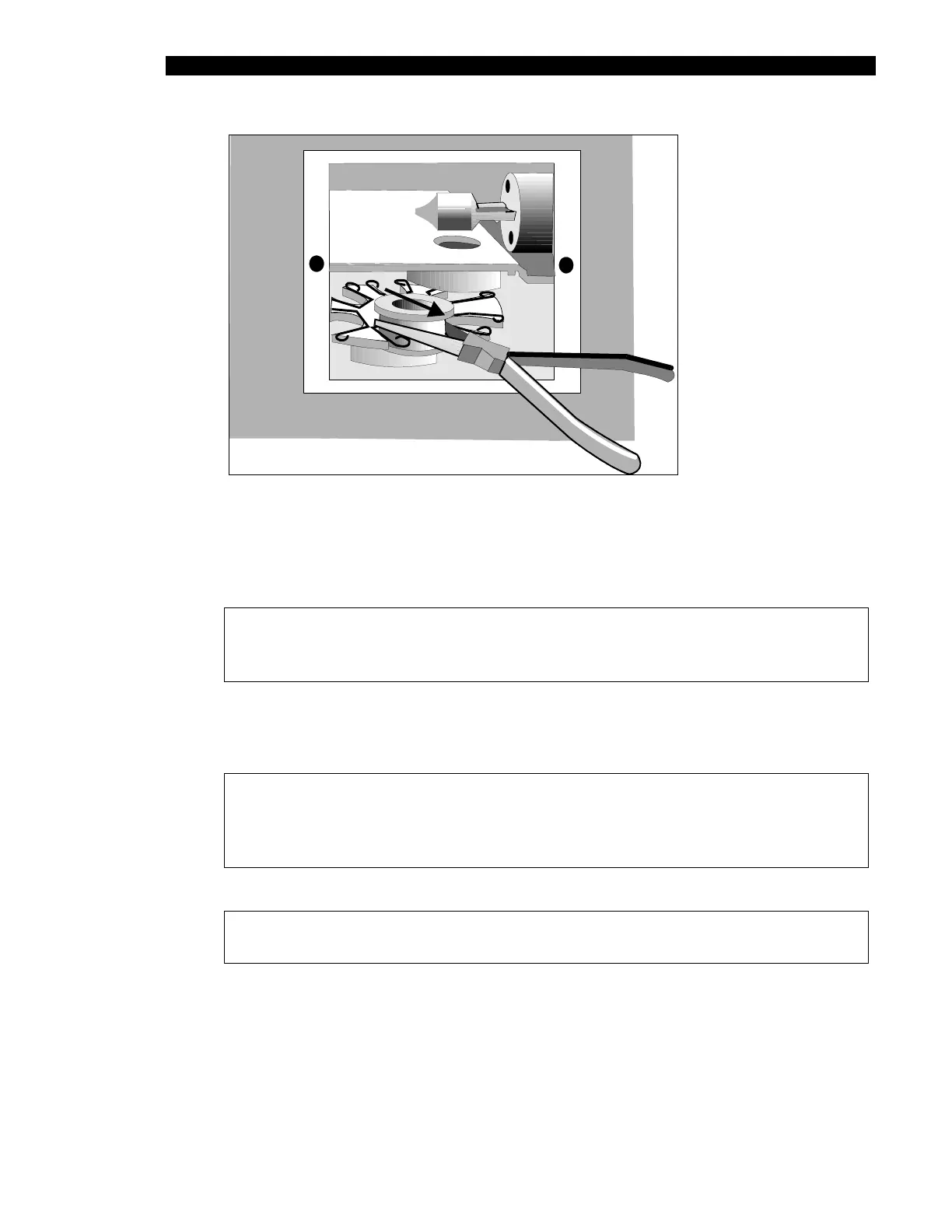
Figure 11-2 Removing the Filter Wheel
3 Locate the filter that is to be removed. Firmly grasp the exterior filter housing with
a pair of needle nose pliers and pull the filter out of the spring-loaded slot.
Note: Filters must be installed in adjacent filter positions in the increasing
order of their wavelength. There must not be any empty filter positions
between the lowest wavelength and highest wavelength filters.
4 To install a new filter, firmly grasp the exterior filter housing with a pair of needle
nose pliers and push the filter wheel into the spring-loaded slot. Replace the filter
access panel.
Note: The bottom groove of the filter must be firmly seated in the filter
wheel. If the groove is aligned with the spring on the filter wheel, the filter
has been installed incorrectly and will result in invalid instrument
performance.
Note: The 405 nm filter must be installed in Position 1.



 To Next Page