K117sm1e1
1-9
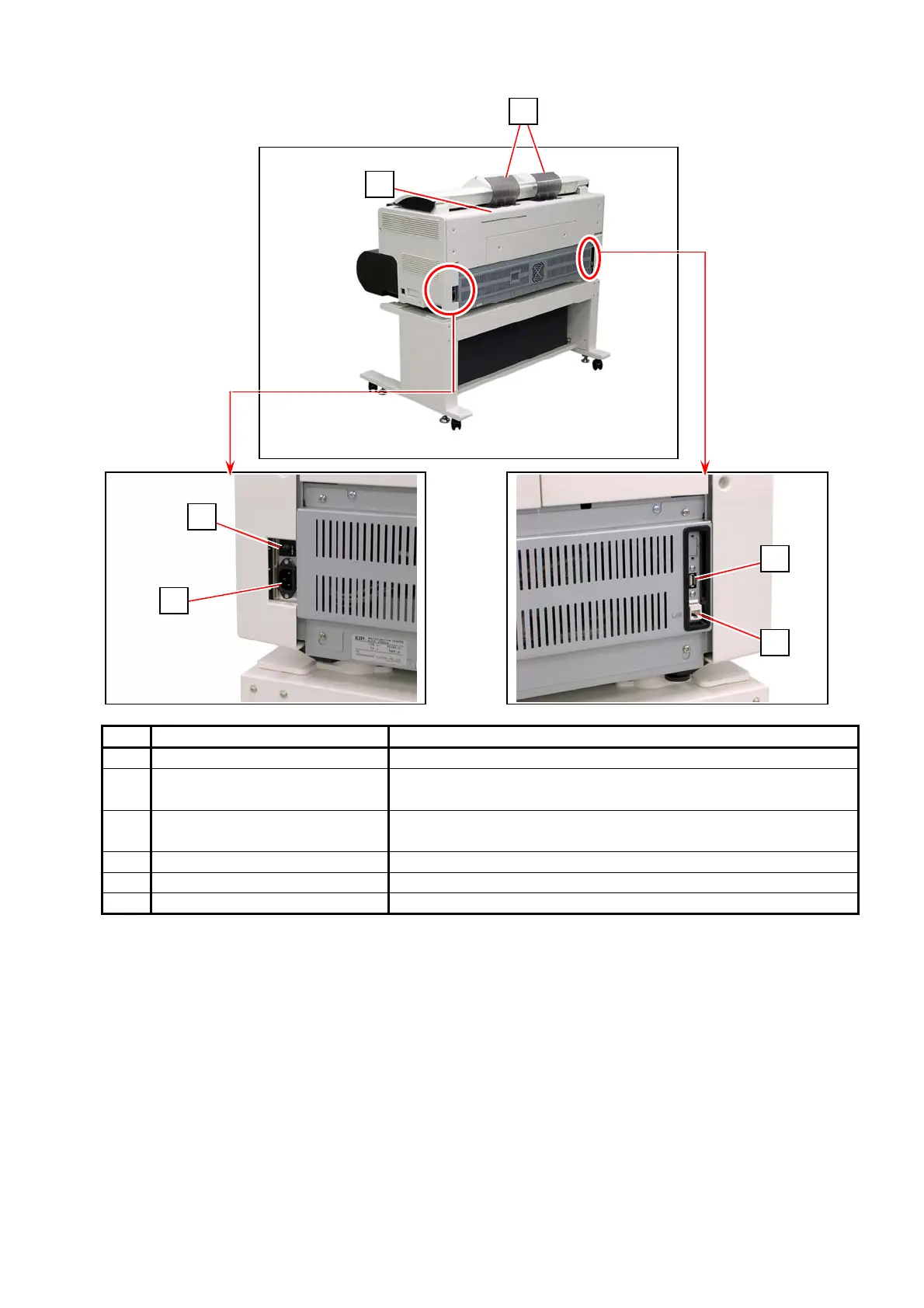
1. 4. 2 Rear
7: behind
No. Name Function
1 Toner Cover Open here to access toner supply system.
2 Original Guide These trays catch the original ejected from the Scanner
Unit.
3 LAN Port Connect the LAN Cable to connect the KIP 700m to the
network. (Do not connect a telephone line)
4 USB Port Service Use, 5VDC max.
5 Breaker It is possible to shut off supplying the AC power.
6 Inlet Socket Connect the Power Cord here.
7 Dehumidify Heater Switch
(Option)
Turn on the Dehumidify Heater with this switch when you
would like to dry the paper in the humid season.
7
2
1
4
3
5
6



 To Next Page