K117sm7e2
7-32
7. 3 Troubleshooting - Scanner Defects
7. 3. 1 Countermeasures - Scanner operation
7. 3. 1. 1 Original can not be set (Old Scanner)
(Scanner does not transport)
Cause Checking
order
Checking Result Treatment
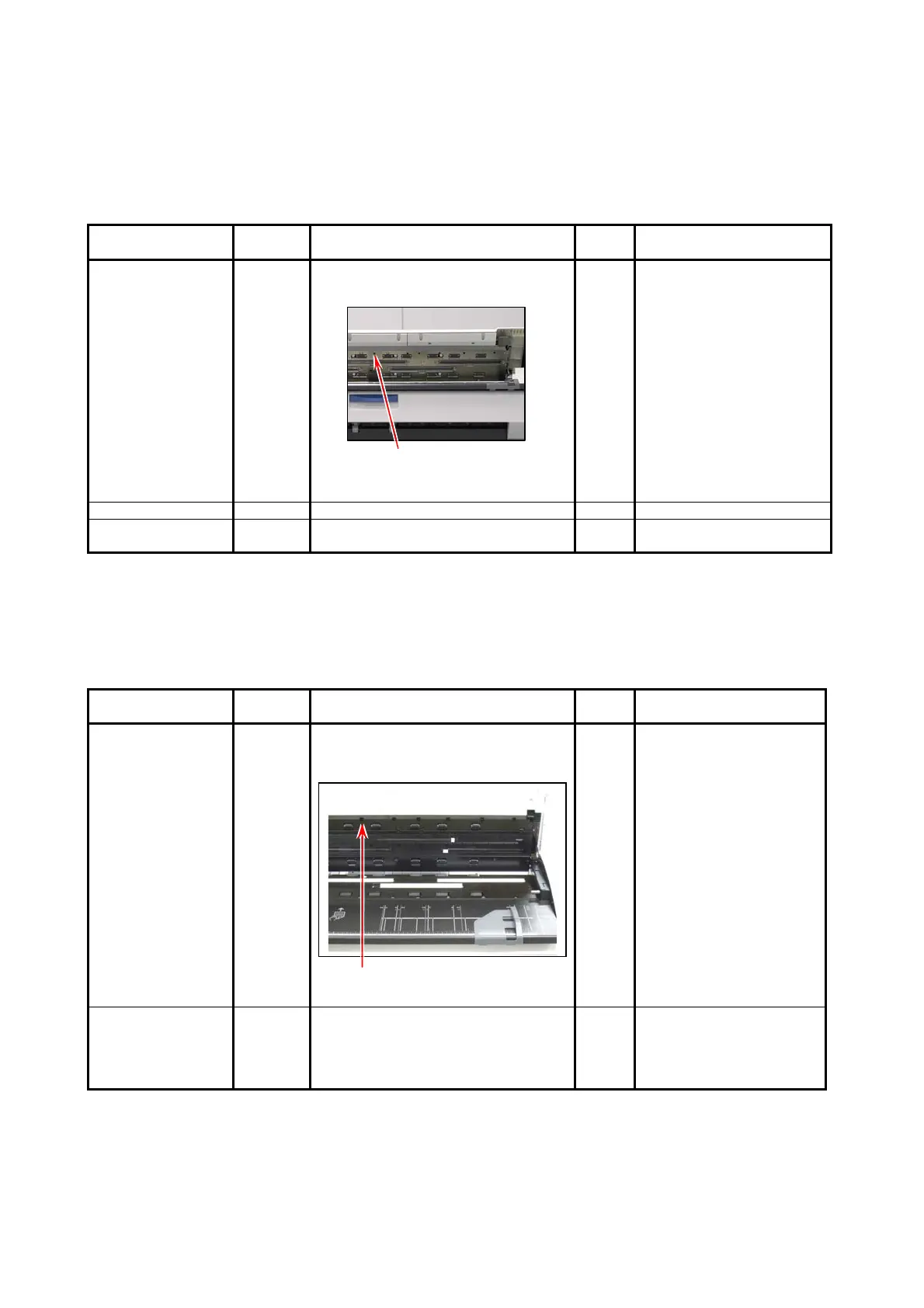
Sensor 1 Is the original detected?
(Is it shown on the UI?)
Check this sensor.
No 1. Tap the UI screen to
cancel the sleep mode.
2. Switch the UI screen to
Copy or Scan mode.
3. Check the sensor which
detects the leading edge
of original.
If broken replace it.
USB Cable 2 Is the USB Cable connected correctly? No Connect it correctly.
Data Controller
Board
3 Can you fix the problem if you replace
the Data Controller Board?
Yes OK
7. 3. 1. 2 Original can not be set (New Scanner)
(Scanner does not transport)
Cause Checking
order
Checking Result Treatment
Document Sensor
Front
1 Does the Document Sensor Front
detect the original correctly when you
feed it in?
Document Sensor Front
No 1. Clean this sensor. (See
[6.2.2 Sensor] for the
way of cleaning.)
2. Check the sensor and
replace it if broken.
(See [7.3.9 Check of
Document Sensor
Front].)
Motor
2 Open the Upper Unit then press the
Open Sensor Switch. Does the feeding
roller take any action at this time?
No 1. Check if the cable is
surely plugged into the
motor.
2. Check the motor and
replace it if broken.



 To Next Page