K117sm8eA
8-126
8. 13 KIP Scanner Utility (for Old Scanner)
KIP Scanner Utility 1.31 or later is a program that provides several scanner adjustments.
- Shading (mono/color calibration)
- Feed Distance (1:1)
- Position (stitch)
8. 13. 1 Installation
8. 13. 1. 1 Installing USB Driver
NOTE: Contact your KIP partner for the latest software and save it to any available storage
on your service PC.
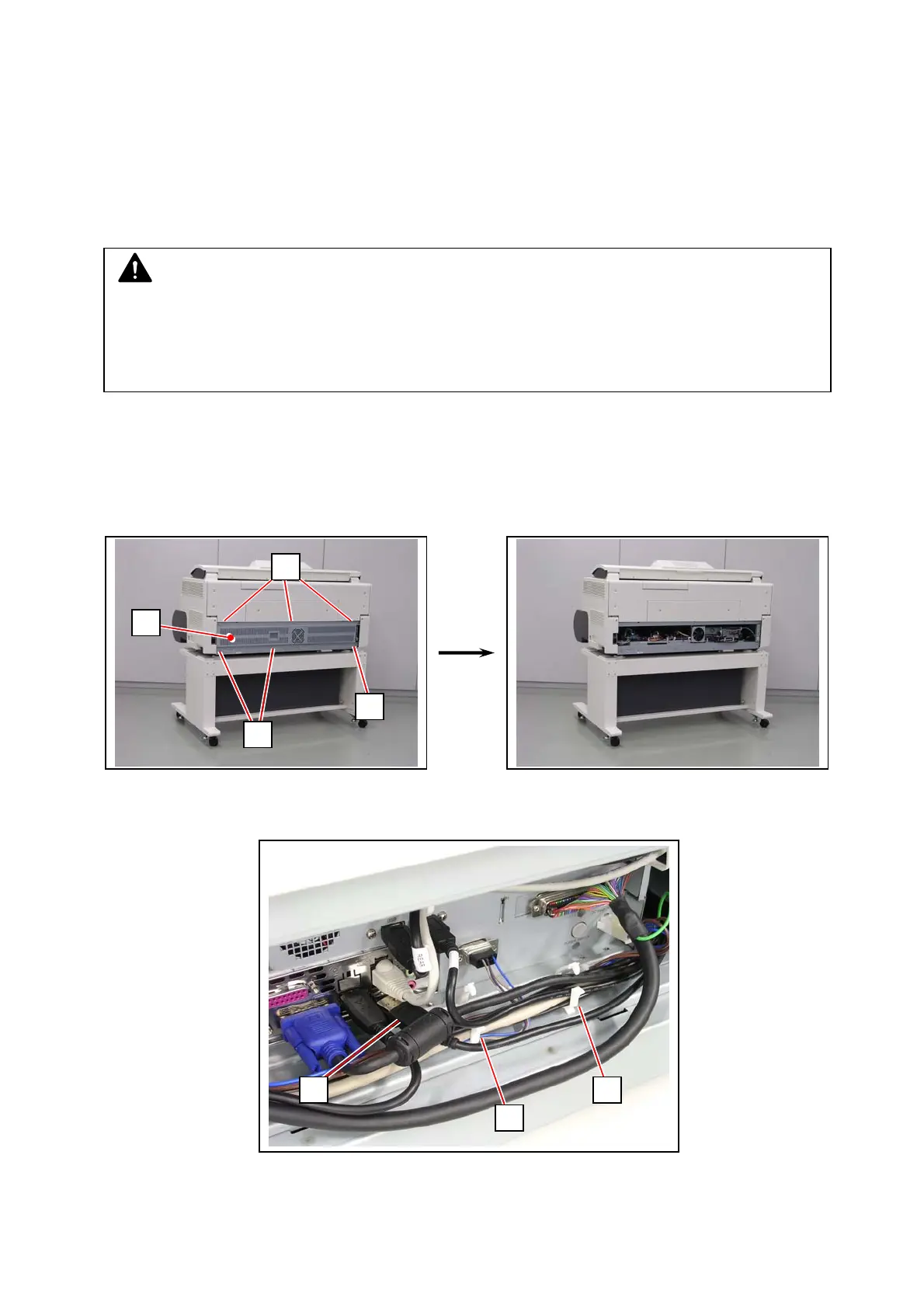
1. Loosen 2 screws (1), remove 4 screws (2) to remove Cover 32 (3).
2. Open 2 wire saddles (4) to release the Scanner USB Cable (5).
Disconnect the Scanner USB Cable (5) from IPS.
NOTE
Below are the system requirements to operate KIP Scanner Utility.
• Windows 2000 / XP operating system
• USB 2.0 support
• USB Driver for communication with KIP Scanner Unit (version 1.30 or later)
2
2
1
3
5
4
4



 To Next Page