K117sm8eE
8-264
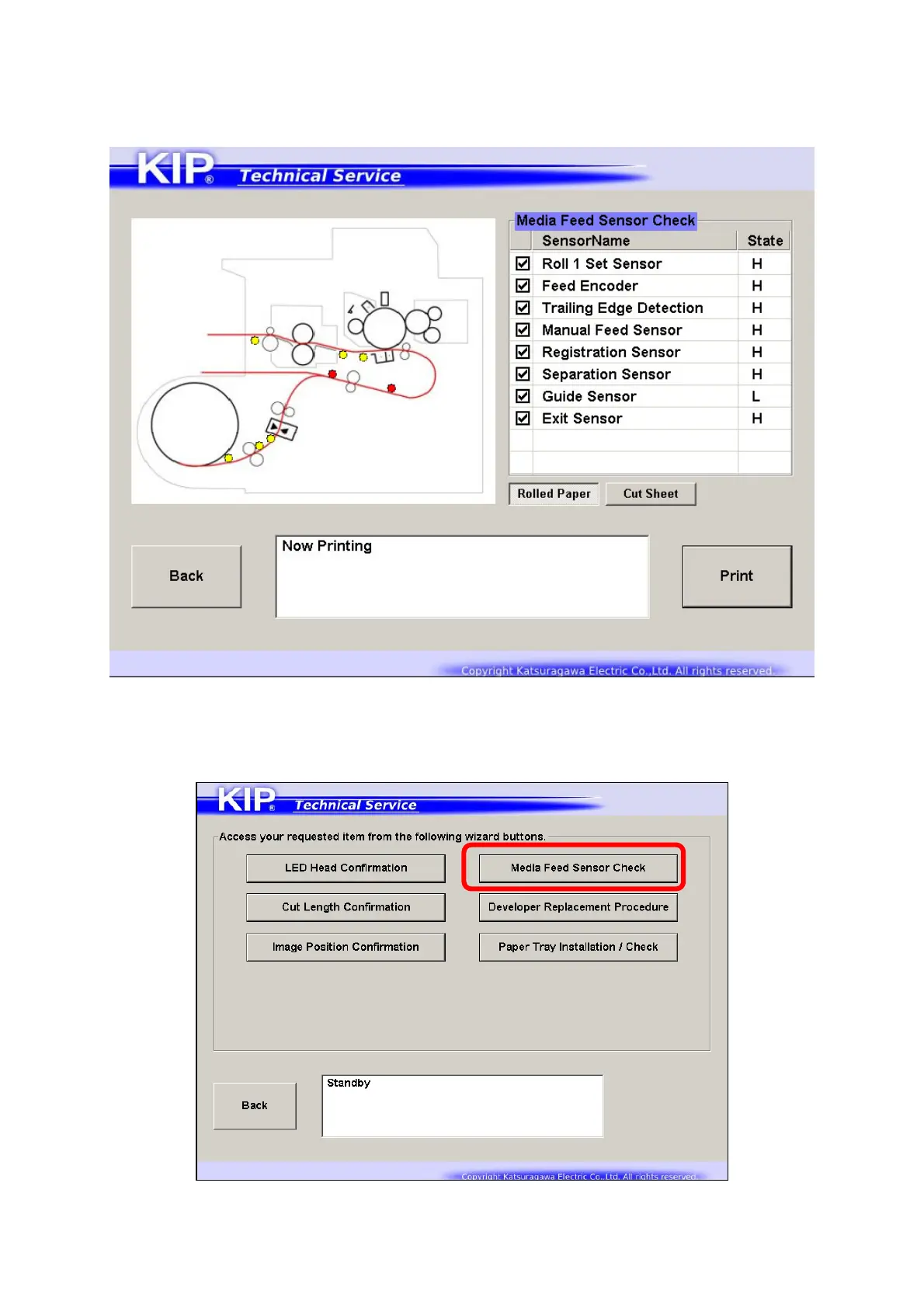
8. 15. 4 Media Feed Sensor Check
“Media Feed Sensor Check” can be used to visually check the current status of the sensors on the
media path.
This example shows that the machine is now processing a print job with a short sheet from the
roll deck. At this point, the media cut is done and the sheet goes around Registration Sensor.
1. Press [Media Feed Sensor Check].



 To Next Page