K117sm2e3
2-11
2. 10 Process Unit Setup
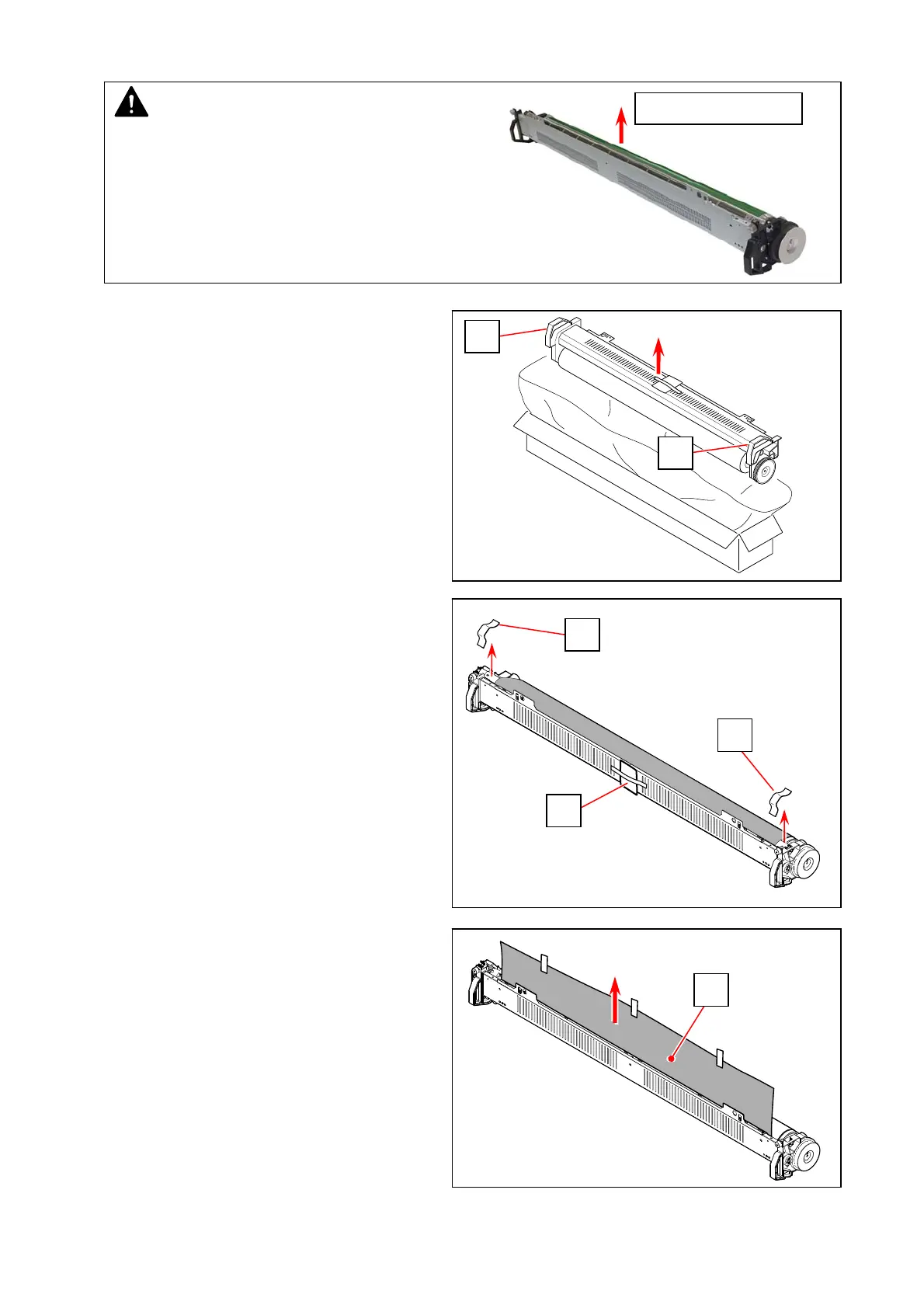
1. With holding both handgrips (1), take out the
Process Unit from the packaging box.
2. Put the Process unit on a flat table.
Remove Dry Silica Gel (2), and remove 2 tapes (3)
on the corona.
3. Remove the black shading paper (4).
NOTE
1. Please handle the Process Unit with great care as it
is equipped with the Drum. Rough handling may
damage the Drum.
2. Please confirm the table is flat when you put the
Process Unit on it. And be sure to put it by correct
direction as the following photo.
Direct this face up.
1
1
4
3
3
2



 To Next Page