K117sm8e2
8-9
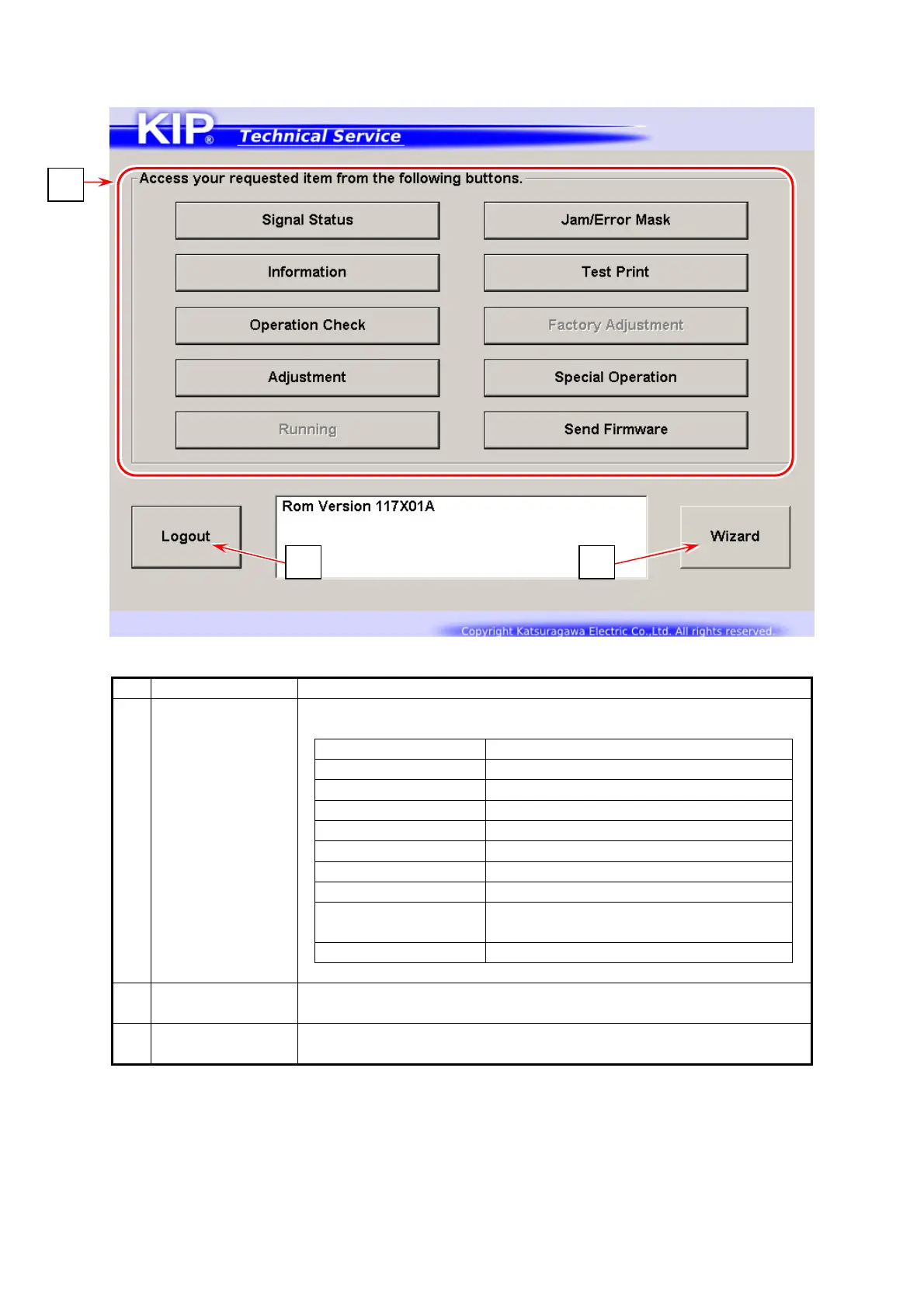
8. 2. 4 Service Mode Home
Name Function
1 Mode Select Press one of Mode Category buttons that you want to enter.
Signal Status Input / Output signal monitor
Information Analog data status monitor
Operation Check Electric device check
Adjustment Printer settings
Running not available
Jam/Error Mask Disables jam/error detection
Test Print Test pattern plot command
Factory Adjustment not available
Special Operation
Clears history, error status,
setting reset functions
Send Firmware Sends firmware program to printer
2 Wizard contains step by step wizard for con firmation of LED Head / Cut
Length / Image Position and some other helpful instructions
3 Logout Press here to log out Service Mode.
Returns to Log In screen
1
3 2



 To Next Page