K117sm2e3
2-13
2. 11 Installing Accessory
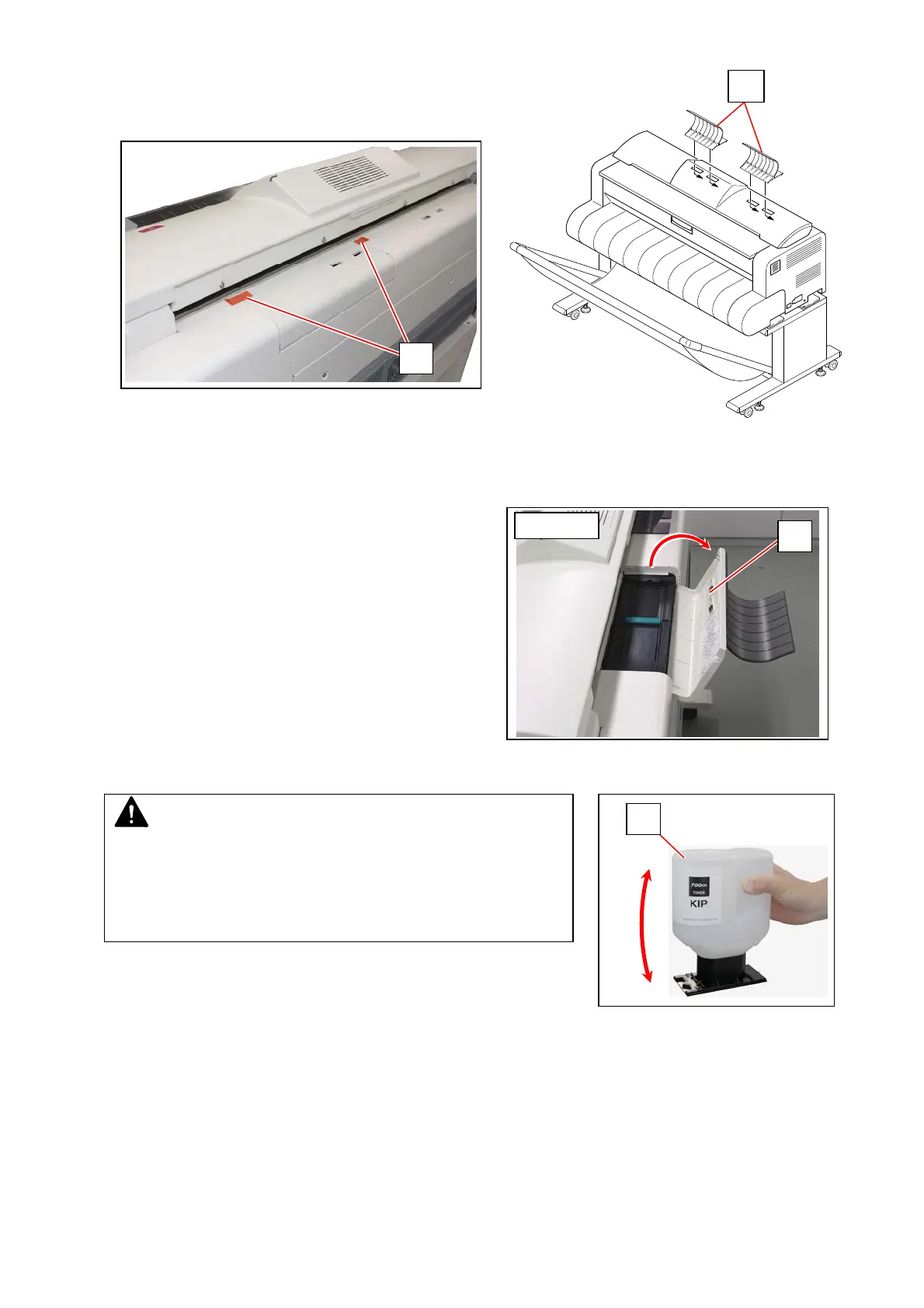
Remove 2 tapes (1).
Fit 2 Guides (2) into the slots on the rear cover of printer.
2. 12 Supplying Initial Toner
1. Open the Toner Hatch (1) on the rear cover of the printer.
(Not necessary to remove the Guide)
2. Shake the Toner Bottle (2) several times to loosen the toner.
1
2
1
NOTE
After you shake the Toner Bottle well, proceed the later step 3
and 4 as soon as possible.
Having a pause after step 2 may reduce smoothness of the toner.
This would disturb a smooth toner supply from the Toner Bottle to
the printer.
from right
2



 To Next Page