K117sm8e9
8-119
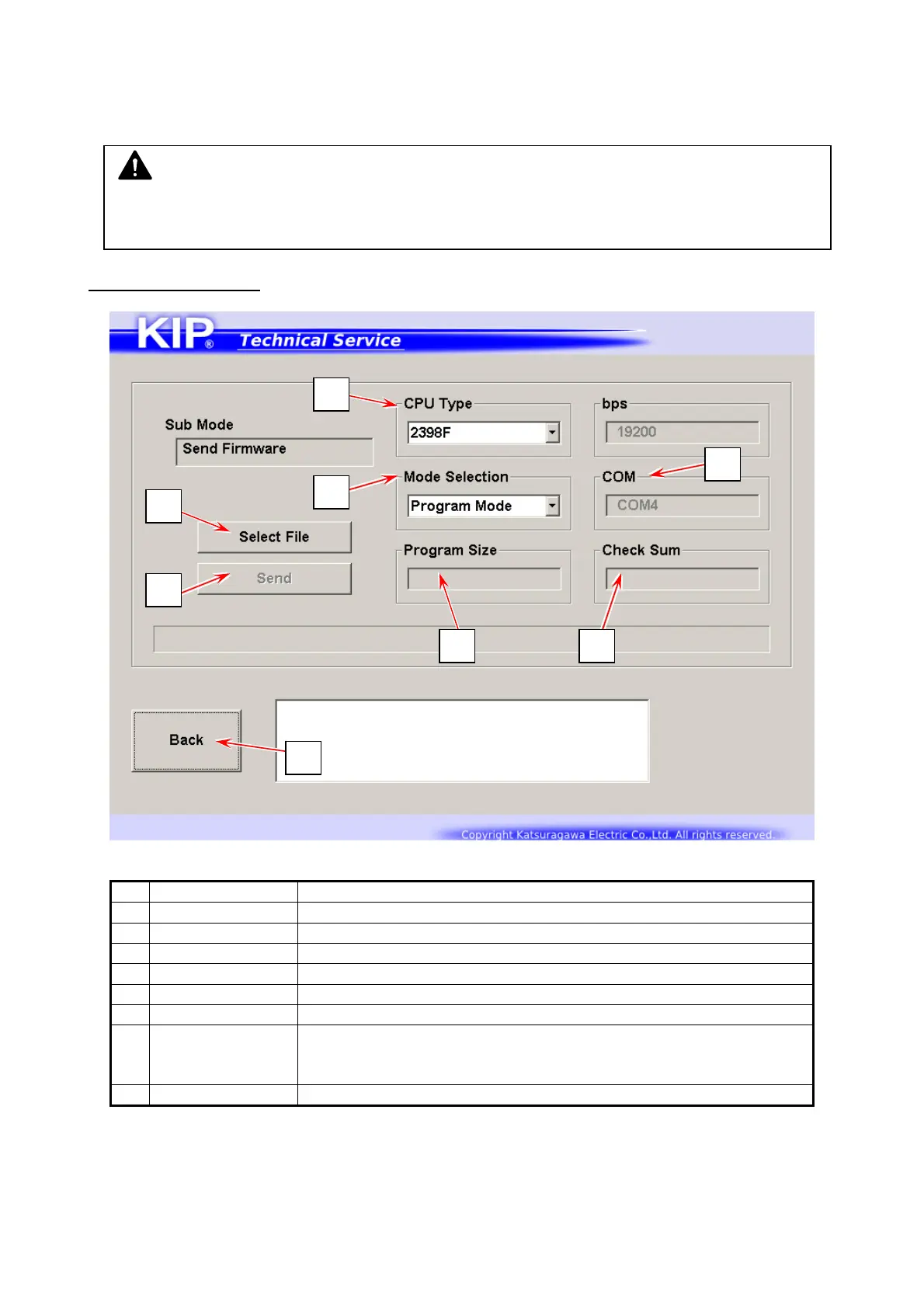
8. 12 Send Firmware Mode
You can send a new version firmware program provided by the manufacturer to the printer.
Note that the firmware program is named “K117X##A.mot”.
Send Firmware screen
Name Function
1 Mode Select Use “Program Mode” usually.
2 CPU Type Use “2398F” only.
3 Program Size Displays the file size of a selected firmware program (.mot fie)
4 Checksum Displays the checksum of a selected .mot file
5 Select File Locates a .mot file that you want to send to the printer
6 Update Sends a selected .mot file to the printer
7 COM Displays a COM port number on the controller to be used fo r
communication that has been configured in Serial Port Setting of
Log In screen
8 Back Returns to Service Mode Home
NOTE
A firmware update does not effect to the current parameters. They remain unchanged.
But please be sure to make a backup in .RAM prior to any firmware update just in case.
1
2
3 4
5
6
7
8



 To Next Page