K117sm8e2
8-10
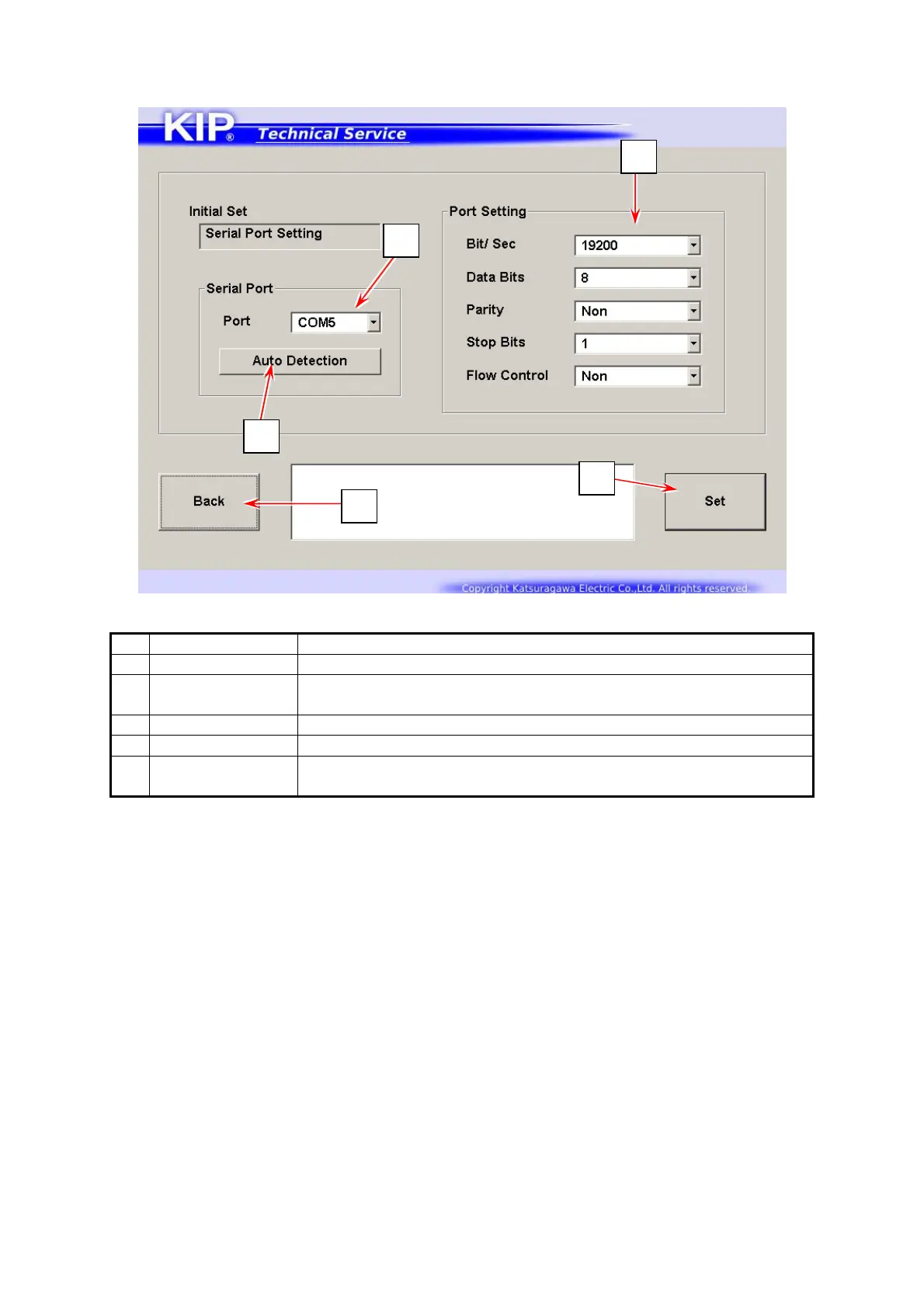
8. 2. 5 Serial Port Setting
Name Function
1 Port Number Shows the currently selected serial port
2 Auto Detection Detects a serial port number to be used for communication
between PW11720 to IPS
3 Port Setting Correct ant settings if not set so in the above image.
4 Set Applies serial port configuration to the selected port
5 Back Press here to log out Service Mode.
Returns to Log In screen
In case of communication failure or port open error, press [Auto Detection] to re-establish
communication between PW11720 to IPS.
1
2
3
4
5



 To Next Page